Antigravity CLI Subagents: Parallel Tasks From Terminal
Summary
Spawn parallel /agent subagents in Google's new Antigravity CLI for autonomous workflows.
On 19 May 2026 at Google I/O, the team behind Gemini CLI quietly killed it and replaced it with something far more capable: Antigravity CLI, invoked as agy. The old Gemini CLI binary keeps working until 18 June 2026 for AI Pro and Ultra users, then it is gone. If you scripted anything on top of gemini, the clock is ticking.
Antigravity CLI is not a rename. It is the same agent harness that powers Antigravity 2.0 desktop, shipped as a terminal app, with one headline feature: dynamic subagents. You hand the orchestrator a goal in plain English, and it decides what specialised subagents to spawn, runs them in parallel, and assembles their outputs without a single line of orchestration code from you.
This guide walks through the actual flow end to end. You will install agy, run a real parallel pipeline that turns a messy CSV into an interactive HTML dashboard in one prompt, and learn the slash commands, permission modes, and gotchas that separate "works on demo data" from "safe to run on Friday at 5pm."
Why subagents matter (and why now)
A single agent that does cleaning, analysis, and visualisation in one context window has two failure modes that anyone who has tried it knows by heart. The context fills up fast, so by the time the agent is writing matplotlib code, it has forgotten which columns were dirty. And every step blocks the next, so a five-minute task becomes a fifteen-minute one because the agent never overlaps work.
Subagents fix both. Each one gets a fresh context window scoped to its own task, and the orchestrator schedules them in parallel whenever the dependency graph allows. The pattern is not new in research papers, but Antigravity 2.0 is the first mainstream tool that lets you trigger it from a single CLI prompt with no framework code. That is why agy went viral the day Gemini CLI was put on a sunset clock.
Prerequisites
- macOS, Linux, or Windows with PowerShell 5+
- A Google account on any tier (Free, AI Pro, AI Ultra) — or a billing-enabled GCP project for higher limits
curlon macOS/Linux for the installer- Python 3.10+ available on PATH if you want to run the worked example
- Roughly five minutes for setup and a coffee for the agent run
Step 1 — Install Antigravity CLI
The installer drops a single Go binary named agy on your PATH. There is no Node, no Python, no virtualenv to manage.
On macOS or Linux:
curl -fsSL https://antigravity.google/cli/install.sh | bash
On Windows PowerShell:
irm https://antigravity.google/cli/install.ps1 | iex
On Windows CMD:
curl -fsSL https://antigravity.google/cli/install.cmd -o install.cmd && install.cmd && del install.cmd
Verify the install:
agy --version
# Antigravity CLI 1.0.0 (engine: antigravity-2.0)
Step 2 — Authenticate
Run agy with no arguments. It launches the TUI, prints a one-time code, and opens a browser tab. Sign in with the Google account you want to bill (or attach a GCP project for higher quotas).
$ agy
Welcome to Antigravity CLI 1.0.0
Authenticate at https://antigravity.google/cli/auth
Enter code: BX42-9PLM
> ... (waits)
✓ Signed in as you@example.com
✓ Model: gemini-3.5-flash (high)
The CLI stores its config under ~/.config/antigravity/ on Linux and macOS, and under %APPDATA%\Antigravity\ on Windows. Tokens refresh automatically; you only do this once per machine.
Step 3 — Understand the orchestrator → subagent flow
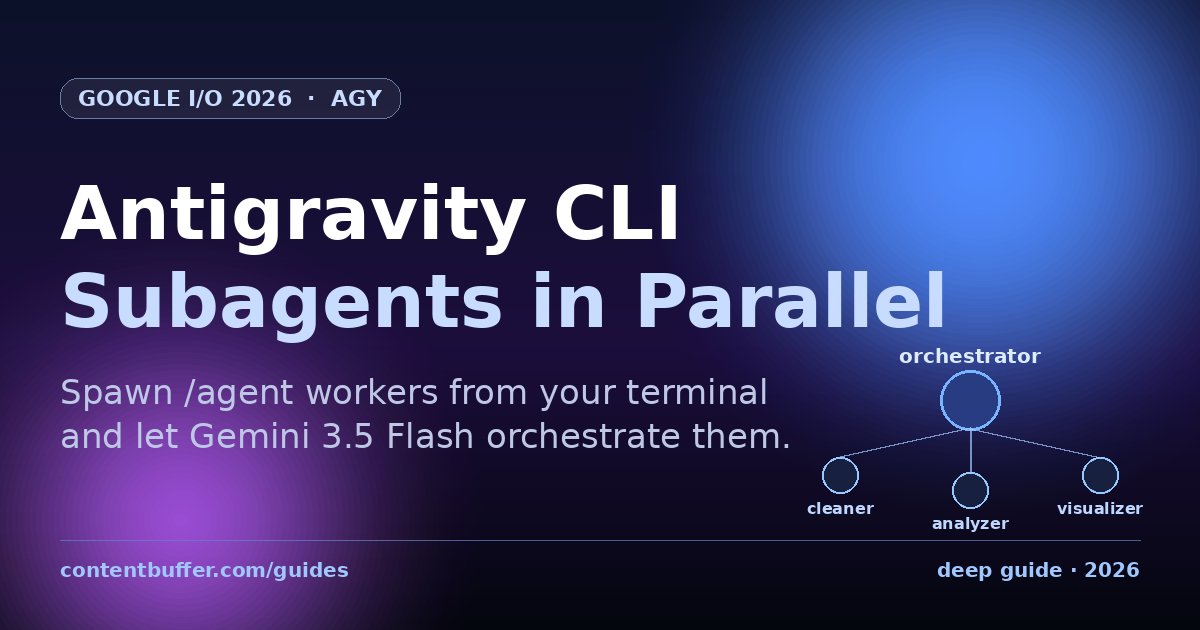
This is the single most important diagram for using agy effectively. The orchestrator is the agent that talks to you. Subagents are short-lived workers it spawns to do one thing well.
Your prompt
↓
Orchestrator agent (sees your full request, plans, monitors)
├── profiles the data / repo / inputs
├── writes implementation_plan.md to ~/.gemini/ant.../
├── DefineSubagent("data_cleaner")
├── DefineSubagent("data_analyzer")
└── DefineSubagent("data_visualizer")
│
├── data_cleaner ──┐
├── data_analyzer ──┤ run in parallel once
└── data_visualizer──┘ inputs are ready
↓
Orchestrator: synthesises outputs → final artifact
Two things to internalise. First, you do not name or define subagents yourself; the orchestrator decides based on your goal. Second, the dependency graph is inferred from artifacts: data_analyzer only starts once sales_clean.csv exists on disk, but it runs in parallel with data_visualizer once both have what they need.
Step 4 — Run a real parallel pipeline
We will take a deliberately messy sales CSV and ask agy for a polished interactive HTML report. No code, no subagent definitions, no orchestration plumbing.
Create a project folder and drop in the dataset:
mkdir AntigravityDemo
cd AntigravityDemo
cat > sales_raw.csv <<'CSV'
month,product,region,revenue,units_sold
2024-01,Laptop Pro,North,45200,38
2024-01,Wireless Earbuds,South,12300,205
2024-01,Mechanical Keyboard,East,8900,89
2024-02,Laptop Pro,North,47800,40
2024-02,Wireless Earbuds,South,,198
2024-02,Mechanical Keyboard,East,9100,91
2024-03,Laptop Pro,North,51200,43
2024-03,Wireless Earbuds,South,13100,218
2024-03,Mechanical Keyboard,East,,
2024-04,Laptop Pro,North,999999,42
2024-04,Wireless Earbuds,South,13800,230
2024-04,Mechanical Keyboard,East,9600,96
2024-05,Laptop Pro,North,55100,46
2024-05,Wireless Earbuds,South,14200,237
2024-05,Mechanical Keyboard,East,10100,101
2024-06,Laptop Pro,North,57300,48
2024-06,Wireless Earbuds,South,14900,248
2024-06,Mechanical Keyboard,East,10500,105
CSV
Note the two missing revenue cells, the missing row for March keyboards, and the obvious $999,999 outlier in April. Real data quality issues so the subagents have something to chew on.
Now launch agy and send a single goal:
agy
> /goal I have a sales dataset at ./sales_raw.csv.
Spin up subagents to clean it, analyse month-over-month trends,
and produce an interactive HTML dashboard.
Save all outputs in this folder.
The /goal prefix matters. Without it, the orchestrator stops after every significant step and asks "Proceed?" Useful when you are exploring, infuriating when you want to walk away and come back to a finished report.
Step 5 — Read the agent's trace
Within a few seconds agy starts printing its work in a structured trace. You do not have to read every line, but knowing the rhythm helps you spot when something is off.
● ListPermissions ✓ read+write on ./
● ListDir ./
● Read sales_raw.csv (18 rows, 5 cols)
● Thought 3s · 1.5k tok → Analysing data quality issues
● Bash python3 --version
● Bash python3 -c "import pandas, matplotlib, seaborn"
● Thought 4s · 463 tok → Planning implementation
● Create implementation_plan.md (in ~/.gemini/ant_38f1/)
● DefineSubagent "data_cleaner" ✓
● DefineSubagent "data_analyzer" ✓
● DefineSubagent "data_visualizer" ✓
● /agent data_cleaner ▶ running ... [12s]
● /agent data_analyzer ▶ queued (waiting on sales_clean.csv)
● /agent data_visualizer ▶ queued (waiting on sales_clean.csv)
● data_cleaner ✓ → sales_clean.csv
● /agent data_analyzer ▶ running ... ┐ in parallel
● /agent data_visualizer ▶ running ... ┘ ~9s each
● Orchestrator: assembling sales_report.html
● ✓ Done in 47s. Artifacts:
sales_clean.csv analysis_summary.json sales_report.html
The agent first profiles its environment (reads permissions, checks Python and libs), then plans, then defines subagents, then runs them. You can see the parallelism kick in when data_analyzer and data_visualizer go green simultaneously. End-to-end on a free-tier Gemini 3.5 Flash account this typically lands between 40 and 90 seconds.
Step 6 — Slash commands you will actually use
Everything inside agy is driven by slash commands. The ones below are the small set worth memorising.
| Command | What it does | When to reach for it |
|---|---|---|
| /goal <text> | Run autonomously to completion | You know what you want and trust the plan |
| /grill-me <text> | Agent asks clarifying questions first | Ambiguous goals; expensive or destructive work |
| /agent <name> <task> | Dispatch one named background subagent | Manual override when the orchestrator under-decomposes |
| /agents | Show health and progress of all running subagents | Debugging long runs or stuck pipelines |
| /permissions | Open the per-tool permission editor | Switching between request-review and auto-accept |
| /artifact | Open the artifact folder (plans, outputs) | Reviewing what an agent wrote before trusting it |
| /schedule <cron> <goal> | Re-run a goal on a cron schedule | Daily digests, hourly health checks |
| /browser | Allow this run to drive a browser | Scraping, JS-heavy sites, OAuth flows |
| /config | Open settings (model, theme, MCP servers) | Adding MCP servers or switching to Pro |
The two you will reach for daily are /goal and /grill-me. The two you will reach for when something breaks are /agents and /artifact.
Step 7 — Permissions, YOLO mode, and the sandbox
Antigravity CLI ships four permission modes per tool class (read, write, exec, network). Type /permissions inside the TUI to switch between them.
| Mode | Behaviour | Use it when |
|---|---|---|
| request-review | Asks before every action (default) | First runs against unfamiliar repos |
| proceed-in-sandbox | Runs without asking, inside an OS sandbox | Trusted goals, untrusted code being written |
| always-proceed | Auto-accepts everything (YOLO mode) | Personal scratch projects only |
| strict | Hard-deny without an explicit grant per call | Production servers, shared accounts |
The sandbox is real. On Linux, agy wraps any shell command in nsjail; on macOS, it uses sandbox-exec. Both isolate the process from your home directory by default and only mount the project folder. That is what makes proceed-in-sandbox a reasonable middle ground: the agent can write and run code without confirmation, but it cannot rm your dotfiles.
YOLO mode (always-proceed) skips the sandbox too. Only use it on throwaway VMs or scratch directories you genuinely do not care about. The Antigravity team explicitly recommends against turning it on for the repos you actually work in.
Common pitfalls
These are the gotchas that bite people in the first week, in roughly the order they show up.
- Forgetting
/goal. Without it, everyListDir,Bash, andCreatepauses for confirmation. Fine for exploration, terrible for a script you want to walk away from. - Subagents share artifacts, not memory. If
data_analyzerneeds a Python helper thatdata_cleanerwrote, it must be a file on disk, not an in-memory object. The orchestrator infers dependencies from artifacts, so write files even when it feels redundant. - The
implementation_plan.mdlives outside your repo. It is written to~/.gemini/ant_<hash>/. Don't grep your project folder for it. Use/artifactto open the scratch directory. - A failed subagent does not roll back its siblings. If
data_visualizercrashes afterdata_cleanerhas producedsales_clean.csv, the clean file stays. Re-running with a tighter prompt resumes from the artifacts you already have. - Free-tier quotas cap parallel runs. The default Pro/Ultra quotas comfortably support 3 to 5 parallel subagents. Free tier throttles aggressively; if you see queued subagents that never start, that's why.
- YOLO mode bypasses the sandbox. A reminder, because it is the single most common foot-gun. Stay on
proceed-in-sandboxunless you have a reason. - Gemini CLI scripts won't work after 18 June 2026. Audit your CI for
geminibinary calls; the migration path is usually a one-line swap toagyplus a slash-command prefix change. - Your data is sent to Google's API. The CLI calls Gemini 3.5 Flash. For sensitive data, look at the Antigravity SDK to self-host the same agent harness against an on-prem model endpoint.
Quick reference
| Thing | Value |
|---|---|
| Binary name | agy |
| Default model | Gemini 3.5 Flash (High) |
| Install (Linux/macOS) | curl -fsSL https://antigravity.google/cli/install.sh | bash |
| Install (PowerShell) | irm https://antigravity.google/cli/install.ps1 | iex |
| Config dir | ~/.config/antigravity/ (or %APPDATA%\Antigravity\) |
| Scratch dir for plans | ~/.gemini/ant_<hash>/ |
| Sandbox tech | nsjail (Linux), sandbox-exec (macOS) |
| Replaces | Gemini CLI (sunsets 18 Jun 2026 for Pro/Ultra) |
| Released | 19 May 2026 at Google I/O |
| Subagent dispatch | /agent <name> <task> (or let orchestrator decide) |
| Run to completion | /goal <text> |
| Ask first | /grill-me <text> |
Next steps
- Wire your
/goalprompt into/schedule '0 8 * * *' …for a daily run on a refreshed CSV. - Add a local MCP server via
/config → MCP serversso subagents can hit your private database or internal docs. - Move the same pipeline behind the Gemini API's new Managed Agents endpoint when you want it inside a web app — the subagent semantics are identical.
- Swap to the Antigravity SDK if you need to host the orchestrator on your own infra against a self-hosted model.
- Audit any CI job that still calls
geminidirectly and migrate it before 18 June 2026.
Dynamic subagents are the most under-rated feature of the 2026 agent stack. Once you see a goal decompose itself into three workers running in parallel, single-agent scripts feel like driving with the parking brake on.
Comments
Be the first to comment
Found this useful?
Get new AI guides for builders by email. Free.