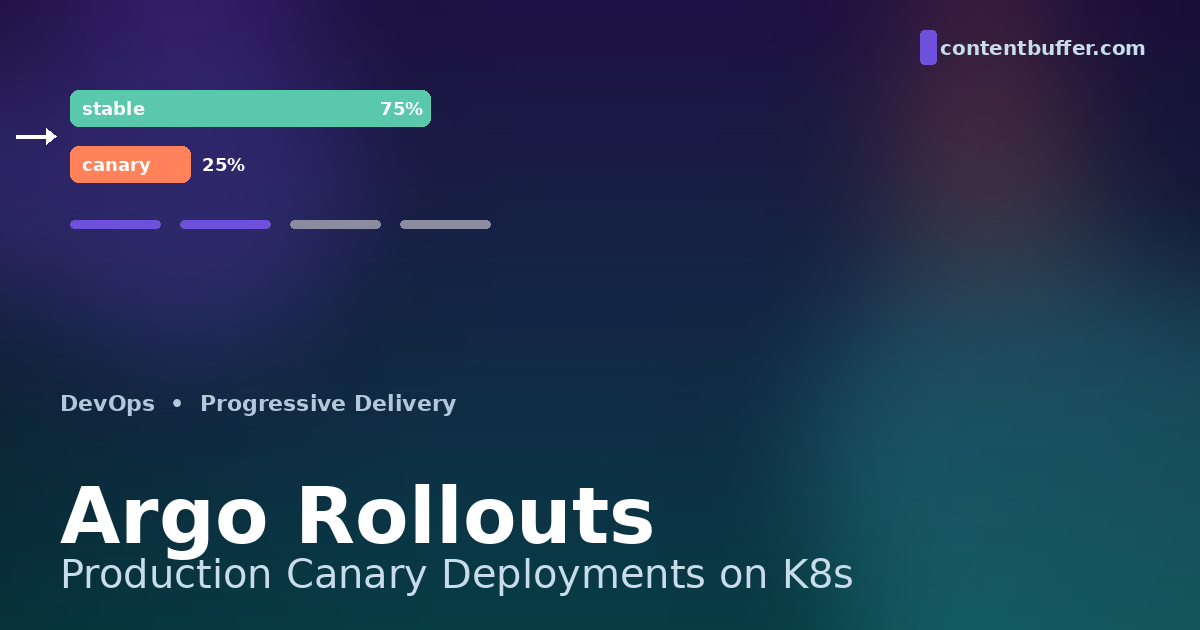
Argo Rollouts: Production Canary Deployments on K8s
Summary
Ship safer with progressive delivery: canary, analysis, automated rollback on Kubernetes.
Why progressive delivery matters in 2026
Standard Kubernetes Deployment objects only know one rollout strategy that resembles a real safety net: RollingUpdate. It swaps pods one batch at a time, but it does not look at error rates, latency, or business metrics before it commits. By the time your liveness probe reports a problem, broken pods are already serving real users, and the rollback is a race against angry pages.
Argo Rollouts replaces the Deployment controller with a CRD called Rollout that adds canary, blue/green, traffic shifting, automated metric analysis, and one-click promotion or abort. It is the de facto progressive delivery layer of the GitOps stack in 2026, deployed alongside ArgoCD or Flux on most large Kubernetes platforms.
This guide walks through a production-grade canary rollout: weighted traffic via an ingress controller, Prometheus-driven analysis, automated rollback, and a GitOps wrapper using ArgoCD. Every snippet is runnable on a fresh cluster. By the end you will have a release pipeline that promotes a new version only when the metrics actually look good.
Prerequisites
- A Kubernetes cluster (1.28+ recommended; tested with 1.31).
kubectlandhelmon your local machine.- An ingress controller that Argo Rollouts can program for traffic splitting — NGINX, Istio, Gateway API, or an SMI-compatible mesh. We use NGINX in this guide.
- Prometheus reachable from the cluster (any flavor — kube-prometheus-stack, Mimir, Thanos, Grafana Cloud).
- Optional but strongly recommended: ArgoCD or Flux for the GitOps wrapper at the end.
How Argo Rollouts actually works
There are three moving parts that you need to understand before you start writing manifests.
1. The Rollout CRD. A Rollout looks like a Deployment but adds a strategy.canary or strategy.blueGreen block. The Argo Rollouts controller owns it: it creates and scales the underlying ReplicaSets, never directly the pods.
2. The traffic router. When you change the image tag, the controller spins up a canary ReplicaSet next to the existing stable one. It then talks to your ingress (or service mesh) to send a configurable percentage of traffic to the canary — 5%, 25%, 50%, 100% — based on the steps you defined.
3. AnalysisRuns. At each step, the controller can launch an AnalysisRun that queries Prometheus, Datadog, New Relic, CloudWatch, or any web endpoint. If the metric breaches the threshold, the rollout aborts and traffic snaps back to the stable ReplicaSet within seconds.
Internally, each Rollout object is associated with two ReplicaSets at any given time during a canary: the current stable one (the version everyone is using) and the canary one (the new build). The controller never edits pods directly; it manipulates the desired replica counts on those ReplicaSets and asks the ingress to weight traffic between the services. This is what makes rollbacks instantaneous: the stable ReplicaSet was running the whole time, so reverting traffic costs nothing more than a config reload.
Compared to a vanilla Deployment, you give up nothing. You get back: weighted traffic, automated metric checks, header- and weight-based splitting via service mesh, manual judgment-call pauses for big releases, and one-line abort. The cost is the additional CRDs in your cluster and a slight learning curve in how steps are authored.
Step 1: Install Argo Rollouts
Install the controller and CRDs with the official manifest. In production you would pin a version and serve it from a Helm chart that you sync via GitOps.
kubectl create namespace argo-rollouts
kubectl apply -n argo-rollouts \
-f https://github.com/argoproj/argo-rollouts/releases/latest/download/install.yaml
Install the kubectl plugin so you can promote, abort, and inspect rollouts from the CLI:
# macOS / Linux
curl -LO https://github.com/argoproj/argo-rollouts/releases/latest/download/kubectl-argo-rollouts-$(uname | tr '[:upper:]' '[:lower:]')-amd64
chmod +x kubectl-argo-rollouts-*
sudo mv kubectl-argo-rollouts-* /usr/local/bin/kubectl-argo-rollouts
# Verify
kubectl argo rollouts version
Sanity-check that the controller pod is running:
kubectl -n argo-rollouts get pods
# NAME READY STATUS RESTARTS AGE
# argo-rollouts-7fbd87b6c4-9xq2d 1/1 Running 0 90s
Step 2: Convert your Deployment into a Rollout
Take any working Deployment manifest and rename the kind to Rollout, change the apiVersion, and add a strategy block. The pod template is byte-for-byte the same, which is what makes adoption painless.
apiVersion: argoproj.io/v1alpha1
kind: Rollout
metadata:
name: payments-api
spec:
replicas: 6
revisionHistoryLimit: 5
selector:
matchLabels:
app: payments-api
template:
metadata:
labels:
app: payments-api
spec:
containers:
- name: app
image: registry.example.com/payments-api:1.4.0
ports:
- containerPort: 8080
readinessProbe:
httpGet: { path: /healthz, port: 8080 }
periodSeconds: 5
resources:
requests: { cpu: "200m", memory: "256Mi" }
limits: { cpu: "1", memory: "512Mi" }
strategy:
canary:
canaryService: payments-api-canary
stableService: payments-api-stable
trafficRouting:
nginx:
stableIngress: payments-api
steps:
- setWeight: 5
- pause: { duration: 2m }
- setWeight: 25
- pause: { duration: 5m }
- setWeight: 50
- pause: { duration: 5m }
- setWeight: 100
Two services back the rollout: a stable service that always points to the proven ReplicaSet, and a canary service that points to the new one. The controller updates the selectors on both as the rollout progresses.
apiVersion: v1
kind: Service
metadata: { name: payments-api-stable }
spec:
selector: { app: payments-api }
ports: [{ port: 80, targetPort: 8080 }]
---
apiVersion: v1
kind: Service
metadata: { name: payments-api-canary }
spec:
selector: { app: payments-api }
ports: [{ port: 80, targetPort: 8080 }]
And one ingress, which Argo Rollouts will rewrite at runtime to send weighted traffic to a shadow canary ingress it generates for you:
apiVersion: networking.k8s.io/v1
kind: Ingress
metadata:
name: payments-api
annotations:
kubernetes.io/ingress.class: nginx
spec:
rules:
- host: payments.example.com
http:
paths:
- path: /
pathType: Prefix
backend:
service:
name: payments-api-stable
port: { number: 80 }
Step 3: Trigger a rollout and watch it
Apply the manifests, then bump the image tag to simulate a release:
kubectl apply -f rollout.yaml -f services.yaml -f ingress.yaml
# After the initial create, deploy a new version
kubectl argo rollouts set image payments-api \
app=registry.example.com/payments-api:1.5.0
kubectl argo rollouts get rollout payments-api --watch
The --watch view is a TUI showing the canary ReplicaSet scale up, the weight climb through the steps, and the stable ReplicaSet shrink only after promotion. Example mid-rollout output:
Name: payments-api
Namespace: default
Status: ॥ Paused
Message: CanaryPauseStep
Strategy: Canary
Step: 3/8
SetWeight: 25
ActualWeight: 25
Images: registry.example.com/payments-api:1.4.0 (stable)
registry.example.com/payments-api:1.5.0 (canary)
Replicas:
Desired: 6
Current: 7
Updated: 2
Ready: 7
Available: 7
Step 4: Add metric-driven analysis
Pause-and-watch is fine for staging, but in production you want the cluster to make the decision. AnalysisTemplate defines a reusable check; steps[].analysis launches it inline at a specific weight.
This template asks Prometheus what the 5xx rate of the canary ReplicaSet has been over the last 5 minutes, and fails the rollout if it exceeds 1%.
apiVersion: argoproj.io/v1alpha1
kind: AnalysisTemplate
metadata:
name: success-rate
spec:
args:
- name: service-name
metrics:
- name: error-rate
interval: 30s
count: 5
successCondition: result[0] <= 0.01
failureLimit: 2
provider:
prometheus:
address: http://prometheus.monitoring:9090
query: |
sum(rate(http_requests_total{
service="{{args.service-name}}",
status=~"5.."
}[5m]))
/
sum(rate(http_requests_total{
service="{{args.service-name}}"
}[5m]))
Wire it into the rollout right after the 25% step. The analysis runs in the background while the canary takes traffic; if any of the 5 samples cross the threshold twice, the rollout aborts.
strategy:
canary:
steps:
- setWeight: 5
- pause: { duration: 2m }
- setWeight: 25
- analysis:
templates:
- templateName: success-rate
args:
- name: service-name
value: payments-api-canary
- setWeight: 50
- pause: { duration: 5m }
- setWeight: 100
You can attach analysis at three different scopes:
- Inline step. Runs once at a specific weight, blocking promotion until it finishes.
- Background. Runs in parallel for the entire duration of the rollout — cheap latency or saturation alarms.
- Pre/post-promotion. Smoke tests right after the canary launches or right before stable is replaced.
Step 5: Watch an automated rollback
Push a deliberately broken build — say, a new version that returns 500 on every fifth request — and watch the controller catch it without you.
# Push a bad image
kubectl argo rollouts set image payments-api \
app=registry.example.com/payments-api:1.5.0-broken
# Tail the events
kubectl argo rollouts get rollout payments-api --watch
After the analysis run trips, you'll see something like:
Status: ✖ Degraded
Message: RolloutAborted: metric "error-rate" assessed Failed due
to failed (2) > failureLimit (2)
Step: 3/8
SetWeight: 0
ActualWeight: 0
Traffic is back on the stable ReplicaSet within the time it takes Nginx to reload — typically under five seconds. The canary ReplicaSet scales down on its own. No human input was required, and your error budget barely moved.
Behind the scenes, the controller stamped the failing AnalysisRun with a Failed phase, which set the Rollout status to Degraded. The reconciliation loop then re-pointed the canaryService selector back to the stable ReplicaSet's hash and updated the NGINX canary ingress weight to zero. In one ArgoCD-managed cluster I shipped recently, this entire abort path completes in under four seconds end to end — fast enough that paging dashboards do not even register the spike.
If you want to pause instead of abort, define a step with no duration: - pause: {}. The rollout sits indefinitely until you run kubectl argo rollouts promote. Use this for high-stakes Friday-afternoon releases when you want a human to sign off after the canary has soaked at 25%.
Common pitfalls and how to avoid them
Forgetting scaleDownDelaySeconds. If you do not set this on blue/green strategies, the previous ReplicaSet vanishes the instant traffic switches, killing in-flight requests. Default to at least 30 seconds, longer if you have streaming or websocket traffic.
Cardinality bombs in analysis queries. A query that joins on pod or instance labels will explode in a busy namespace and return inconsistent results. Aggregate by service or app and use rate() over a window of at least the analysis interval.
Analysis runs that are too short. Setting count: 1 with a 30-second interval means a single noisy sample fails the rollout. Use at least 3-5 counts so a single bad scrape cannot abort a deploy.
Mixing Deployment and Rollout for the same selector. If you migrate a workload, delete the old Deployment first or scale it to zero. Two controllers fighting over the same labels will produce ghost pods that you cannot drain.
NGINX caches the canary ingress aggressively. Add nginx.ingress.kubernetes.io/canary: "true" on the generated ingress only if you customized your controller — Argo Rollouts manages it for you by default and overrides anything you set.
Promotion without passing analysis. kubectl argo rollouts promote skips the next pause step but still runs analysis. --full skips everything — use it only in production emergencies, and audit who has the RBAC for it.
Step 6: Wrap it in ArgoCD for GitOps
Argo Rollouts is great by itself, but the production pattern is to drive it through ArgoCD. The release pipeline becomes: CI builds an image, bumps the tag in your manifests repo, ArgoCD syncs the new tag, Argo Rollouts handles the actual progressive delivery. A single PR is the audit trail for the entire deploy.
apiVersion: argoproj.io/v1alpha1
kind: Application
metadata:
name: payments-api
namespace: argocd
spec:
destination:
server: https://kubernetes.default.svc
namespace: payments
source:
repoURL: https://github.com/example/k8s-manifests
path: apps/payments-api
targetRevision: main
syncPolicy:
automated: { prune: true, selfHeal: true }
syncOptions:
- CreateNamespace=true
- RespectIgnoreDifferences=true
ignoreDifferences:
- group: argoproj.io
kind: Rollout
jsonPointers:
- /spec/replicas
The ignoreDifferences block is important: Argo Rollouts may temporarily change spec.replicas during a canary, and ArgoCD would otherwise see drift and fight the rollout.
The full pipeline now looks like this. CI runs tests on a PR, builds and pushes an image tagged with the commit SHA, then opens a PR against a separate manifests repo updating the image tag. A reviewer approves and merges; ArgoCD picks up the change within its sync interval, applies the new Rollout spec, and Argo Rollouts begins the canary. If analysis fails, the cluster rolls back and ArgoCD shows the application as out of sync — your next deploy is a simple revert PR. Nothing about this flow requires a human to remember a kubectl command.
Quick reference
| Task | Command |
|---|---|
| Create / update a rollout | kubectl apply -f rollout.yaml |
| Set a new image | kubectl argo rollouts set image NAME container=image:tag |
| Watch live status | kubectl argo rollouts get rollout NAME --watch |
| Promote past a pause | kubectl argo rollouts promote NAME |
| Promote skipping all steps | kubectl argo rollouts promote NAME --full |
| Abort and rollback | kubectl argo rollouts abort NAME |
| Restart pods | kubectl argo rollouts restart NAME |
| Web dashboard | kubectl argo rollouts dashboard |
Next steps
- Add a second
AnalysisTemplatefor p99 latency and run it inbackgroundAnalysisfor the whole rollout. - Wire your alerting (PagerDuty, Opsgenie) to trigger on the
RolloutAbortedevent so on-call gets a single alert per failed deploy, not a flood. - Try the experiment CRD to A/B test two builds side by side without committing to either.
- If you run a service mesh, replace the NGINX traffic router with Istio or Gateway API — you get header- and percentage-based splitting in one config.
- Move secrets and image tags into separate Helm values so non-deploy changes never trigger a canary.
Argo Rollouts turns deployment from a high-stakes manual ritual into a process the cluster supervises for you. The first canary you ship will feel slow; by the third you will wonder how you ever shipped without it.
Comments
Be the first to comment