Claude Browser Toolset: Ref Targeting Over Pixels
Summary
Wire browser_toolset_20260801 to Playwright: ref targeting, batched turns, halt-on-failure.
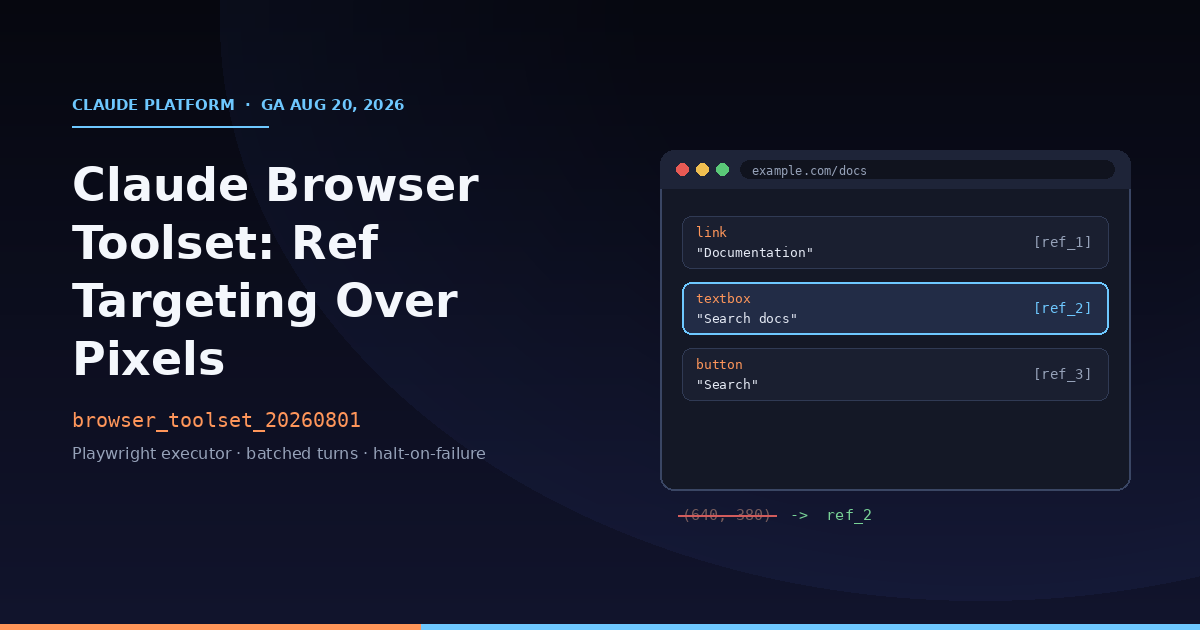
Anthropic moved the browser use tool to general availability on August 20, 2026, alongside computer use and the Skills API. The headline is not that Claude can drive a browser. It could already do that by squinting at screenshots. The change is how it targets things: the toolset now reads page structure and clicks ref_3 instead of guessing that the button lives at pixel (640, 380).
That sounds like a small ergonomics win. It is not. Coordinates break when a page reflows, when a font renders a pixel wider, when an ad pushes the layout down 40px between the screenshot and the click. Refs break only when the element actually goes away, and your executor can say so out loud. Asteroid reported their longest claims workflow dropping from 32 minutes to 13 with about 30% lower cost per task and no prompt changes.
There is a catch nobody mentions in the launch coverage: Anthropic does not run the browser. The toolset is a client toolset. Claude emits actions; you supply the browser, you assign the refs, you decide what stale means. This guide builds that executor in Python with Playwright, tests it, and shows the exact JSON crossing the wire.
Prerequisites
- Python 3.10+ and an Anthropic API key
pip install anthropic playwrightthenpython -m playwright install chromium- A model that supports the toolset:
claude-fable-5,claude-mythos-5,claude-opus-5,claude-sonnet-5, orclaude-opus-4-8 - Comfort with the tool-use loop (assistant emits
tool_use, you answer withtool_result)
One availability note before you build: the browser toolset is Claude API only. It is not on Bedrock, Vertex AI, or Microsoft Foundry, and not inside Claude Managed Agents. Check that before you architect around it.
Step 1: Declare the toolset (this is the whole config)
The entire tool declaration is one object with one key. No beta header, no name, no display dimensions.
import anthropic

client = anthropic.Anthropic()

TOOLS = [{"type": "browser_toolset_20260801"}]

response = client.messages.create(
    model="claude-opus-5",
    max_tokens=2048,
    tools=TOOLS,
    messages=[{
        "role": "user",
        "content": "Open example.com/docs and tell me how to get started.",
    }],
)
That single entry expands into 27 member tools by default — navigate, read_page, find, left_click, type, key, form_input, screenshot, tab management, and more. Four extra members (javascript_exec, file_upload, read_console, read_network) ship disabled and you opt in per member:
{
  "type": "browser_toolset_20260801",
  "configs": {
    "read_console": {"enabled": True},
    "hold_key": {"enabled": False},
    "left_mouse_down": {"enabled": False},
    "left_mouse_up": {"enabled": False}
  }
}
Things that look reasonable and are rejected with invalid_request_error: adding "name": "browser", setting display_width_px or display_height_px (legacy computer-use fields), passing strict: true, declaring two browser toolsets, naming another tool browser, or sending the old fine-grained-tool-streaming-2025-05-14 beta header.
Budget for the overhead. The default member set costs roughly 6,600 input tokens of tool definitions on every request (about 6,610 on Fable 5, Mythos 5, Opus 5, and Opus 4.8; about 6,670 on Sonnet 5). Enabling all four optional members adds another ~880. Disabling members you never use is real money at volume.
Step 2: The accessibility tree is the actual product
read_page returns one line per element, each tagged with a ref your executor invented:
link "Documentation" [ref_1]
textbox "Search docs" [ref_2]
button "Search" [ref_3]
That is the format. Plain text, one element per line, ref in square brackets. Claude then sends {"type": "ref", "ref": "ref_2"} as a target and your job is to turn ref_2 back into a DOM node.
Here is the browser-side script. It walks the DOM, assigns a role and a label, and stamps each element with a durable attribute:
READ_PAGE_JS = """
(filter) => {
  const ROLE_FOR_TAG = {
    A: 'link', BUTTON: 'button', SELECT: 'combobox',
    TEXTAREA: 'textbox', SUMMARY: 'button',
  };
  const INPUT_ROLE = {
    checkbox: 'checkbox', radio: 'radio', submit: 'button',
    button: 'button', file: 'button',
  };
  const role = (el) => {
    const explicit = el.getAttribute('role');
    if (explicit) return explicit;
    if (el.tagName === 'INPUT') return INPUT_ROLE[el.type] || 'textbox';
    return ROLE_FOR_TAG[el.tagName] || null;
  };
  const label = (el) =>
    (el.getAttribute('aria-label') || el.getAttribute('placeholder') ||
     el.innerText || el.value || '').trim().replace(/\\s+/g, ' ').slice(0, 120);

  const onScreen = (el) => {
    const r = el.getBoundingClientRect();
    if (r.width === 0 || r.height === 0) return false;
    const cs = getComputedStyle(el);
    if (cs.visibility === 'hidden' || cs.display === 'none') return false;
    return r.bottom > 0 && r.right > 0 && r.top < innerHeight && r.left < innerWidth;
  };

  const out = [];
  for (const el of document.querySelectorAll('*')) {
    const r = role(el);
    if (!r) continue;
    if (filter !== 'all' && !onScreen(el)) continue;
    if (filter === 'interactive' && el.disabled) continue;
    out.push({ role: r, label: label(el), el });
  }
  return out.map(({ role, label, el }) => {
    // Reuse the stamp if this element already has one. Re-stamping on every
    // read would silently break every ref handed out by the previous read.
    let key = el.getAttribute('data-claude-ref');
    if (!key) {
      key = 'k' + (window.__claudeRefSeq = (window.__claudeRefSeq || 0) + 1);
      el.setAttribute('data-claude-ref', key);
    }
    return { role, label, key };
  });
}
"""
That comment is load-bearing. My first version re-stamped every element on every read. Everything passed until Claude called read_page twice, at which point every ref from the first read pointed at an attribute value that no longer existed. Silent, total breakage — and the API cannot detect it for you.
Step 3: The ref registry
Python side keeps the ref-to-stamp mapping. Two rules matter: the same element always gets the same ref, and refs are never renumbered after a navigation.
class StaleRefError(Exception):
    def __init__(self, ref):
        super().__init__(
            f"{ref} is stale or not found on the current page. "
            "Re-read the page to get fresh references."
        )


class RefRegistry:
    """Maps ref_N -> a DOM attribute key that survives re-queries."""

    def __init__(self):
        self._by_ref = {}
        self._by_key = {}
        self._seq = 0

    def add(self, key: str) -> str:
        # Same element, same ref. Minting a fresh ref on every read burns
        # numbers and makes Claude think it found a new element.
        if key in self._by_key:
            return self._by_key[key]
        self._seq += 1
        ref = f"ref_{self._seq}"
        self._by_ref[ref] = key
        self._by_key[key] = ref
        return ref

    def selector(self, ref: str) -> str:
        key = self._by_ref.get(ref)
        if key is None:
            raise StaleRefError(ref)
        return f'[data-claude-ref="{key}"]'

    def invalidate(self):
        # Refs die on navigation. Keep self._seq so an old ref that comes
        # back is reported stale, not silently pointed at a new element.
        self._by_ref.clear()
        self._by_key.clear()
Why not reset _seq? Because Claude has ref_2 in its context from three turns ago. If a new page reuses that number for a different button, Claude clicks the wrong thing and nothing errors. Monotonic refs turn a silent misclick into a loud StaleRefError.
Step 4: Members, targets, and the modifier trap
Every member receives only its own parameters. There is no action field — that was the old computer_20250124 shape. Targets come in two flavors: {"type": "ref", "ref": "ref_1"} and {"type": "coordinate", "x": 640, "y": 380}.
# Claude sends "ctrl+shift"; Playwright wants ["Control", "Shift"].
MODIFIER_MAP = {
    "ctrl": "Control", "control": "Control", "shift": "Shift",
    "alt": "Alt", "meta": "Meta", "cmd": "Meta", "super": "Meta",
}


def to_playwright_modifiers(chord):
    if not chord:
        return []
    return [MODIFIER_MAP[p.strip().lower()] for p in chord.split("+") if p.strip()]


class Tab:
    def __init__(self, tab_id, page):
        self.tab_id, self.page = tab_id, page
        self.refs = RefRegistry()
        page.on("framenavigated", lambda frame: (
            self.refs.invalidate() if frame == page.main_frame else None
        ))

    def read_page(self, filter=None, depth=15, ref=None):
        rows = self.page.evaluate(READ_PAGE_JS, filter or "visible")
        lines = [f'{r["role"]} "{r["label"]}" [{self.refs.add(r["key"])}]'
                 for r in rows]
        text = "\n".join(lines)
        if len(text) > 50_000:
            text = text[:50_000] + "\n[truncated at 50,000 characters]"
        return text or "No matching elements on the page."

    def _element(self, target):
        el = self.page.query_selector(self.refs.selector(target["ref"]))
        if el is None:
            raise StaleRefError(target["ref"])
        return el

    def click(self, target, modifiers=None, button="left", click_count=1):
        mods = to_playwright_modifiers(modifiers)
        if target["type"] == "ref":
            self._element(target).click(
                button=button, click_count=click_count, modifiers=mods)
            return f'Clicked element {target["ref"]}.'
        self.page.mouse.click(target["x"], target["y"],
                              button=button, click_count=click_count)
        return f'Clicked at ({target["x"]}, {target["y"]}).'

    def type_text(self, text):
        self.page.keyboard.type(text)
        return f"Typed {len(text)} characters."

    def key(self, text, repeat=1):
        # "Backspace Backspace" is a sequence; "ctrl+a" is a chord.
        keys = text.split(" ") if " " in text else [text]
        for _ in range(max(1, min(int(repeat), 100))):
            for k in keys:
                self.page.keyboard.press(_normalize_key(k))
        return f"Pressed {text}."

    def form_input(self, target, value):
        el = self._element(target)
        if el.evaluate("e => e.tagName") == "SELECT":
            el.select_option(value=str(value))
        elif isinstance(value, bool):
            el.set_checked(value)
        else:
            el.fill(str(value))
        return f'Set {target["ref"]} to {value!r}.'

    def navigate(self, url):
        if url in ("back", "forward", "reload"):
            {"back": self.page.go_back, "forward": self.page.go_forward,
             "reload": self.page.reload}[url]()
        else:
            if "://" not in url:
                url = "https://" + url
            if not url.startswith(("http://", "https://")):
                raise ValueError(f"Refusing to navigate to non-http(s) URL: {url}")
            self.page.goto(url, wait_until="domcontentloaded")
        self.refs.invalidate()
        return f"Navigated to {self.page.url}"


def _normalize_key(k):
    parts = k.split("+")
    if len(parts) == 1:
        return k
    return "+".join(to_playwright_modifiers("+".join(parts[:-1])) + [parts[-1]])
Three details that will bite you. key accepts a chord (ctrl+a) or a space-separated sequence (Backspace Backspace) — you must branch on the space. Playwright wants capitalized modifier names while Claude sends lowercase. And navigate doubles as history: url can be the literal string back, forward, or reload, so there is no separate back member to implement.
The scheme guard is not paranoia. Claude reads page content, page content can contain injected instructions, and file:///etc/passwd is a URL. Refuse anything that is not http or https.
Step 5: browser_state, the block with the strict rules
Tab-management results carry a browser_state block instead of text. The rules are unusually specific and the API enforces them:
tabsis the full inventory after the call, not a delta- Whenever
tabsis non-empty, exactly one entry has"active": true new_tab,list_tabs,switch_tab, andclose_tabreturn exactly onebrowser_stateblock — no text, no image- Omit
state_changesentirely when empty; an empty array is rejected - Never attach
browser_stateto anis_error: trueresult
class BrowserSession:
    """Owns every tab and builds the browser_state block."""

    def __init__(self, context):
        self.context = context
        self.tabs = {}
        self.active_id = None
        self._seq = 0
        self._pending_changes = []

    def open_tab(self, url="about:blank"):
        self._seq += 1
        tab_id = f"tab-{self._seq}"
        page = self.context.new_page()
        if url != "about:blank":
            page.goto(url, wait_until="domcontentloaded")
        self.tabs[tab_id] = Tab(tab_id, page)
        self.active_id = tab_id
        self._pending_changes.append(
            {"type": "tab_opened", "tab_id": tab_id, "url": page.url})
        return self.tabs[tab_id]

    def tab(self, tab_id=None):
        tab = self.tabs.get(tab_id or self.active_id)
        if tab is None:
            raise ValueError(f"Unknown tab_id: {tab_id}")
        return tab

    def state_block(self):
        block = {
            "type": "browser_state",
            "tabs": [
                {
                    "tab_id": t.tab_id,
                    "title": t.page.title()[:4096],
                    "url": t.page.url[:4096],
                    **({"active": True} if t.tab_id == self.active_id else {}),
                }
                for t in self.tabs.values()
            ],
        }
        if self._pending_changes:
            # Omit the key entirely when empty; an empty array is rejected.
            block["state_changes"] = self._pending_changes[:200]
            self._pending_changes = []
        return block
One bootstrap gotcha: opening your first tab queues a tab_opened change that will leak into whatever result fires next. Call session.state_block() once after startup and throw the result away to drain the queue.
Do not pre-escape titles or URLs either. The API renders URLs verbatim and escapes quotes and backslashes in titles itself. Sanitize for control characters, then hand it over raw.
Step 6: Batched turns and the halt rule
This is the part that separates a working agent from a haunted one. Claude now returns several tool_use blocks in a single assistant turn:
{
  "role": "assistant",
  "content": [
    {"type": "tool_use", "id": "toolu_01D7...", "name": "left_click",
     "toolset_name": "browser",
     "input": {"target": {"type": "ref", "ref": "ref_3"}}},
    {"type": "tool_use", "id": "toolu_01Ez...", "name": "type",
     "toolset_name": "browser", "input": {"text": "install"}},
    {"type": "tool_use", "id": "toolu_01Fk...", "name": "key",
     "toolset_name": "browser", "input": {"text": "Enter"}}
  ]
}
They look like parallel tool calls. They are not. Run them in order, and the moment one fails, stop — because Claude planned every later action assuming the earlier ones worked. Typing into a field you failed to click is how agents end up submitting search queries into a URL bar.
Every tool_use still needs an answer or the next request is rejected outright. So the skipped ones get an error result with an exact string:
NOT_EXECUTED = "Not executed: an earlier action in this turn failed."


def process_tool_calls(session, response):
    """Run one assistant turn's browser blocks in order, halting on failure."""
    results = []
    failed = False
    for block in response.content:
        if block.type != "tool_use":
            continue
        if getattr(block, "toolset_name", None) != "browser":
            continue  # route your own custom tools elsewhere
        result = {
            "type": "tool_result",
            "tool_use_id": block.id,
            "toolset_name": "browser",   # required; a mismatch is rejected
        }
        if failed:
            result["content"] = NOT_EXECUTED
            result["is_error"] = True
            results.append(result)
            continue
        try:
            content, needs_state = run_member(session, block.name, block.input)
            blocks = []
            if isinstance(content, list):
                blocks.extend(content)          # screenshot returns image blocks
            elif content is not None:
                blocks.append({"type": "text", "text": content})
            if needs_state:
                blocks.append(session.state_block())
            result["content"] = blocks
        except Exception as err:
            # Never attach browser_state to an error result.
            result["content"] = f"Error: {err}"
            result["is_error"] = True
            failed = True
        results.append(result)
    return results
Note the halt string is toolset-specific. Browser use wants "Not executed: an earlier action in this turn failed." while computer use wants "Not executed: an earlier computer action in this turn failed." If you run both toolsets, do not share the constant.
If batching is causing you grief while you debug, set disable_parallel_tool_use: true in tool_choice to force one action per turn. Turn it back off before you care about latency.
Step 7: The loop
TOOLS = [{"type": "browser_toolset_20260801"}]


def run_agent(client, session, prompt, model="claude-opus-5", max_turns=15):
    messages = [{"role": "user", "content": prompt}]
    for _ in range(max_turns):
        response = client.messages.create(
            model=model, max_tokens=4096, tools=TOOLS, messages=messages,
        )
        messages.append({"role": "assistant", "content": response.content})
        results = process_tool_calls(session, response)
        if not results:
            return response, messages      # no tool use left; task is done
        messages.append({"role": "user", "content": results})
    raise RuntimeError(f"Agent did not finish within {max_turns} turns")


# wiring it up
from playwright.sync_api import sync_playwright

with sync_playwright() as pw:
    browser = pw.chromium.launch(headless=True)
    context = browser.new_context(viewport={"width": 1280, "height": 800})
    session = BrowserSession(context)
    session.open_tab("https://example.com/docs")
    session.state_block()   # drain the bootstrap tab_opened

    final, _ = run_agent(
        client, session,
        "Search the docs for \"install\" and summarize the first result.",
    )
    print(final.content[-1].text)
Keep the viewport fixed. The toolset declares no display dimensions at all — Claude infers viewport size from the screenshots you return, so changing it mid-run makes its coordinate math wrong. If you downscale screenshots to save tokens, scale Claude's coordinates back up by the inverse factor before dispatching, because the API no longer downscales images for you and will reject oversized ones.
Worked example: what actually crosses the wire
Running the dispatcher against a docs page, turn by turn. Turn one, Claude navigates and reads:
[
  {
    "type": "tool_result",
    "tool_use_id": "toolu_01",
    "toolset_name": "browser",
    "content": [
      {"type": "text", "text": "Navigated to https://example.com/docs"},
      {
        "type": "browser_state",
        "tabs": [{"tab_id": "tab-1", "title": "Documentation",
                  "url": "https://example.com/docs", "active": true}]
      }
    ]
  },
  {
    "type": "tool_result",
    "tool_use_id": "toolu_02",
    "toolset_name": "browser",
    "content": [
      {"type": "text",
       "text": "link \"Documentation\" [ref_1]\ntextbox \"Search docs\" [ref_2]\nbutton \"Search\" [ref_3]"}
    ]
  }
]
Turn two, the three-action batch runs clean:
toolu_03 -> [{'type': 'text', 'text': 'Clicked element ref_2.'}]
toolu_04 -> [{'type': 'text', 'text': 'Typed 7 characters.'}]
toolu_05 -> [{'type': 'text', 'text': 'Pressed Enter.'}]
Turn three, the page navigated underneath us and ref_2 is gone. Watch the halt cascade:
toolu_06 | is_error= True | Error: ref_2 is stale or not found on the current page. Re-read the page to get fresh references.
toolu_07 | is_error= True | Not executed: an earlier action in this turn failed.
toolu_08 | is_error= True | Not executed: an earlier action in this turn failed.
Claude reads that first message, calls read_page again, gets fresh refs, and retries. That recovery only happens because the error text tells it what to do. Returning a bare Error: element not found gets you an agent that retries the same dead ref until it runs out of turns.
And new_tab — exactly one block, nothing else, with the tab_opened change attached:
{
  "type": "tool_result",
  "tool_use_id": "toolu_09",
  "toolset_name": "browser",
  "content": [
    {
      "type": "browser_state",
      "tabs": [
        {"tab_id": "tab-1", "title": "Search results", "url": "https://example.com/docs"},
        {"tab_id": "tab-2", "title": "Documentation", "url": "https://example.com/docs",
         "active": true}
      ],
      "state_changes": [
        {"type": "tab_opened", "tab_id": "tab-2", "url": "https://example.com/docs"}
      ]
    }
  ]
}
Pitfalls worth encoding before you ship
- Re-stamping refs on every read. The single nastiest bug in this design. If your DOM stamp changes when Claude re-reads a page, every previously issued ref dies silently. Stamp once, reuse forever, invalidate only on navigation.
- Renumbering refs after navigation. Reset the counter and
ref_2on page B is a different element thanref_2on page A, which Claude still has in context. Keep the sequence monotonic per tab. - Running a batch concurrently. Threading the three
tool_useblocks for speed reorders click-then-type into type-then-click. Sequential, always. - Forgetting
toolset_nameon results. A missing or mismatched"toolset_name": "browser"is rejected — and so is puttingtoolset_nameon a result for a tool that is not a member. - Leaving a
tool_useunanswered. Skip one and the next request fails. Even the actions you never ran need anis_errorresult. - Attaching
browser_stateto an error. Explicitly rejected. Error results carry a string, nothing else. - Sending an empty
state_changesarray. Omit the key. There is no empty-array case. - Vague stale-ref errors. Your error string is a prompt. Say the ref is stale and say to re-read the page.
- Uncapped page reads. Cap
read_pageoutput at 50,000 characters and say so in the text. A dense app page can otherwise dump six figures of tokens per call. - Trusting refs on virtualized lists and canvas UIs. Refs are best-effort. Infinite scrollers, canvas-rendered grids, and pages that re-render on scroll will not expose stable nodes, and Claude falls back to coordinates. Keep
screenshotenabled as the escape hatch. - Enabling
javascript_execcasually. It runs with the page's full privileges — cookies, storage, same-origin requests. On a page whose content Claude just read, that is a prompt-injection path straight into an authenticated session. - Pointing
file_uploadat the download directory. Resolve symlinks and..against a dedicated allowlisted upload directory that is not where the browser writes downloads.
On cost: the docs make a point that is easy to miss — a tree read of a typical page often costs fewer input tokens than a screenshot of it. Default to read_page and find, and reach for screenshot only when structure genuinely is not enough.
Quick reference
| Thing | Value |
|---|---|
| Toolset type | browser_toolset_20260801 |
| Beta header | None — generally available |
name field on entry | Rejected; omit it |
| Toolset name on blocks | "browser" |
| Members enabled by default | 27 (+4 opt-in) |
| Definition overhead | ~6,600 input tokens (~880 more for all 4 optional) |
| Models | Fable 5, Mythos 5, Opus 5, Sonnet 5, Opus 4.8 |
| Platforms | Claude API only (no Bedrock / Vertex / Foundry) |
| Target shapes | {type:"ref", ref} or {type:"coordinate", x, y} |
| Page reading members | read_page, find, get_page_text |
| History navigation | navigate with url back/forward/reload |
| Result content blocks | text, image, browser_state only |
| Halt string | Not executed: an earlier action in this turn failed. |
| read_page cap | 50,000 characters |
| find match cap | 20 results |
| scroll_amount / key repeat | 1–10 (default 3) / 1–100 (default 1) |
| Force one action per turn | tool_choice: {disable_parallel_tool_use: true} |
Where to go next
- Swap the fake page in your tests for a local static site and assert on the exact
tool_resultJSON. Protocol bugs are cheap to catch and expensive to debug live. - Add
read_consoleandread_networkbehind a debug flag — they only capture from attach time, so wire them at context creation, not on demand. - Declare
computer_toolset_20260801alongside the browser toolset for tasks that leave the browser. They run independently in separate coordinate frames andtoolset_namedisambiguates same-named members likescreenshot. - Treat every page as hostile input. Allowlist domains at the
navigatelayer, keepjavascript_execoff in production, and log every action with its ref and resolved URL. - Measure before optimizing. Pull real numbers from the response
usagefield or the token counting endpoint rather than trusting the estimates above.
The mental shift here is small and worth internalizing: with pixel targeting you were writing a vision system's crutch, and with refs you are writing an accessibility tree exporter. The second job has decades of prior art, degrades honestly, and tells you when it is wrong.
Sources: Anthropic — Build production agents with computer use, the Skills API, and the Files API (August 20, 2026) · Claude Platform Docs — Browser use tool · Claude Platform Docs — Computer use tool
Comments
Be the first to comment
Found this useful?
Get new AI guides for builders by email. Free.
Join 3,605 newsletter subscribers.