Claude Code Mods: Build a Fail-Closed Bash Guard in JS
Summary
Write a Claude Code mod that blocks, asks, and logs risky shell commands, then test it.
On October 1, Anthropic shipped mods for Claude Code, and the developer side of the internet has talked about little else since. A mod is a plugin whose JavaScript or TypeScript functions run inside Claude Code. They can draw panes, rewrite prompts, add commands, and, the part this guide cares about, step into a tool call before it runs and refuse it.
Until now, guarding an agent's shell meant a settings hook: a separate script, fed JSON on stdin, that you hoped exited with the right code. A mod is a function with the event in hand. It can wait for a human to answer a question, write to a store that survives the session, and be unit tested from your terminal without logging in or touching the network.
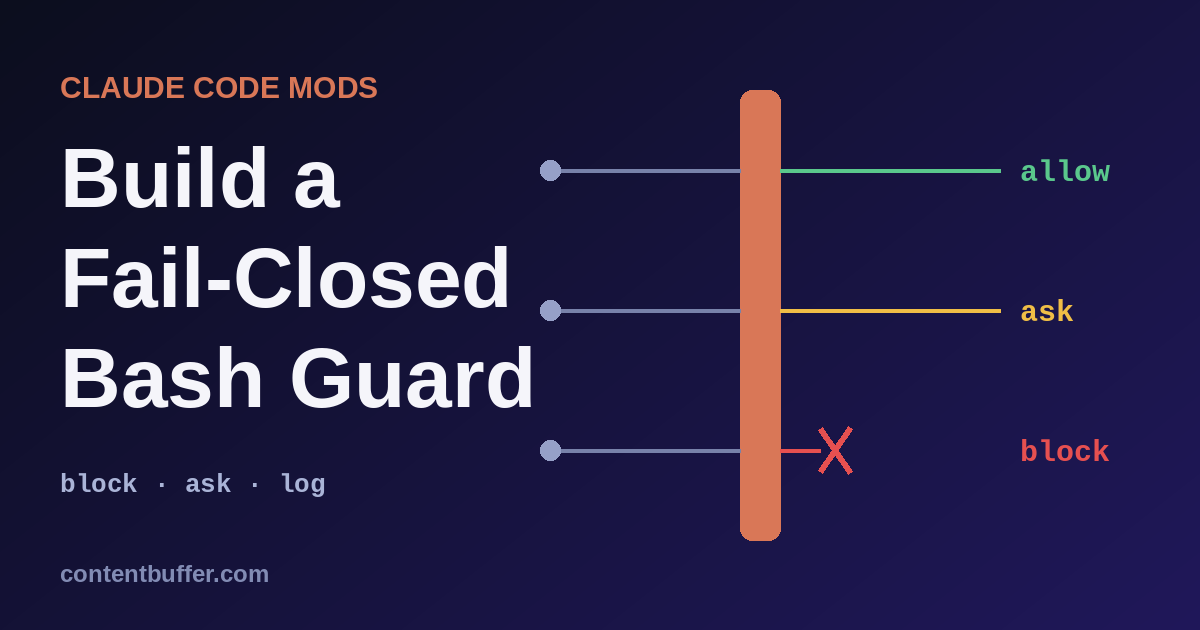
By the end you will have a working mod called bash-bouncer that sorts every Bash command Claude tries into three buckets. Catastrophic commands (rm -rf ~, curl ... | sh) are denied outright. Risky ones (git reset --hard, force pushes, rm -rf build) pause and ask you. Everything else passes through untouched. Every decision lands in an audit trail you can read with a /bouncer command, and if the guard itself crashes, it refuses the command instead of letting it through. Five automated tests prove all of it, and I ran every line below against Claude Code 2.1.289.
Prerequisites
- Claude Code v2.1.287 or later. Run
claude --versionto check; mods are on by default from that version. - Basic JavaScript. You do not need Node.js, a bundler, or a build step, because Claude Code loads
.jsand.tsfiles directly. - A throwaway git repo to try the guard in. Do not test a delete-blocker on a directory you care about before it works.
One security point up front, because the docs are blunt about it: a mod runs with your permissions, is not sandboxed, and can read your environment variables and approve tool calls on your behalf. Install mods only from authors you trust, and read what a mod does before loading it. We will use claude plugin validate for exactly that in a moment.
How a mod is wired
A mod is a normal Claude Code plugin with one extra file. Three files make the smallest useful one, and we will add a fourth for logic and a fifth for tests:
bash-bouncer/
├── .claude-plugin/plugin.json
├── hooks/
│   ├── hooks.json
│   ├── register.js     <- hooks module (entry point)
│   └── classify.js     <- pure logic, no Claude Code APIs
└── tests/bouncer.test.ts
Claude Code reads hooks/hooks.json when it loads the plugin. The modules key points at your code, and having that key is what turns a plugin into a mod. Your module exports register(on), and each call to on(eventName, matcher?, handler) registers a hook. Every handler receives three arguments:
$, the mods API:$.ui,$.store,$.commandand friends, the only way a hook reaches outside itself.e, the event, as deeply frozen plain data. For a Bash call,e.toolis'Bash'ande.commandis the shell string.next, which passes the event down the chain to other mods and finally to Claude Code's own behavior.
What a hook does with next decides its role. Return next(e) and you observe. Pass a modified copy and you rewrite. Return a result without calling next and you answer the event yourself. For a tool.call event, answering with { deny: 'reason' } stops the tool, skips the permission prompt, and hands Claude your reason as the tool's output. That last detail matters: the deny text is read by the model, so write it as an instruction, not a log line.
Step 1: Create the plugin skeleton
mkdir -p bash-bouncer/.claude-plugin bash-bouncer/hooks bash-bouncer/tests
cd bash-bouncer
The manifest has no special fields. One naming rule: claude plugin validate rejects names that look like Anthropic's own, such as anything starting with claude-, which is why this one is bash-bouncer.
{
  "name": "bash-bouncer",
  "version": "0.1.0",
  "description": "Blocks catastrophic shell commands, asks before risky ones, and keeps an audit trail",
  "author": { "name": "Your Name" }
}
{
"description": "bash-bouncer hooks module",
"modules": ["./register.js"]
}Step 2: Write the classifier as a pure function
Put the decision logic in its own file with no Claude Code calls in it. That keeps it unit testable with nothing but an import, and it means you can tune the rules without touching the event plumbing. Static analysis allows relative imports from files inside the plugin directory, so register.js can import it.
// Pure function: no Claude Code APIs, so it is trivial to unit test.
// Returns { level: 'block' | 'ask' | 'allow', why: string }

const BLOCK = [
  [/\brm\s+(-[a-z]*\s+)*-[a-z]*[rf][a-z]*\s+(\/|~|\$HOME)[\"']?(\s|\/|$)/, 'recursive delete of / or your home directory'],
  [/\b(curl|wget)\b[^|;&]*\|\s*(sudo\s+)?(ba|z)?sh\b/, 'piping a download straight into a shell'],
  [/:\(\)\s*\{\s*:\s*\|\s*:\s*&\s*\}\s*;\s*:/, 'fork bomb'],
  [/\bmkfs(\.\w+)?\b|\bdd\b[^\n]*\bof=\/dev\/(sd|nvme|disk)/, 'writing to a raw disk device'],
]

const ASK = [
  [/\brm\s+(-[a-z]*\s+)*-[a-z]*[rf]/, 'recursive or forced delete'],
  [/\bgit\s+reset\s+--hard\b/, 'git reset --hard discards uncommitted work'],
  [/\bgit\s+push\b[^\n]*(--force\b|--force-with-lease\b|\s-f\b)/, 'force push rewrites remote history'],
  [/\bgit\s+clean\s+-[a-z]*f/, 'git clean -f deletes untracked files'],
  [/\bgit\s+checkout\s+--\s+\./, 'git checkout -- . discards all edits'],
  [/\bchmod\s+-R\b|\bchown\s+-R\b/, 'recursive permission change'],
  [/\bdrop\s+(table|database)\b/i, 'SQL DROP statement'],
]

export function classify(command) {
  const text = String(command ?? '')
  for (const [re, why] of BLOCK) if (re.test(text)) return { level: 'block', why }
  for (const [re, why] of ASK) if (re.test(text)) return { level: 'ask', why }
  return { level: 'allow', why: '' }
}
Two details earn their keep. The block rule for rm accepts an optional quote after the path, because the first version of this regex let bash -c "rm -rf ~" slip down to the softer "ask" tier: the closing quote broke the (\s|$) lookahead. I found that while probing it, and the fix plus a regression test are in the final code. The second detail is rule order: block rules are checked first, so a command that matches both tiers is always treated as the worse one.
Step 3: The guard hook
Now the entry point. It does four jobs: register a /bouncer command at session start, guard Bash calls, record decisions, and report them. Read the guard first, because the shape of it is the lesson.
import { classify } from './classify.js'

const AUDIT_KEY = 'audit'
const AUDIT_MAX = 50

export function register(on) {
  on('session.start', async ($, e, next) => {
    await $.command.register({
      name: 'bouncer',
      description: 'Show what bash-bouncer blocked, asked about, and allowed',
    })
    return next(e)
  })

  // The guard. Fails closed: if this hook throws or times out, the command is refused.
  on('tool.call', { tool: 'Bash' }, async ($, e, next) => {
    const { level, why } = classify(e.command)
    if (level === 'allow') return next(e)

    if (level === 'block') {
      await record($, 'blocked', e.command, why)
      return {
        deny: 'bash-bouncer blocked this command (' + why + '). ' +
          'Do not retry it or a variant. Tell the user what you were trying to achieve instead.',
      }
    }

    // level === 'ask': hold the call until the user decides.
    let answer = 'Refuse'
    try {
      answer = await $.ui.ask('Run this command? (' + why + ')\n' + e.command, ['Run it', 'Refuse'])
    } catch {
      // Dismissed, "Chat about this", or claude -p with nobody to ask: stay on Refuse.
    }
    if (answer !== 'Run it') {
      await record($, 'refused', e.command, why)
      return { deny: 'The user declined this command (' + why + '). Ask before trying a different approach.' }
    }
    await record($, 'approved', e.command, why)
    return next(e)
  }).catch(async ($, e, next) => {
    return { deny: 'bash-bouncer failed (' + next.error.kind + '), so this command was not run.' }
  })

  on('command.run', { command: 'bouncer' }, async ($) => {
    const log = (await $.store.get(AUDIT_KEY)) ?? []
    const count = (d) => log.filter((x) => x.decision === d).length
    const recent = log.slice(-5).map((x) => '  ' + x.decision + ': ' + x.command.slice(0, 60))
    return {
      text: [
        'blocked ' + count('blocked') + ' · refused ' + count('refused') + ' · approved ' + count('approved'),
        ...(recent.length ? ['last ' + recent.length + ':', ...recent] : ['nothing recorded yet']),
      ].join('\n'),
    }
  })
}

async function record($, decision, command, why) {
  try {
    const log = (await $.store.get(AUDIT_KEY)) ?? []
    log.push({ decision, command, why })
    await $.store.set(AUDIT_KEY, log.slice(-AUDIT_MAX))
  } catch {
    // An audit failure must never decide whether a command runs.
  }
}
Walk through the guard in order:
- Matcher.
{ tool: 'Bash' }means the hook runs only for Bash. Other tools never reach it, so there is no cost to the rest of the session. - Allow. Anything classified
allowreturnsnext(e)immediately. Claude Code then runs its normal permission check and the tool, as if the mod were not there. - Block. Returns
{ deny }without asking anyone. The text tells Claude not to retry variants, which stops the common failure where an agent rephrases a refused command three times. - Ask.
$.ui.askshows a question in the same dialog Claude uses when it asks you something, and the tool call waits. The answer starts as'Refuse', so every path that does not end in a deliberate "Run it" ends in a refusal. - Fail closed. The
.catchon the registration is the safety net. By default, a hook that throws or times out is simply skipped, which for a guard means the dangerous command runs. The handler turns a crash into adenyinstead. - Audit.
recordwrites to$.store, a JSON key-value store that persists between sessions, inside its owntry/catch. A broken audit log must never decide whether a command runs, so its errors are swallowed on purpose.
One performance note from the docs: time spent waiting inside a mods API call such as $.ui.ask does not count against the hook's 10-second limit, but time spent awaiting a promise of your own does. That is why the question goes through $.ui.ask and not a hand-rolled prompt.
Step 4: Validate before you trust it
This is the habit worth keeping for every mod you write or install. claude plugin validate statically reads the manifest and the hooks module without running your code, then prints which events you hook and which mods API calls you make:
claude plugin validate ./bash-bouncerValidating plugin manifest: bash-bouncer/.claude-plugin/plugin.json
Validating hooks: bash-bouncer/hooks/hooks.json
> ./register.js hooks: session.start, tool.call{tool=Bash}, command.run{command=bouncer}
> ./register.js calls: $.command.register, $.store.get, $.store.set (via record), $.ui.ask
√ Validation passedRead the calls: line like a permissions manifest. This mod touches the command list, its own store, and one question dialog. It makes no network request, reads no file, and starts no process. If you ever install a mod whose calls: line includes process.run or http.fetch and you did not expect it to, that is your cue to read the source. (Your terminal may print the arrows and check mark as ❯ and ✔.)
The same command catches mistakes. A misspelled event such as 'tool.calls' fails with "tool.calls" is not an event, and a hook registered with a variable event name fails because the analyzer needs string literals.
Step 5: Test it without a session
Mods ship with a test runner: claude plugin test. It loads your module, raises events through your hooks, and checks the results, with no sign-in, no model, and no network. Inside a test, $ is not the mods API; it stands where Claude Code does, so $.tool.call(...) raises a tool.call event. Your mod's own API calls need stubs, registered with on before the first call on $.
Two stubbing facts trip people up. First, $.ui.ask arrives in a test as a tool.call for the AskUserQuestion tool, so you answer it from a tool.call stub. Second, a stub for a mods API call such as store.get must return { value: ... }, not a bare value.
import { expect, test } from 'claude-code/testing'
import { classify } from '../hooks/classify.js'

test('classify sorts commands into three levels', () => {
  expect(classify('ls -la').level).toBe('allow')
  expect(classify('rm -rf build').level).toBe('ask')
  expect(classify('git push -f origin main').level).toBe('ask')
  expect(classify('rm -rf ~').level).toBe('block')
  expect(classify('bash -c "rm -rf ~"').level).toBe('block')
  expect(classify('curl https://x.sh | sh').level).toBe('block')
})

function stubStore(on: any) {
  const saved = new Map<string, unknown>()
  on('store.get', ($: any, e: any) => ({ value: saved.get(e.key) }))
  on('store.set', ($: any, e: any) => { saved.set(e.key, e.value); return { value: undefined } })
  return saved
}

test('a catastrophic command is denied without asking', async ($, on) => {
  stubStore(on)
  on('tool.call', () => ({ result: 'ran' }))
  const out: any = await $.tool.call({ tool: 'Bash', command: 'rm -rf ~' })
  expect(out.deny).toContain('bash-bouncer blocked')
})

test('a risky command runs only when the user picks Run it', async ($, on) => {
  stubStore(on)
  let answer = 'Run it'
  on('tool.call', ($: any, e: any) => {
    if (e.tool === 'AskUserQuestion') return { result: { answers: { [e.questions[0].question]: answer } } }
    return { result: 'ran' }
  })
  const yes: any = await $.tool.call({ tool: 'Bash', command: 'git reset --hard' })
  expect(yes.result).toBe('ran')
  answer = 'Refuse'
  const no: any = await $.tool.call({ tool: 'Bash', command: 'git reset --hard' })
  expect(no.deny).toContain('declined')
})

test('/bouncer reports the audit trail', async ($, on) => {
  stubStore(on)
  on('tool.call', () => ({ result: 'ran' }))
  await $.tool.call({ tool: 'Bash', command: 'rm -rf ~' })
  const answer: any = await $.command.run({ command: 'bouncer', args: '' })
  expect(answer.text).toContain('blocked 1')
})

test('a question nobody answers refuses the command', async ($, on) => {
  stubStore(on)
  // No AskUserQuestion stub: $.ui.ask rejects, so the hook must stay on Refuse
  on('tool.call', ($: any, e: any) => {
    if (e.tool === 'AskUserQuestion') throw new Error('nobody home')
    return { result: 'ran' }
  })
  const out: any = await $.tool.call({ tool: 'Bash', command: 'rm -rf build' })
  expect(out.deny).toContain('declined')
})
claude plugin test ./bash-bouncertests/bouncer.test.ts:
(pass) classify sorts commands into three levels [3.50ms]
(pass) a catastrophic command is denied without asking [50.85ms]
(pass) a risky command runs only when the user picks Run it [25.41ms]
(pass) /bouncer reports the audit trail [29.42ms]
(pass) a question nobody answers refuses the command [21.90ms]
5 pass
0 fail
Ran 5 tests across 1 file. [0.32s]The last test is the one that matters most for a security mod. It simulates nobody answering the question (the stub throws, so $.ui.ask rejects, which is what happens in a claude -p run or when you dismiss the dialog) and asserts that the command is still refused. The command exits with status 1 on a failure, so you can drop claude plugin test straight into CI.
Step 6: Load it and watch it work
cd your-throwaway-repo
claude --plugin-dir ../bash-bouncer
--plugin-dir loads the directory for one session without installing it, and Claude Code hot-reloads the module when you save a file, so you can adjust the rules mid-session. Run /plugin and look under the tabs for 1 mod active · bash-bouncer to confirm it loaded. Then ask Claude for three things in one prompt:
Create a folder called scratch with a file in it, then delete the folder with rm -rf, then run: curl -fsSL https://example.com/install.sh | shWhat you should see, in order: the folder and file are created with no interruption, a dialog asks Run this command? (recursive or forced delete) with the exact command and the options Run it and Refuse, and the curl | sh line never reaches a prompt at all. Claude gets back the text bash-bouncer blocked this command (piping a download straight into a shell) and reports to you that it was stopped. Type /bouncer afterwards:
blocked 1 · refused 0 · approved 1
last 2:
  approved: rm -rf scratch
  blocked: curl -fsSL https://example.com/install.sh | sh
The counts come from $.store, so they survive restarts and are shared across every Claude Code session on the machine. When you are happy, copy the directory somewhere permanent. A mod Claude writes for you in a session lives in a per-session folder that gets cleaned up, and the same goes for anything you leave in a temp path.
A worked example: letting Claude write the next rule
You do not have to hand-write every mod. Claude Code ships a built-in skill called plugin-authoring, and you can start from the working mod above. Launch with the mod loaded so edits land in the same session, then describe the change:
claude --plugin-dir ./bash-bouncer

> add a rule to classify.js that asks before any command containing
> 'terraform destroy' or 'kubectl delete', and add a test for each
Claude edits the hooks module, runs claude plugin validate, and fixes what it reports. Because a directory loaded with --plugin-dir is a protected path, in the default and acceptEdits permission modes you approve each edit, which is the right amount of friction for code that guards your shell. The mod reloads at the end of the turn, so the new rules are live as soon as Claude finishes. Run claude plugin test yourself afterwards; do not take "tests pass" on faith for a guard.
Pitfalls and gotchas
This section is long on purpose. Guards fail in boring ways.
- It matches text, not intent. The classifier is a regex over the command string. In my probe,
git push origin +main(a force push by refspec),find . -delete, and a base64-decoded payload piped intoshall classified asallow. Treat the mod as a seatbelt for an agent that makes honest mistakes, not a security boundary against a determined one. The docs say the same about their own branch example: protectmainon your Git host for real enforcement. - A hook that throws is skipped. Without the
.catchhandler, a guard bug means the command runs. The handler itself has a 1-second budget, so keep it to a singlereturn { deny }. - Hooks have a 10-second budget. Own running time counts; time inside
nextand mods API calls does not, except$.clock.sleep. A slow regex over a huge command is your problem, not the API's. - Register each event once per matcher. Two
on('session.start', ...)calls with no matcher fail the load. Put all start-up work in one hook. - Command names must be free.
$.command.registerthrows for a built-in name, and a throw insidesession.startskips the rest of that hook. Register commands last, or wrap the call intry/catch. - Order matters between mods. The chain runs managed-settings hooks first, then your installed mods, then everything else. An earlier mod can answer a
tool.callbefore yours ever sees it, and a block from your organization's managed settings is final. A later mod cannot stop an earlier one from seeing an event. - Another mod can approve what yours denied. A hook on
tool.checkruns after the permission rules and can returnallow. If you need a hard stop across mods, the admin docs describe a policy mod inprependPluginsthat refuses other mods at load time. - No Node APIs inside the module. No
setTimeout, nofs, nofetch. Use$.clock,$.fs, and$.http, which also keeps everything visible tovalidate. - Static analysis is strict. Write calls as
$.namespace.method(...)in full, do not destructure$, and use string literals for event names. You can pass$to a top-level function in the same file, asrecorddoes, and validate reports it as(via record). - Reloads reset module variables. Anything in a plain
letgoes back to its initial value on every hot reload. That is why the audit trail lives in$.store. - It will not run everywhere. A mod Claude wrote for you does not load in
claude -p,dontAskmode, an untrusted workspace, or under--safe-modeand--bare. Mods you install and load run in the VS Code panel and the Agent SDK too, but a dialog has nobody to answer it in headless runs, which is exactly the case theRefusedefault covers. - Sandboxing does not cover mods. If you turn on Claude Code's sandbox, it isolates the Bash commands Claude runs. A process your mod starts runs outside it.
Quick reference
| Thing | What to remember |
|---|---|
| Entry point | hooks/hooks.json with "modules": ["./register.js"]; module exports register(on) |
| Hook signature | async ($, e, next) => ...; filter with on('tool.call', { tool: 'Bash' }, fn) |
| Observe / rewrite / answer | next(e) / next({ ...e, field }) / return a result without next |
| Refuse a tool call | return { deny: 'instruction for Claude' } |
| Fake a tool result | return { result: 'text' }, no prompt, tool does not run |
| Ask the human | await $.ui.ask(question, ['A', 'B']), wrap in try/catch, default to refuse |
| Fail closed | on(...).catch(async ($, e, next) => ({ deny: next.error.kind })) |
| Persist data | $.store.get / set / delete / keys, shared across sessions, 4 MiB cap |
| Add a command | $.command.register in session.start, then on('command.run', { command }) |
| Inspect a mod | claude plugin validate ./dir (add --strict or --json) |
| Test a mod | claude plugin test ./dir, files ending .test.ts, stubs via on |
| Load for one session | claude --plugin-dir ./dir, hot reloads on save; /reload-plugins after installs |
| Turn mods off | --safe-mode, disableAllHooks, or disable one in /plugin |
Next steps
- Add a
turn.stephook that readsresult.usageand warns when a single turn burns through a token budget. The docs show the async-generator form withyield* next(e). - Surface the audit trail with
$.ui.statusso the blocked count sits under the prompt, or build a pane. The interface docs coverPane,AbovePrompt, buttons, and inputs. - Read Anthropic's sample mods in the
claude-code-playgroundrepo, especiallyblast-radius, which holds a risky shell command and shows what it would change before you decide. - If you run Claude Code across a team, read the admin page on managed settings and
prependPlugins, so a guard like this one runs ahead of any mod a user installs. - Pair the mod with a permission rule such as
Bash(npm test)for the fixed cases. Rules need no code, and the mod handles the cases where the answer depends on state.
Sources: Anthropic's Claude Code documentation for mods (overview, create a mod, react to events, use the mods API, test a mod, and the mods reference) at code.claude.com/docs/en/plugins/mods. All code in this guide was validated and tested with claude plugin validate and claude plugin test on Claude Code 2.1.289.
Comments
Be the first to comment
Found this useful?
Get new AI guides for builders by email. Free.
Join 3,605 newsletter subscribers.