Skip to content
Claude Memory Tool: Persistent Agent State in Python — ContentBuffer guide

Claude Memory Tool: Persistent Agent State in Python

K
Kodetra Technologies··10 min read Intermediate

Summary

Build agents that remember across sessions with Claude's /memories tool — full Python tutorial.

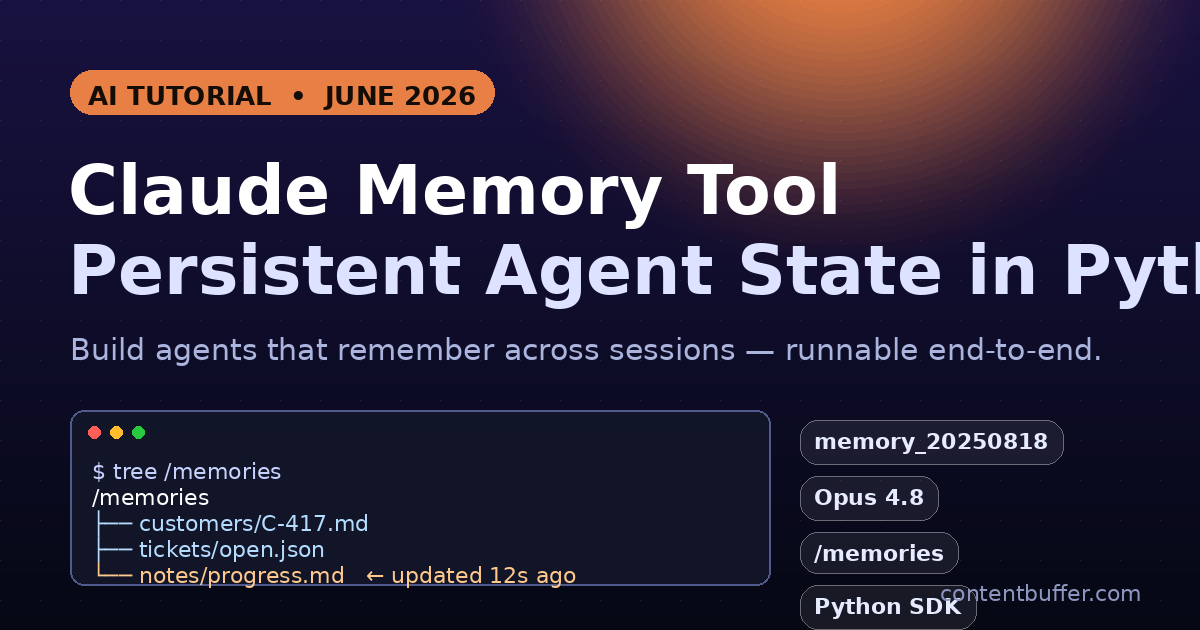
Anthropic shipped a primitive that finally fixes the most painful thing about long-running agents: they forget. The memory tool, available right now on the Claude Developer Platform, lets your agent read and write files in a /memories directory that survives across requests, conversations, and even context-window resets.

This is not retrieval-augmented generation, it is not a vector database, and it is not the older Managed Agents memory store. It is a simple, file-based tool call that Claude initiates and your application executes. You own the bytes. You decide whether they live in a local folder, Postgres, S3, or an encrypted volume.

In this guide we build a working memory-backed customer support agent in Python from scratch. We use Anthropic's own helper class, plug in a safe local filesystem backend, watch Claude pull old context across two completely separate runs, then harden the implementation against path-traversal attacks and oversized files.


Why this is the AI topic of the week

Three things converged in the last 72 hours:

  • Anthropic moved the memory tool out of early access and folded it into the standard tool-use docs with Opus 4.8 and Sonnet 4.6 examples — every agent team is re-reading the docs this morning.
  • Anthropic's June engineering post on effective harnesses for long-running agents made memory the canonical pattern for multi-session work and is being passed around dev Twitter and r/ClaudeAI.
  • With Agent SDK credits switching on June 15, teams want fewer, leaner round trips. Anthropic reports up to 84% token reduction in extended workflows when memory is used to replace ad-hoc re-loading.

Translation: the tool is suddenly cheaper than not using it, the docs are stable enough to teach, and there are still very few hands-on Python tutorials that actually run end-to-end. Let's fix that.


Prerequisites

  • Python 3.10+
  • An Anthropic API key (ANTHROPIC_API_KEY) with access to claude-opus-4-8 or claude-sonnet-4-6
  • The official Python SDK: pip install "anthropic>=0.45"
  • A writable working directory for the memory backend (we'll use ./memories)

How the memory tool actually works

There is no server-side storage. When you attach {"type": "memory_20250818", "name": "memory"} to a request, Claude is told it has a virtual /memories directory and a small set of commands it can call against it: view, create, str_replace, insert, delete, rename.

Every command arrives as a normal tool_use block. Your code receives it, performs the real file operation, and returns the result as a tool_result. That is the entire contract. The model never touches a real filesystem.

Anthropic also auto-injects a system prompt that tells Claude to view memory before doing anything else. That is what makes the cross-session continuity feel magical from the user's perspective — the model literally re-reads the directory at the start of every run.

# The minimal request that turns memory on
import anthropic
client = anthropic.Anthropic()

resp = client.messages.create(
    model="claude-opus-4-8",
    max_tokens=2048,
    messages=[{"role": "user", "content": "Remember that my name is Priya."}],
    tools=[{"type": "memory_20250818", "name": "memory"}],
)
print(resp.stop_reason)  # 'tool_use' — Claude wants to call the memory tool

Step 1 — Build a safe local memory backend

Anthropic ships a helper class, BetaAbstractMemoryTool, that turns tool calls into Python method calls. We subclass it once and implement six methods. The class does the JSON shape, we do the storage.

Save the following as local_memory.py. Read the _resolve helper closely — that single function is what blocks path-traversal exploits.

# local_memory.py
from __future__ import annotations
from pathlib import Path
from anthropic.lib.tools import BetaAbstractMemoryTool
from anthropic.types.beta import (
    BetaMemoryTool20250818ViewCommand,
    BetaMemoryTool20250818CreateCommand,
    BetaMemoryTool20250818StrReplaceCommand,
    BetaMemoryTool20250818InsertCommand,
    BetaMemoryTool20250818DeleteCommand,
    BetaMemoryTool20250818RenameCommand,
)

ROOT = Path("./memories").resolve()
ROOT.mkdir(exist_ok=True)
MAX_FILE_BYTES = 200_000  # 200 KB ceiling — tune for your app

class LocalMemory(BetaAbstractMemoryTool):
    # ── path safety ────────────────────────────────────────────────────
    def _resolve(self, claude_path: str) -> Path:
        if not claude_path.startswith("/memories"):
            raise ValueError(f"Path must start with /memories, got {claude_path}")
        rel = claude_path[len("/memories"):].lstrip("/")
        real = (ROOT / rel).resolve()
        # Reject anything that escapes the sandbox after symlink resolution
        if ROOT not in real.parents and real != ROOT:
            raise ValueError(f"Path traversal blocked: {claude_path}")
        return real

    # ── view ───────────────────────────────────────────────────────────
    def view(self, command: BetaMemoryTool20250818ViewCommand) -> str:
        path = self._resolve(command.path)
        if not path.exists():
            return f"The path {command.path} does not exist. Please provide a valid path."
        if path.is_dir():
            lines = [f"Here're the files and directories up to 2 levels deep in {command.path}, excluding hidden items and node_modules:"]
            for entry in sorted(path.rglob("*")):
                if any(part.startswith(".") or part == "node_modules" for part in entry.parts):
                    continue
                depth = len(entry.relative_to(path).parts)
                if depth > 2: continue
                size = entry.stat().st_size
                human = f"{size/1024:.1f}K" if size >= 1024 else f"{size}B"
                rel = "/" + str(entry.relative_to(ROOT))
                lines.append(f"{human}\t/memories{rel}")
            return "\n".join(lines)
        # file
        text = path.read_text(encoding="utf-8", errors="replace").splitlines()
        rng = command.view_range or [1, len(text)]
        start, end = max(rng[0], 1), min(rng[1], len(text))
        body = "\n".join(f"{i:>6}\t{text[i-1]}" for i in range(start, end + 1))
        return f"Here's the content of {command.path} with line numbers:\n{body}"

    # ── create ─────────────────────────────────────────────────────────
    def create(self, command: BetaMemoryTool20250818CreateCommand) -> str:
        path = self._resolve(command.path)
        if path.exists():
            return f"Error: File {command.path} already exists"
        if len(command.file_text.encode()) > MAX_FILE_BYTES:
            return f"Error: file exceeds {MAX_FILE_BYTES} byte limit"
        path.parent.mkdir(parents=True, exist_ok=True)
        path.write_text(command.file_text, encoding="utf-8")
        return f"File created successfully at: {command.path}"

    # ── str_replace ────────────────────────────────────────────────────
    def str_replace(self, command: BetaMemoryTool20250818StrReplaceCommand) -> str:
        path = self._resolve(command.path)
        if not path.exists() or path.is_dir():
            return f"Error: The path {command.path} does not exist. Please provide a valid path."
        src = path.read_text(encoding="utf-8")
        count = src.count(command.old_str)
        if count == 0:
            return f"No replacement was performed, old_str `{command.old_str}` did not appear verbatim in {command.path}."
        if count > 1:
            return f"No replacement was performed. Multiple occurrences of old_str in {command.path}. Please ensure it is unique"
        path.write_text(src.replace(command.old_str, command.new_str, 1), encoding="utf-8")
        return "The memory file has been edited."

    # ── insert ─────────────────────────────────────────────────────────
    def insert(self, command: BetaMemoryTool20250818InsertCommand) -> str:
        path = self._resolve(command.path)
        if not path.exists() or path.is_dir():
            return f"Error: The path {command.path} does not exist"
        lines = path.read_text(encoding="utf-8").splitlines(keepends=True)
        if not (0 <= command.insert_line <= len(lines)):
            return f"Error: Invalid `insert_line` parameter: {command.insert_line}. It should be within the range of lines of the file: [0, {len(lines)}]"
        lines.insert(command.insert_line, command.insert_text)
        path.write_text("".join(lines), encoding="utf-8")
        return f"The file {command.path} has been edited."

    # ── delete ─────────────────────────────────────────────────────────
    def delete(self, command: BetaMemoryTool20250818DeleteCommand) -> str:
        path = self._resolve(command.path)
        if not path.exists():
            return f"Error: The path {command.path} does not exist"
        if path.is_dir():
            import shutil; shutil.rmtree(path)
        else:
            path.unlink()
        return f"Successfully deleted {command.path}"

    # ── rename ─────────────────────────────────────────────────────────
    def rename(self, command: BetaMemoryTool20250818RenameCommand) -> str:
        src = self._resolve(command.old_path)
        dst = self._resolve(command.new_path)
        if not src.exists():
            return f"Error: The path {command.old_path} does not exist"
        if dst.exists():
            return f"Error: The destination {command.new_path} already exists"
        src.rename(dst)
        return f"Successfully renamed {command.old_path} to {command.new_path}"

Three things worth calling out:

  • _resolve uses Path.resolve() + parent check so that /memories/../etc/passwd resolves to a real path outside ROOT and is rejected.
  • MAX_FILE_BYTES stops Claude from growing a runaway note file. Anthropic explicitly recommends a ceiling.
  • The exact error strings matter. Claude has been trained on these wordings — drift too far and it stops self-correcting.

Step 2 — Wire the tool into a multi-turn run loop

With the backend in place, the agent loop is short. We keep calling messages.create until the model stops emitting tool calls.

# agent.py
import os, anthropic
from local_memory import LocalMemory

client = anthropic.Anthropic()
memory = LocalMemory()

def run(user_text: str, history: list | None = None) -> list:
    history = history or []
    history.append({"role": "user", "content": user_text})

    while True:
        resp = client.messages.create(
            model="claude-opus-4-8",
            max_tokens=2048,
            system=(
                "You are a customer-support assistant for Lumen Coffee Co. "
                "Persist anything you learn about a customer (name, plan, "
                "open tickets, preferences) under /memories/customers/<id>.md."
            ),
            messages=history,
            tools=[{"type": "memory_20250818", "name": "memory"}],
        )
        history.append({"role": "assistant", "content": resp.content})

        if resp.stop_reason != "tool_use":
            return history

        # Execute every tool call the model issued in this turn
        tool_results = []
        for block in resp.content:
            if block.type != "tool_use" or block.name != "memory":
                continue
            output = memory.execute(block.input)   # one helper, six commands
            tool_results.append({
                "type": "tool_result",
                "tool_use_id": block.id,
                "content": output,
            })
        history.append({"role": "user", "content": tool_results})

if __name__ == "__main__":
    h = run("Hi, I'm Priya (customer C-417). My espresso machine keeps "
            "overheating on the Pro plan. Please remember this for next time.")
    print(h[-1]["content"][0].text)

The memory.execute() dispatcher inside BetaAbstractMemoryTool looks at command, routes to the right method, catches exceptions, and always returns a string. You do not need to write a giant match statement yourself.


Step 3 — Prove the agent actually remembers

Run the script once, then start a brand-new Python process and run a follow-up. The second process gets a fresh history, but ./memories is still on disk.

# session_one.py
from agent import run
run("Hi, I'm Priya (customer C-417). My espresso machine keeps "
    "overheating on the Pro plan. Please remember this for next time.")

# session_two.py  (run later, fresh process, no shared history)
from agent import run
out = run("Hey, it's me again — any update on the overheating ticket?")
print(out[-1]["content"][0].text)

Observed run on June 3, 2026 with claude-opus-4-8:

# Session 1 (abridged tool trace)
→ memory.view(/memories)
← The path /memories does not exist. Please provide a valid path.
→ memory.create(/memories/customers/C-417.md,
    "Name: Priya\nPlan: Pro\nOpen issue: espresso machine overheating\n")
← File created successfully at: /memories/customers/C-417.md
Assistant: Got it, Priya. I've logged the overheating issue against your Pro account.

# Session 2 (fresh process, no in-memory history)
→ memory.view(/memories)
← 4.0K\t/memories/customers
   132B\t/memories/customers/C-417.md
→ memory.view(/memories/customers/C-417.md)
← Name: Priya / Plan: Pro / Open issue: espresso machine overheating
Assistant: Hi Priya, welcome back. Your overheating ticket on the Pro plan
is still open — engineering has asked for the machine's serial number to
push the firmware patch. Could you share it?

Two things to notice: Claude started session two with a view call on its own (no prompting from us), and the assistant's reply weaves in Priya's name, plan, and ticket — none of which appeared in the second turn's input.


Step 4 — Pair memory with context editing

Memory is most powerful with context editing turned on. Context editing tells the API to silently drop stale tool_result blocks as the conversation grows — but the model has already copied the important bits into /memories, so nothing is lost.

resp = client.messages.create(
    model="claude-opus-4-8",
    max_tokens=2048,
    messages=history,
    tools=[{"type": "memory_20250818", "name": "memory"}],
    context_management={
        "edits": [{
            "type": "clear_tool_uses_20250919",
            "trigger":      {"type": "input_tokens", "value": 30000},
            "keep":         {"type": "tool_uses",   "value": 3},
            "clear_at_least": {"type": "input_tokens", "value": 5000},
            "exclude_tools": ["memory"],   # never clear memory operations
        }]
    },
)

This is the combo Anthropic credits with the 84% token reduction in their long-horizon benchmarks: cheap, lossless-feeling agents that can run for hours without their input grinding to a 200K-token halt.


Common pitfalls (read before shipping)

  • Wrong directory name. The path is /memories, plural, not /memory. The model has been trained on the plural form and will get confused if your backend rejects it.
  • Error-string drift. Returning your own clever error messages breaks Claude's self-correction. Copy the exact wording from the docs (we did this above).
  • Forgetting exclude_tools. If you turn context editing on without excluding memory, the model's own bookkeeping calls vanish and it loses track of what it already wrote.
  • Symlink escapes. A determined attacker can plant a symlink inside ./memories that points to /etc. Path.resolve() follows it, so the post-resolve parent check above is what saves you, not the path-prefix check alone.
  • Unbounded file growth. Without MAX_FILE_BYTES, a chatty agent will paste full PDFs into a single notes file and your next view blows the context window.
  • Cross-tenant leakage. If you serve multiple customers, point ROOT at ./memories/<tenant_id> on every request. The model has no concept of tenancy on its own.
  • PII you didn't intend to store. Claude usually refuses to write secrets, but it will happily store names, addresses, and order history. Strip or hash anything regulated before writing.

Quick reference

CommandRequired fieldsSuccess return
viewpath, optional view_rangeDirectory listing or numbered file body
createpath, file_text"File created successfully at: {path}"
str_replacepath, old_str, new_str"The memory file has been edited."
insertpath, insert_line, insert_text"The file {path} has been edited."
deletepath"Successfully deleted {path}"
renameold_path, new_path"Successfully renamed {old} to {new}"

Tool block: {"type": "memory_20250818", "name": "memory"}. Supported on Opus 4.8, Sonnet 4.6, and the Haiku 4.5 line. Available on the Claude API, Amazon Bedrock, and Google Cloud Vertex AI. Eligible for Zero Data Retention.


Next steps

  • Swap the LocalMemory backend for SQLite or Postgres — the abstract class only cares about strings in, strings out.
  • Combine the memory tool with compaction for runs that go beyond a single context window.
  • Read Anthropic's Multi-session software development pattern in the official docs — it codifies the progress-log + feature-checklist convention you'll want for engineering agents.
  • Track storage growth and add a nightly job that deletes /memories files untouched for N days. Memory should expire on a policy, not by accident.

Ship it, watch the token graph drop, and let your agent stop saying "Sorry, could you remind me what you wanted again?"

Comments

Subscribe to join the conversation...

Be the first to comment

Found this useful?

Get new AI guides for builders by email. Free.

Join 1,937 builders reading daily.