Code Mode for MCP: Let Claude Write Code to Call Tools
Summary
Cut MCP agent context up to 99% by exposing tools as a code API the model calls in code.
The Model Context Protocol crossed 110 million monthly downloads this month, faster than React got to the same number. Every major agent stack now speaks it: OpenAI's Agents SDK, Google's ADK, LangGraph, CrewAI, and Microsoft's Agent Framework. So a new bottleneck showed up right behind the adoption curve, and on November 4, 2025 Anthropic's engineering team published the fix in a post called Code execution with MCP. Cloudflare shipped the same idea under the name Code Mode. It is the most-shared agent-architecture idea going around dev circles right now, and it is small enough to learn in one sitting.
Here is the problem in one line: when an agent is wired to hundreds of tools, two things quietly eat your context window. The tool definitions all get loaded up front, and every intermediate result has to pass back through the model. Connect a few dozen MCP servers and you can burn hundreds of thousands of tokens before the model has read a single word of the user's request.
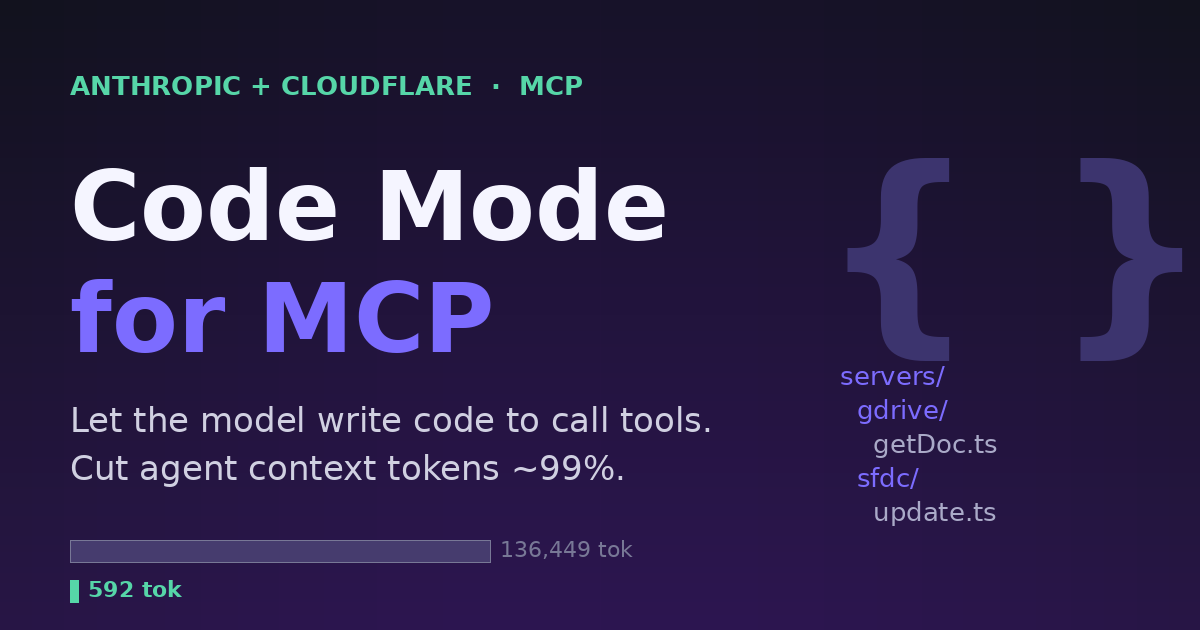
The trick is to stop handing the model a giant menu of tool calls. Instead you expose the same MCP tools as a tiny code API on a filesystem, and let the model write code that calls them. The code runs in a sandbox, filters data there, and returns only a small summary. By the end of this guide you will have a runnable demo that takes a realistic 60-tool, 10,000-row workload from 136,449 tokens down to 592 — a 99.6% cut — and you will know how to wire it to real MCP servers.
Prerequisites
- Python 3.10+ (the demo is pure standard library, no API key needed).
- A rough mental model of MCP: a server exposes
tools; a client calls them vialist_tools()andcall_tool(). - For the production section:
pip install mcp anthropicand an Anthropic API key. - A sandbox you trust to run model-generated code (Docker, a microVM, or a restricted subprocess). This matters — see Pitfalls.
Why tool-heavy agents bloat
Most MCP clients load every tool definition into the system prompt as a callable function, using the model's native tool-calling syntax. A single definition is verbose:
gdrive.getDocument
  Description: Retrieves a document from Google Drive
  Parameters:
    documentId (required, string): The ID of the document to retrieve
    fields (optional, string): Specific fields to return
  Returns: Document object with title, body, metadata, permissions
Multiply that by a few hundred tools and the definitions alone are six figures of tokens. The second cost is sneakier. Ask an agent to "download my meeting transcript from Google Drive and attach it to the Salesforce lead" and the transcript flows through the model twice: once when getDocument returns it into context, and again when the model writes it back out into the updateRecord call. For a two-hour meeting that is ~50,000 extra tokens, and large documents can blow past the context window entirely and break the workflow. Copying big payloads token-by-token is also where models fumble and corrupt data.
The core idea: tools as a code API
Code execution environments are now common in agent harnesses, so present each MCP server as code rather than as direct tool calls. Generate a file tree where every tool is a file:
servers/
  google-drive/
    getDocument.ts
    index.ts
  salesforce/
    updateRecord.ts
    index.ts
The agent discovers tools by exploring the filesystem — list ./servers/, then open only the one or two tool files it needs for this task. That alone kills the up-front definition tax. Then the agent writes ordinary code, and intermediate data never has to round-trip through the model:
// Read transcript from Google Docs, attach to a Salesforce lead
import * as gdrive from './servers/google-drive';
import * as salesforce from './servers/salesforce';

const transcript = (await gdrive.getDocument({ documentId: 'abc123' })).content;
await salesforce.updateRecord({
  objectType: 'SalesMeeting',
  recordId: '00Q5f000001abcXYZ',
  data: { Notes: transcript },
});
The transcript stays inside the execution environment. The model wrote eight lines of code; it never had to read or re-emit the document body. Anthropic measured one such task dropping from 150,000 tokens to 2,000 — a 98.7% reduction.
Step 1 — Measure the problem
Let's reproduce that with a self-contained script. We mock 60 tools across a few servers and one fat data tool that returns 10,000 rows. Token counts use a chars/4 estimate (a standard rough proxy); swap in a real tokenizer for exact figures, the shape is the same. First, the direct tool calls path — all definitions loaded, the full result returned into context:
import json

def est_tokens(text): return max(1, len(text) // 4)

def make_tool_defs(n=60):
    return [{
        "name": f"server_{i//10}__tool_{i}",
        "description": (f"Tool {i}: performs operation {i} against subsystem "
                        f"{i//10}. Accepts a record id and an options object; "
                        "returns the updated record with metadata and permissions."),
        "input_schema": {"type": "object", "properties": {
            "recordId": {"type": "string"}, "options": {"type": "object"}},
            "required": ["recordId"]},
    } for i in range(n)]

def get_sheet(rows=10000):
    return [{"id": f"R{i:05d}",
             "status": "pending" if i % 50 == 0 else "done",
             "amount": i} for i in range(rows)]

def approach_direct():
    defs_tokens = est_tokens(json.dumps(make_tool_defs()))
    result_tokens = est_tokens(json.dumps(get_sheet()))   # 10k rows into context
    return {"tool_def_tokens": defs_tokens,
            "result_tokens": result_tokens,
            "total_tokens": defs_tokens + result_tokens}
Running approach_direct() gives the baseline — definitions plus a 10,000-row dump that the model would otherwise have to read and filter by hand:
{
  "tool_def_tokens": 6577,
  "result_tokens": 129872,
  "total_tokens": 136449
}
Step 2 — Wrap the tools as a code API
Now emit one small wrapper file per tool. In production you generate these from the server's real schema; here we generate them from the mock defs. Each wrapper just forwards to a single call_mcp_tool bridge:
import textwrap

def generate_tool_api(tool_defs):
    files = {}
    for d in tool_defs:
        name = d["name"]; fn = name.split("__")[-1]
        files[f"servers/{name}.py"] = textwrap.dedent(f"""
            from client import call_mcp_tool
            def {fn}(recordId, options=None):
                # {d['description']}
                return call_mcp_tool("{name}", {{"recordId": recordId,
                                                  "options": options}})
        """).strip()
    return files
The agent never reads all 60 files. It lists the directory (cheap) and opens just the tool it needs. That is progressive disclosure: tool definitions are loaded on demand instead of all up front.
Step 3 — Filter in the sandbox, return a summary
Here is the payoff. The agent writes code that fetches the 10,000 rows, filters them inside the execution environment, and logs only a count plus a 5-row preview. Only that summary crosses back into the model's context:
def approach_code_mode():
    api_files = generate_tool_api(make_tool_defs())
    listing_tokens = est_tokens("\n".join(sorted(api_files)))      # dir listing
    one_tool_tokens = est_tokens(api_files["servers/server_0__tool_0.py"])

    # ---- code the agent writes, runs in the sandbox ----
    sheet = get_sheet()
    pending = [r for r in sheet if r["status"] == "pending"]
    returned = {"pending_count": len(pending), "preview": pending[:5]}
    # ----------------------------------------------------
    result_tokens = est_tokens(json.dumps(returned))
    return {"dir_listing_tokens": listing_tokens,
            "one_tool_def_tokens": one_tool_tokens,
            "result_tokens": result_tokens,
            "total_tokens": listing_tokens + one_tool_tokens + result_tokens,
            "pending_found": len(pending)}
Output:
{
  "dir_listing_tokens": 432,
  "one_tool_def_tokens": 85,
  "result_tokens": 75,
  "total_tokens": 592,
  "pending_found": 200
}

Tokens through model:  A=136,449  B=592
Reduction: 135,857 tokens (99.6% fewer)
Same 10,000 rows, same 200 pending orders found. The model saw five of them instead of ten thousand. The agent's answer quality is identical; its context cost collapsed by two orders of magnitude. The full script (both approaches plus the runner) is in the repo at the end.
A real-world pattern: control flow without the agent loop
Code Mode is not only about filtering. Loops, conditionals, and error handling become normal code instead of round trips through the model. Polling Slack until a deployment finishes, the direct-tool way means the model wakes up on every iteration. In code it is one block:
let found = false;
while (!found) {
  const messages = await slack.getChannelHistory({ channel: 'C123456' });
  found = messages.some(m => m.text.includes('deployment complete'));
  if (!found) await new Promise(r => setTimeout(r, 5000));
}
console.log('Deployment notification received');
This is faster on time-to-first-token too: the sandbox evaluates the if, the model does not have to. And because intermediate results stay local, you get privacy for free. A harness can tokenize PII before anything is logged — emails and phone numbers flow from a spreadsheet into Salesforce without ever entering the model's context:
// What the model would see if it logged the rows:
[
  { salesforceId: '00Q...', email: '[EMAIL_1]', phone: '[PHONE_1]' },
  { salesforceId: '00Q...', email: '[EMAIL_2]', phone: '[PHONE_2]' },
]
The real values are restored by the MCP client on the way back out. You can use the same hook to enforce deterministic rules about where data is allowed to flow.
Wiring it to real MCP servers
The mock above stands in for two real calls from the official MCP Python SDK: session.list_tools() to discover tools, and session.call_tool() as the bridge each wrapper forwards to. A minimal generator that turns a live server into a code API looks like this:
# pip install mcp
import asyncio, re
from mcp import ClientSession, StdioServerParameters
from mcp.client.stdio import stdio_client

async def build_code_api(command, args):
    params = StdioServerParameters(command=command, args=args)
    async with stdio_client(params) as (read, write):
        async with ClientSession(read, write) as session:
            await session.initialize()
            tools = (await session.list_tools()).tools
            for t in tools:
                fn = re.sub(r"[^a-zA-Z0-9_]", "_", t.name)
                src = (f"from client import call_mcp_tool\n"
                       f"def {fn}(**kwargs):\n"
                       f"    # {(t.description or '').splitlines()[0]}\n"
                       f"    return call_mcp_tool({t.name!r}, kwargs)\n")
                with open(f"servers/{fn}.py", "w") as f:
                    f.write(src)
            print(f"Wrote {len(tools)} tool wrappers")

# client.py exposes the single bridge the wrappers import:
#   def call_mcp_tool(name, args): return session.call_tool(name, args)

asyncio.run(build_code_api("npx", ["-y", "@modelcontextprotocol/server-filesystem", "."]))
Point the agent's sandbox at the generated servers/ folder, give it a list/read tool plus a run_python (or run_node) tool, and you have Code Mode. For very large tool catalogs, add a single search_tools tool with a detail-level parameter (name only, name + description, or full schema) so the agent can find the right wrapper without scanning the whole tree.
Pitfalls and gotchas
- You are now running model-generated code. This is the big one. Code Mode trades token cost for a sandbox requirement. Use real isolation — a container or microVM with no host filesystem, resource limits (CPU, memory, wall-clock), and an egress allowlist. A bare
exec()is not a sandbox. - Don't over-summarize. Filtering in the sandbox is the point, but if the agent logs too little it loses the signal it needs to reason. Return counts plus a representative sample (the first N rows, or aggregates), not a single number with no context.
- Token estimates are estimates. chars/4 is fine for sizing the win; for billing use the model's real tokenizer. The relative reduction holds, the absolute numbers will shift.
- Progressive disclosure needs good descriptions. If the agent browses a file tree to pick tools, the file names and first-line docstrings are the only signal it has up front. Vague names like
tool_42defeat the purpose — name wrappers after what they do. - Small, cheap tasks don't need it. If an agent has five tools and tiny results, direct tool calls are simpler and the sandbox overhead isn't worth it. Reach for Code Mode when tool count or payload size is the bottleneck.
- Persisted skills can drift. Letting the agent save working code as reusable functions (a
./skills/folder with a SKILL.md) is powerful, but stale skills calling changed tool schemas fail silently. Version them and re-validate against the live server.
Quick reference
| Concern | Direct tool calls | Code Mode (code execution) |
|---|---|---|
| Tool definitions | All loaded up front | Loaded on demand from a file tree |
| Intermediate results | Flow through the model | Stay in the sandbox; only summaries return |
| Control flow | Round trip per step | Loops/conditionals run as code |
| Token cost (this demo) | 136,449 | 592 (99.6% less) |
| PII handling | Passes through context | Tokenized before logging |
| Main cost | Token + latency bloat | Needs a secure sandbox |
| Best when | Few tools, small data | Many tools or large payloads |
Next steps
- Run the demo script, then bump the row count and tool count and watch the gap widen.
- Generate a code API from one real MCP server you already use (the filesystem server is a fast first target).
- Add a
search_toolsendpoint with a detail-level parameter for catalogs over ~50 tools. - Stand up a real sandbox (Docker or a microVM) before pointing this at production data.
- Read Anthropic's Code execution with MCP and Cloudflare's Code Mode posts for the security and state-persistence deep dives.
Primary sources: Anthropic Engineering, Code execution with MCP: building more efficient agents (Nov 4, 2025); Cloudflare, Code Mode; modelcontextprotocol.io.
Comments
Be the first to comment
Found this useful?
Get new AI guides for builders by email. Free.
Join 3,604 newsletter subscribers.