Skip to content
DiffusionGemma in Python: Generate Text 4x Faster — ContentBuffer guide

DiffusionGemma in Python: Generate Text 4x Faster

K
Kodetra Technologies··9 min read Intermediate

Summary

Run Google's open diffusion LLM with Transformers and learn why it decodes text in parallel.

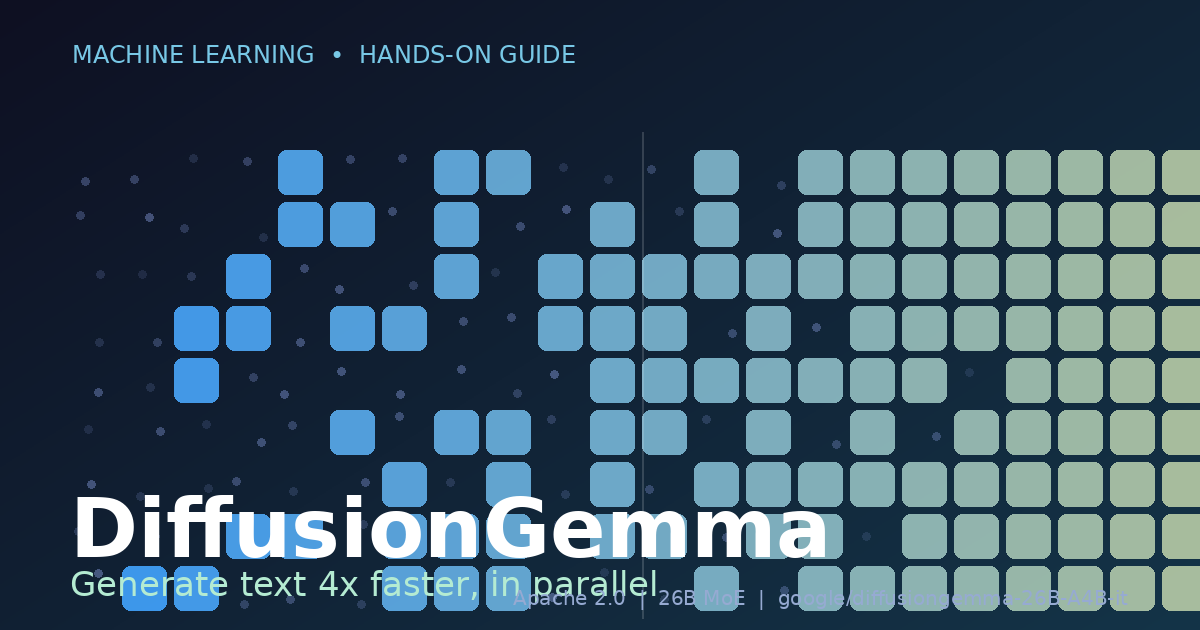
Every large language model you have used until now writes the way you read a sentence out loud: one token, then the next, then the next, left to right. That single design choice is why long answers feel slow. DiffusionGemma, which Google DeepMind released on June 9, 2026, throws that assumption out. Instead of predicting one token at a time, it starts from a block of masked noise and denoises the whole block in parallel, refining many positions at once over a handful of diffusion steps. The result is text generation that Google measures at roughly four times the throughput of a comparable autoregressive model on the same hardware.

It blew up fast. Within days the weights crossed 300K downloads on Hugging Face, demo Spaces for code generation and OCR correction appeared, and r/LocalLLaMA filled with people watching the model 'paint' an answer into place rather than typing it. The model is a 26B-parameter Mixture-of-Experts built on the Gemma 4 architecture, but it only activates about 3.8B parameters per step, and it ships under a permissive Apache 2.0 license. Quantized to NVFP4 it fits in roughly 18GB of VRAM, so it runs on a single RTX 4090 or 5090.

This guide teaches you the concrete skill: load DiffusionGemma with Hugging Face Transformers, generate your first response, stream the denoising process so you can see diffusion happen, steer it with system prompts and its reasoning channel, and avoid the gotchas that trip people coming from autoregressive models. Every code block matches Google's official inference documentation and the model card on the Hub.

Autoregressive vs. diffusion: what actually changes

An autoregressive model (GPT, Llama, standard Gemma) factorizes text as a chain: the probability of token N depends on tokens 1 through N-1. You cannot compute token 50 until you have committed to token 49. That is inherently sequential.

A discrete text-diffusion model works differently. It lays down a fixed-length block of [MASK] positions and runs a small number of refinement steps. At each step it looks at the entire block at once and decides which masked positions it is now confident enough to fill, gradually replacing noise with real tokens. Because every step updates many positions simultaneously, you trade a long chain of single-token steps for a short chain of full-block steps. DiffusionGemma uses a block diffusion variant, which is why the model class is named DiffusionGemmaForBlockDiffusion.

Two practical consequences fall out of this and they matter for the rest of the guide. First, generation length is allocated up front through max_new_tokens rather than discovered by hitting an end-of-sequence token, so that number behaves more like a canvas size than a ceiling. Second, if you stream the output you will see tokens appear out of order and even flicker as the model revises them, which looks alarming the first time but is completely normal.

Prerequisites

  • Python 3.10 or newer.
  • An NVIDIA GPU. The NVFP4 build needs about 18GB of VRAM (RTX 4090/5090, A100, H100). For CPU or smaller GPUs, use a GGUF build via llama.cpp instead.
  • A Hugging Face account, and acceptance of the Gemma license terms on the model page before downloading.
  • Comfort with PyTorch tensors and the Transformers from_pretrained pattern.

Install the libraries. DiffusionGemma support landed in recent Transformers, so install the latest:

# Core runtime
pip install torch accelerate

# Install the latest transformers (DiffusionGemma support)
pip install -U transformers

# Optional: log in so gated downloads work
huggingface-cli login

Step 1: Load the model and processor

DiffusionGemma is multimodal (text, image, and video in; text out), so it uses an AutoProcessor rather than a bare tokenizer. The processor bundles the tokenizer with image handling. Loading mirrors any other Transformers model, with two model-specific names to remember: the class DiffusionGemmaForBlockDiffusion and the repo ID.

from transformers import DiffusionGemmaForBlockDiffusion, AutoProcessor

MODEL_ID = "google/diffusiongemma-26B-A4B-it"

model = DiffusionGemmaForBlockDiffusion.from_pretrained(
    MODEL_ID,
    dtype="auto",        # picks bf16/fp16 to match the checkpoint
    device_map="auto",   # shards across available GPUs
)
processor = AutoProcessor.from_pretrained(MODEL_ID)

print(model.config.model_type)  # -> diffusion_gemma

The first run downloads the safetensors shards (the 26B checkpoint is large, plan for the wait). dtype="auto" lets Transformers choose the weight precision stored in the checkpoint, and device_map="auto" places layers on your GPU(s) automatically. If you grabbed the NVFP4 quantized build (nvidia/diffusiongemma-26B-A4B-it-NVFP4) the same code loads it; you just point MODEL_ID at that repo.

Step 2: Your first generation

DiffusionGemma is instruction-tuned and chat-formatted, so build a messages list and let the processor apply the chat template. Set add_generation_prompt=True so the template appends the assistant turn marker, and return_dict=True so you get a dictionary you can splat straight into generate.

message = [
    {"role": "user", "content": "Why is the sky blue?"}
]

input_ids = processor.apply_chat_template(
    message,
    tokenize=True,
    add_generation_prompt=True,
    return_dict=True,
    return_tensors="pt",
).to(model.device)

output = model.generate(**input_ids, max_new_tokens=512)

text = processor.decode(output[0], skip_special_tokens=False)
print(text[0])

A representative decoded response looks like this. Notice the structural tokens: the model writes into a thought channel before its final answer, which is part of how the instruction-tuned build organizes reasoning.

<bos><|turn>user
Why is the sky blue?<turn|>
<|turn>model
<|channel>thought
<channel|>The sky is blue due to a phenomenon called **Rayleigh scattering**.

Here is the short version: sunlight contains all colors, and shorter
(blue) wavelengths scatter far more strongly off air molecules than
longer (red) ones, so blue light is redirected across the whole sky...
<turn|>

Why keep skip_special_tokens=False? Because the channel markers are how you tell the model's private reasoning apart from the answer it intends for the user. If you set it to True you get clean prose but lose the ability to split thought from the final reply. We will use that distinction in Step 4.

Step 3: Watch diffusion happen with TextDiffusionStreamer

This is the part people screenshot. A normal TextStreamer assumes left-to-right token order and would be meaningless here. DiffusionGemma ships a dedicated TextDiffusionStreamer that prints the block as it is denoised, so you literally watch noise resolve into words.

from transformers import TextDiffusionStreamer

streamer = TextDiffusionStreamer(tokenizer=processor.tokenizer)

message = [
    {"role": "user", "content": "Why is the sky blue?"}
]

input_ids = processor.apply_chat_template(
    message, tokenize=True, add_generation_prompt=True,
    return_dict=True, return_tensors="pt",
).to(model.device)

output = model.generate(**input_ids, max_new_tokens=512, streamer=streamer)

text = processor.decode(output[0], skip_special_tokens=False)
print("\n-- Final Output --")
print(text[0])

An early diffusion step prints something garbled, with repeated and half-formed tokens scattered across positions that have not yet been resolved:

Why is the sky 7The sky is blue due to a a called ** **Ray called**,**.
 is is the the the the- ...

A few steps later those positions lock in and the same block reads as the coherent Rayleigh-scattering answer from Step 2. That flicker is the model revising low-confidence positions, not a bug. If you only care about the finished text, ignore the stream and read output after generate returns.

Step 4: Steer it with system prompts and the thought channel

System prompts work exactly as you expect. Add a system role and the persona carries through:

message = [
    {"role": "system", "content": "Speak like a pirate."},
    {"role": "user", "content": "Why is the sky blue?"},
]

input_ids = processor.apply_chat_template(
    message, tokenize=True, add_generation_prompt=True,
    return_dict=True, return_tensors="pt",
).to(model.device)

output = model.generate(**input_ids, max_new_tokens=512)
print(processor.decode(output[0], skip_special_tokens=False)[0])
<bos><|turn>system
Speak like a pirate.<turn|>
<|turn>user
Why is the sky blue?<turn|>
<|turn>model
<|channel>thought
<channel|>Gather 'round, ye scurvy dogs, and I'll tell ye why the heavens be blue...<turn|>

Because every response carries the thought channel, you usually want to strip it before showing text to a user. A small post-processing helper does the job:

def final_answer(decoded: str) -> str:
    """Return the user-facing text, dropping the thought channel."""
    marker = "<channel|>"          # end of the thought-channel header
    if marker in decoded:
        decoded = decoded.split(marker, 1)[1]
    # trim any trailing turn markers / special tokens
    for tok in ("<turn|>", "<bos>", "<|turn>"):
        decoded = decoded.replace(tok, "")
    return decoded.strip()

raw = processor.decode(output[0], skip_special_tokens=False)[0]
print(final_answer(raw))

If you do not need the reasoning trace at all, you can keep the prompt lean and just read the answer; the channel structure is still emitted, which is why a parser like the one above is more reliable than trusting raw decoded text.

Step 5: Feed it an image

DiffusionGemma accepts image input through the same processor. Put an image content part in the message and pass the PIL image; the processor inserts the image placeholder tokens for you.

from PIL import Image

img = Image.open("chart.png").convert("RGB")

message = [
    {"role": "user", "content": [
        {"type": "image", "image": img},
        {"type": "text", "text": "Summarize the trend in this chart in one sentence."},
    ]}
]

input_ids = processor.apply_chat_template(
    message, tokenize=True, add_generation_prompt=True,
    return_dict=True, return_tensors="pt",
).to(model.device)

output = model.generate(**input_ids, max_new_tokens=256)
print(processor.decode(output[0], skip_special_tokens=False)[0])

This is the basis for the OCR-correction and chart-reading demos that showed up on the Hub: the diffusion decoder is well suited to filling in structured, fixed-shape outputs like corrected text or JSON.

Worked example: a fast bulk rewriter

Here is a small but real task that plays to diffusion's strength. Suppose you have a batch of terse log lines and you want each rewritten as a clear, human-readable sentence. Because the output length per item is bounded and predictable, a fixed max_new_tokens budget is a natural fit, and you avoid the long sequential tail that slows autoregressive batch jobs.

logs = [
    "ERR 503 svc=checkout upstream=payments t=1200ms",
    "WARN disk=/var used=92% host=db-03",
    "INFO deploy ok sha=9f2c1 env=prod by=ci-bot",
]

def humanize(line: str) -> str:
    msg = [
        {"role": "system",
         "content": "Rewrite each log line as one plain-English sentence."},
        {"role": "user", "content": line},
    ]
    ids = processor.apply_chat_template(
        msg, tokenize=True, add_generation_prompt=True,
        return_dict=True, return_tensors="pt",
    ).to(model.device)
    out = model.generate(**ids, max_new_tokens=64)
    return final_answer(processor.decode(out[0], skip_special_tokens=False)[0])

for line in logs:
    print(f"- {humanize(line)}")

Representative output:

- The checkout service returned a 503 error after waiting 1.2 seconds on the payments upstream.
- Disk usage on host db-03 hit 92% on the /var volume, which is getting dangerously full.
- A production deployment of commit 9f2c1 succeeded, triggered by the ci-bot account.

Keep the budget tight (here, 64 tokens) so each item denoises a small block. Oversizing max_new_tokens wastes compute because the model still works the whole canvas even when the real answer is short.

Common pitfalls and gotchas

  • Do not reuse TextStreamer. The standard streamer assumes left-to-right decoding and will print nonsense. Use TextDiffusionStreamer, and remember the mid-stream flicker is expected.
  • max_new_tokens is a canvas, not a cap. Diffusion allocates the block up front. Set it too high and you pay for denoising empty space; too low and the answer gets truncated. Tune it to the task instead of leaving a giant default.
  • Keep skip_special_tokens=False while developing. You need the thought and turn markers to separate reasoning from the final answer. Strip them in your own post-processing, as in Step 4.
  • VRAM math is about active experts, not total params. It is a 26B MoE that activates ~3.8B per step, but the full weights still load. Use the NVFP4 build to fit ~18GB; a raw bf16 load needs far more.
  • Pin your Transformers version. DiffusionGemma classes (DiffusionGemmaForBlockDiffusion, TextDiffusionStreamer) only exist in recent releases. An ImportError almost always means an outdated install, so run pip install -U transformers.
  • Accept the license first. Downloads 401/403 until you have accepted the Gemma terms on the model page and logged in with huggingface-cli login.
  • It is multimodal, so use AutoProcessor. Reaching for AutoTokenizer alone drops image handling and the correct chat template wiring.

Quick reference

What you wantHow to do it
Model classDiffusionGemmaForBlockDiffusion
Repo IDgoogle/diffusiongemma-26B-A4B-it
Low-VRAM buildnvidia/diffusiongemma-26B-A4B-it-NVFP4 (~18GB)
Load processorAutoProcessor.from_pretrained(MODEL_ID)
Build inputsprocessor.apply_chat_template(..., add_generation_prompt=True, return_dict=True)
Generatemodel.generate(**input_ids, max_new_tokens=N)
Stream denoisingTextDiffusionStreamer(tokenizer=processor.tokenizer)
Decodeprocessor.decode(out[0], skip_special_tokens=False)
LicenseApache 2.0 (accept Gemma terms first)

Next steps

  • Benchmark it: time DiffusionGemma against an autoregressive Gemma 4 of similar size on identical prompts and confirm the speedup on your own hardware.
  • Run it served: load the model under vLLM or SGLang, both of which support DiffusionGemma, for batched throughput.
  • Fine-tune it: Unsloth supports LoRA fine-tuning of DiffusionGemma if you have a domain rewriting or correction task.
  • Go lighter: try the unsloth GGUF build under llama.cpp to run on machines without an 18GB+ GPU.
  • Read the source: Google's official inference doc and the model card on Hugging Face cover image and video inputs in more depth.

The takeaway: diffusion language models are no longer a research curiosity. With an open, Apache-licensed checkpoint that runs on a single consumer GPU and a clean Transformers API, you can put parallel text generation into a real pipeline today. Start with the bulk-rewriter example, watch the denoising stream once to build intuition, then point it at a fixed-shape task of your own.

Comments

Subscribe to join the conversation...

Be the first to comment

Found this useful?

Get new AI guides for builders by email. Free.