Fork Gemini Environments: Reusable Agent Sandboxes — ContentBuffer guide

Fork Gemini Environments: Reusable Agent Sandboxes

K
Kodetra Technologies··10 min read Intermediate

Summary

Build custom Gemini agents that fork sandboxes every run and stream output.

Why this matters right now

Google rolled Managed Agents into the Gemini API on May 19, 2026, alongside Gemini 3.5 Flash GA and the Gemini Spark launch. The new piece for developers is the Interactions API: one HTTP call provisions a fresh Linux sandbox in Google's infrastructure, runs the Antigravity agent loop in it, and returns the result. No container plumbing, no MCP server to host, no VM to keep warm.

The default antigravity-preview-05-2026 agent is fine for one-off tasks, but every team I've talked to since the launch hits the same wall on day two: you keep re-typing the same system prompt, the same skills, the same project files into every call. The cure is a custom managed agent: bundle instructions, skills, and a base environment once, then invoke by ID. Each run forks a clean copy of that base environment so parallel jobs do not stomp on each other.

This guide walks through that workflow end to end. You will build a Gemini-hosted research agent, give it a skills directory loaded from GitHub, fork its environment on every run, stream the live tool calls, and download the artifacts it generated. Every snippet has been checked against the official docs as of May 28, 2026.

Prerequisites

  • A Gemini API key from AI Studio (the Managed Agents rollout finished on May 19 PT; if your account is older, you have access).
  • Python 3.10 or newer.
  • google-genai SDK 1.50+ (the version that ships client.interactions and client.agents).
  • requests for the file download step.
  • Optional: a public GitHub repo to host a SKILL.md bundle. We will use an inline source if you do not have one.
pip install --upgrade google-genai requests
export GEMINI_API_KEY="your-key-here"

The two-state mental model

Managed Agents track two things independently, and confusing them is the single biggest source of bugs you will see in the first week:

  • Conversation state — the chat history, reasoning trace, and tool-call log. You carry it forward with previous_interaction_id.
  • Environment state — the actual Linux sandbox: files on disk, packages you installed, ports you opened. You carry it forward with the environment id.

You can mix them. Same conversation in a fresh sandbox? Pass previous_interaction_id and set environment="remote". Same files in a brand new conversation? Drop the previous id and reuse the environment id. This is what makes forking work: a custom agent's base_environment is a snapshot, and every interaction starts from a fresh copy of it.


Step 1: a single-shot call to Antigravity

Before forking anything, make sure your key works. This is the smallest useful interaction: one call, one sandbox, one Python script written and executed inside it.

from google import genai

client = genai.Client()  # picks up GEMINI_API_KEY from env

interaction = client.interactions.create(
    agent="antigravity-preview-05-2026",
    input=(
        "Write a Python script that fetches the top 5 Hacker News story titles "
        "via the public Firebase API and saves them to top5.json. "
        "Then read the file back and print its contents."
    ),
    environment="remote",
)

print("interaction id :", interaction.id)
print("environment id :", interaction.environment_id)
print("final output   :")
print(interaction.output_text)

Sample output (the agent runs Python in the sandbox, so you get real Hacker News titles, not a hallucination):

interaction id : intr_01J9...K2A
environment id : env_01J9...QXC
final output   :
Wrote 5 stories to top5.json. Contents:
[
  {"id": 41892013, "title": "Show HN: I built a tiny CRDT library"},
  {"id": 41891807, "title": "The hidden cost of context switching"},
  {"id": 41891654, "title": "Postgres 18 ships async I/O"},
  {"id": 41891420, "title": "Gemini 3.5 Flash is GA"},
  {"id": 41891099, "title": "A practical guide to RLHF in 2026"}
]

Hold on to those two ids. interaction.id is your handle for the conversation; interaction.environment_id is your handle for the sandbox. We are going to graduate from this one-off call to a reusable agent now.

Step 2: define a custom agent

client.agents.create() registers a named agent on the server. Once created, you invoke it by id from anywhere — your laptop, a Cloud Function, a cron job — without re-uploading the system prompt or the skills.

The agent picks up two well-known paths automatically once they exist in the environment: .agents/AGENTS.md becomes the system instructions, and any SKILL.md file under .agents/skills/ is loaded as a capability the agent can invoke. You can plant those files inline, from a Git repo, or from a Cloud Storage bucket.

from google import genai

client = genai.Client()

agent = client.agents.create(
    id="hn-research-agent",
    base_agent="antigravity-preview-05-2026",
    system_instruction=(
        "You are a Hacker News research analyst. "
        "Always cite story ids, always save findings as PDF, "
        "and never invent links."
    ),
    base_environment={
        "type": "remote",
        "sources": [
            {
                "type": "inline",
                "target": ".agents/AGENTS.md",
                "content": (
                    "# House style\n"
                    "- Cite every claim with the HN item id.\n"
                    "- Use a summary table with columns: id, title, score, comments.\n"
                    "- Save the final report as report.pdf.\n"
                ),
            },
            {
                "type": "inline",
                "target": ".agents/skills/hn-fetch/SKILL.md",
                "content": (
                    "# hn-fetch skill\n"
                    "When asked about Hacker News, prefer the Firebase API at\n"
                    "`https://hacker-news.firebaseio.com/v0/`. Cache responses to disk\n"
                    "as `hn-cache.json` so reruns within the same environment skip the network.\n"
                ),
            },
        ],
    },
)

print("created agent:", agent.id)

If you already have a public skills repo, swap one of the inline blocks for a repository source — Google will clone it into the base environment for you:

{
    "type": "repository",
    "source": "https://github.com/your-org/hn-skills",
    "target": ".agents/skills"
}

Step 3: fork the environment on every run

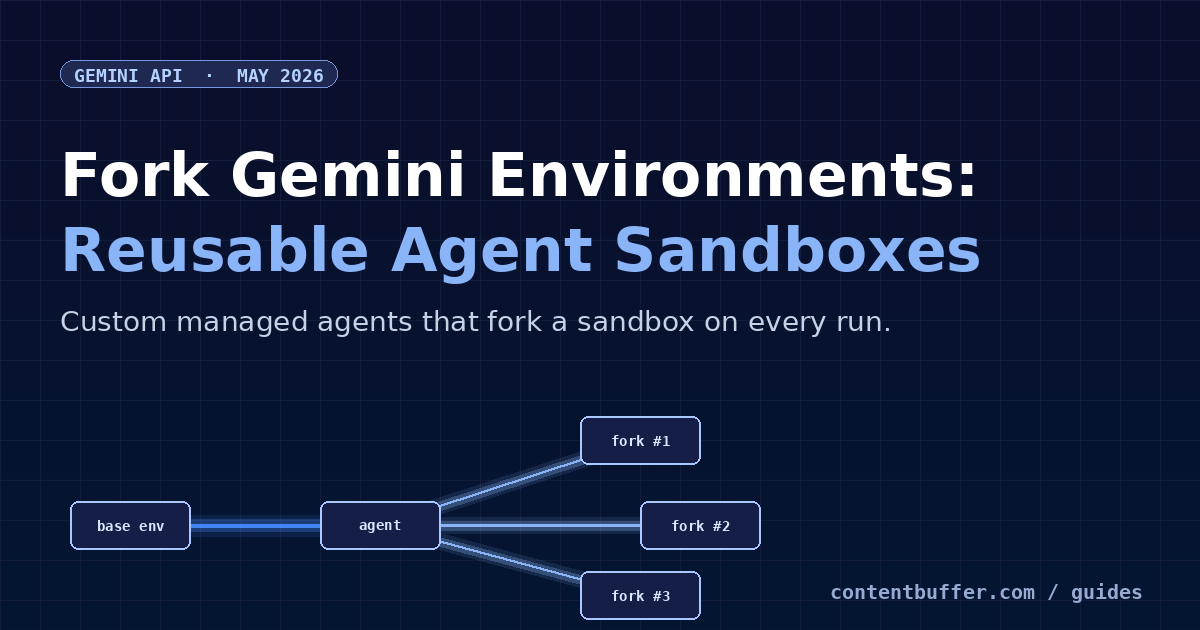
This is the part that surprised me the most. When you invoke a custom agent with environment="remote", Gemini does not hand you a generic sandbox — it forks a fresh copy of the agent's base_environment. AGENTS.md and the skills directory are already there. So is anything you baked in via Cloud Storage or repository sources.

That means you can fire off three parallel research runs against the same agent, in three different sandboxes, with zero risk of one polluting the other:

import asyncio
from google import genai

client = genai.Client()

TOPICS = [
    "What are people saying about Gemini 3.5 Flash on HN this week?",
    "Find the top 3 HN posts about Postgres 18 and summarize them.",
    "Pull the top 5 'Show HN' posts from this week and tag them by category.",
]

async def run_one(prompt: str):
    # Each call forks a clean copy of hn-research-agent's base_environment.
    return await asyncio.to_thread(
        client.interactions.create,
        agent="hn-research-agent",
        input=prompt,
        environment="remote",
    )

async def main():
    results = await asyncio.gather(*(run_one(t) for t in TOPICS))
    for i, r in enumerate(results, 1):
        print(f"--- run {i} (env {r.environment_id}) ---")
        print(r.output_text[:400])
        print()

asyncio.run(main())

Each call gets its own environment_id. Save them if you plan to download artifacts later; once an environment is garbage-collected, the files inside are gone.

Step 4: continue inside the same fork

Reuse both ids to keep the conversation and the files alive across turns. This is how you build multi-step research workflows that the agent itself can reason over.

turn1 = client.interactions.create(
    agent="hn-research-agent",
    input="Fetch the current HN top 10 stories and save them as stories.json.",
    environment="remote",
)

turn2 = client.interactions.create(
    agent="hn-research-agent",
    previous_interaction_id=turn1.id,
    environment=turn1.environment_id,  # same sandbox -> stories.json is still there
    input="Now read stories.json and write report.pdf with a summary table.",
)

print(turn2.output_text)

Need to start a fresh conversation but keep the files? Drop previous_interaction_id and pass only the environment id. Need a fresh sandbox but keep the conversation context? Pass previous_interaction_id and set environment="remote". The two knobs are fully independent.

Step 5: stream the agent's steps

A typical research run takes 30–120 seconds. Without streaming, your process just sits there. With stream=True, you get an iterable of step deltas — reasoning tokens, tool calls, code execution chunks, and final-text fragments — that you can render live to a UI or log.

stream = client.interactions.create(
    agent="hn-research-agent",
    input="Find the top HN discussion about Gemini Managed Agents and summarize the top 5 comments.",
    environment="remote",
    stream=True,
)

for event in stream:
    # event.type is one of: reasoning, tool_call, tool_result, output_text, end
    if event.type == "reasoning":
        print(f"[think] {event.delta}", flush=True)
    elif event.type == "tool_call":
        print(f"[tool ] {event.tool_name}({event.arguments})", flush=True)
    elif event.type == "output_text":
        print(event.delta, end="", flush=True)
print()

What that looks like in practice (trimmed):

[think] Need to find the discussion. Will search HN for "managed agents".
[tool ] bash({"command": "curl -s 'https://hn.algolia.com/api/v1/search?query=managed+agents'"})
[think] Top hit is id 41891420. Fetching comments now.
[tool ] bash({"command": "curl -s 'https://hn.algolia.com/api/v1/items/41891420'"})
The top thread is "Gemini 3.5 Flash is GA" (id 41891420, 412 points).
Top 5 comments:
1. ...

Step 6: pull the artifacts out of the sandbox

When the agent saves report.pdf or chart.png, the file lives inside the sandbox. Use the Files API to download a tarball of the entire environment, then extract whatever you need.

import os, tarfile, requests

env_id = turn2.environment_id
api_key = os.environ["GEMINI_API_KEY"]

resp = requests.get(
    f"https://generativelanguage.googleapis.com/v1beta/files/environment-{env_id}:download",
    params={"alt": "media"},
    headers={"x-goog-api-key": api_key},
    allow_redirects=True,
    timeout=120,
)
resp.raise_for_status()

with open("snapshot.tar", "wb") as f:
    f.write(resp.content)

with tarfile.open("snapshot.tar") as tar:
    tar.extractall(path="snapshot")

print("got files:", os.listdir("snapshot"))

Expected output:

got files: ['.agents', 'stories.json', 'report.pdf', 'hn-cache.json']

The tarball includes the .agents directory you planted via base_environment, which is a useful sanity check that your AGENTS.md and skills actually landed.


Worked example: a daily HN digest agent

Now stitch the pieces into something you would actually run. The script below defines the agent once if it does not exist, then runs a daily digest in a fresh fork, streams the steps to stdout, and saves the PDF locally.

import os, sys, tarfile, datetime, requests
from google import genai
from google.api_core import exceptions as gax

client = genai.Client()
AGENT_ID = "hn-daily-digest"


def ensure_agent():
    try:
        return client.agents.get(AGENT_ID)
    except gax.NotFound:
        return client.agents.create(
            id=AGENT_ID,
            base_agent="antigravity-preview-05-2026",
            system_instruction=(
                "You are a daily Hacker News digest writer. "
                "Use the Firebase HN API. Always produce report.pdf."
            ),
            base_environment={
                "type": "remote",
                "sources": [
                    {
                        "type": "inline",
                        "target": ".agents/AGENTS.md",
                        "content": (
                            "# digest format\n"
                            "- 5 stories, ranked by score.\n"
                            "- Each entry: title, id, score, one-sentence summary.\n"
                            "- End with a 'why this matters' paragraph.\n"
                        ),
                    }
                ],
            },
        )


def run_digest():
    agent = ensure_agent()
    today = datetime.date.today().isoformat()
    stream = client.interactions.create(
        agent=agent.id,
        input=f"Build the HN digest for {today} and save it as report.pdf.",
        environment="remote",
        stream=True,
    )

    last_env = None
    for event in stream:
        if event.type == "output_text":
            sys.stdout.write(event.delta)
            sys.stdout.flush()
        elif event.type == "end":
            last_env = event.environment_id

    if not last_env:
        raise RuntimeError("stream ended without an environment id")

    api_key = os.environ["GEMINI_API_KEY"]
    resp = requests.get(
        f"https://generativelanguage.googleapis.com/v1beta/files/environment-{last_env}:download",
        params={"alt": "media"},
        headers={"x-goog-api-key": api_key},
        timeout=120,
    )
    resp.raise_for_status()
    with open(f"hn-digest-{today}.tar", "wb") as f:
        f.write(resp.content)
    with tarfile.open(f"hn-digest-{today}.tar") as tar:
        tar.extract("report.pdf", path=f"hn-digest-{today}")
    print(f"\nsaved hn-digest-{today}/report.pdf")


if __name__ == "__main__":
    run_digest()

Drop that into a cron job at 7 a.m. and you have a self-contained Gemini-powered daily digest pipeline. The agent re-uses the same forked environment shape every morning, so the format stays consistent without any prompt drift.

Common pitfalls

These are the traps that have eaten the most time in the first ten days since launch:

  • Confusing the two ids. interaction.id resumes a conversation; interaction.environment_id resumes a sandbox. Passing the wrong one to previous_interaction_id raises a 400 with INVALID_ARGUMENT.
  • Forking the wrong base. If you set environment=interaction.environment_id when you actually meant "remote", you are reusing a sandbox instead of forking. Files from the previous run will show up unexpectedly.
  • Context compaction at ~135k tokens. Long-running threads silently compact older reasoning. Do not rely on the agent quoting verbatim something it said 200k tokens ago — write important state to disk instead.
  • Skills only load from the well-known paths. A SKILL.md at ./skills/foo/SKILL.md is invisible. It must live under .agents/skills/.
  • Environment garbage collection. Unused environments are reaped. Download anything you care about before walking away — there is no S3-style permanence.
  • Antigravity does not include Computer Use. Gemini 3.5 Flash dropped GUI control compared to 3 Flash Preview. If you need browser automation today, stick to the Computer Use endpoint on a different model.
  • Do not pass temperature / top_p / top_k. Gemini 3.x reasoning is tuned for the defaults; setting them is a no-op at best and a regression at worst. Use thinking_level if you want to dial intelligence vs. cost.

Quick reference

GoalHow
One-off agent callclient.interactions.create(agent="antigravity-preview-05-2026", input=..., environment="remote")
Continue conversation, same filesPass both previous_interaction_id and environment=
New conversation, same filesOmit previous_interaction_id, pass environment=
Same conversation, new sandboxPass previous_interaction_id, set environment="remote"
Register a custom agentclient.agents.create(id=..., base_agent=..., system_instruction=..., base_environment=...)
Fork the agent's base envInvoke custom agent with environment="remote"
Bundle system promptInline source with target='.agents/AGENTS.md'
Bundle skills from GitHubRepository source with target='.agents/skills'
Stream stepsPass stream=True and iterate event.type
Download artifactsGET /v1beta/files/environment-:download?alt=media -> tarball
Control reasoning depthgeneration_config={"thinking_level": "low|medium|high"}

Where to go next

  • Wire your custom agent behind a webhook so a GitHub issue or a Slack command triggers a fresh fork (see the Webhooks guide in the Gemini docs).
  • Add an MCP server source — managed agents speak MCP, so a single server gives you parity across Claude Code, Cursor 3, and Spark.
  • Swap the default agent for the Deep Research Agent when the task needs multi-source synthesis with citations.
  • Snapshot a well-known good environment id and pass it as base_environment= so your agent always starts from your hand-curated state instead of an empty Linux box.

The Managed Agents API is the cleanest agent runtime any major lab has shipped this year: no Docker, no MCP host, no cold-start time worth measuring. Once you internalize the conversation-vs-environment split and the forking model, building production agents stops being infrastructure work and starts being product work — which is exactly where it should be.

Comments

Subscribe to join the conversation...

Be the first to comment

Found this useful?

Get new AI guides for builders by email. Free.