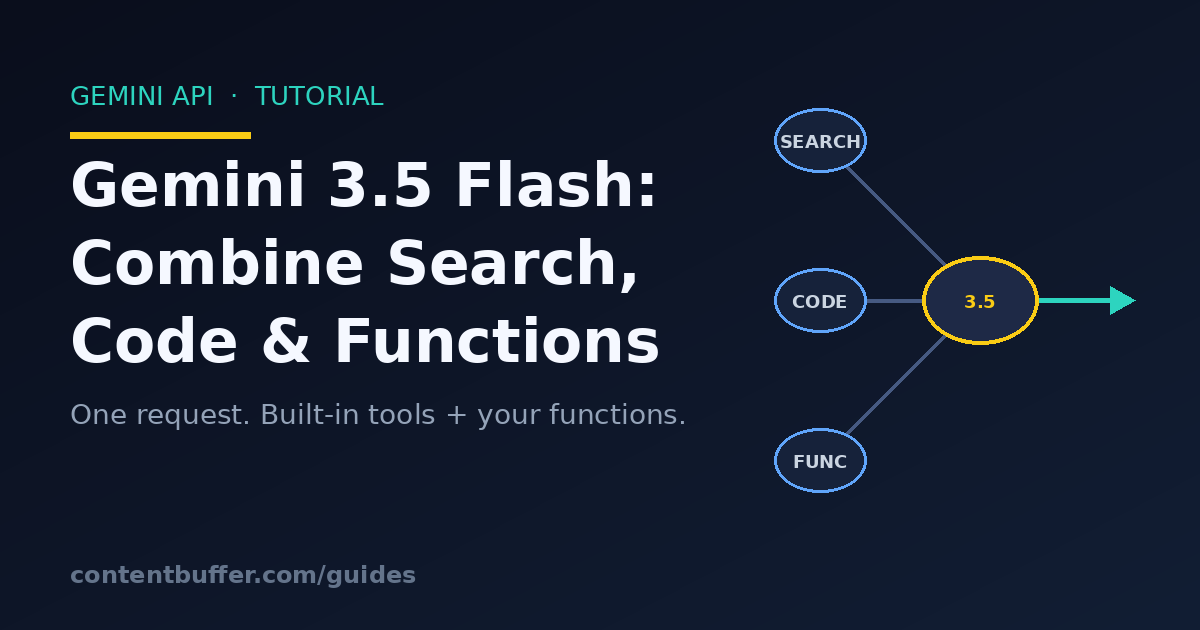
Gemini 3.5 Flash: Combine Search, Code & Functions
Summary
Mix Google Search, code execution, and custom functions in one Gemini 3.5 Flash request.
On June 4, 2026 Google moved Gemini 3.5 Flash to general availability. The headline isn't a benchmark score, it's a workflow change: Flash can now run Google Search, browse a URL, execute Python, and call your own function inside a single request, and it carries the context of all those tool calls forward across turns. Google calls the mechanism tool context circulation, and it turns a fast, cheap model into a capable research agent without you stitching three separate API calls together.
Most tutorials show one tool at a time: search grounding here, function calling there. Real agents need them mixed. A research assistant has to find fresh facts on the web, do real arithmetic on the numbers it finds (LLMs are still bad at math), and then hand a clean result to your business logic. This guide builds exactly that, end to end, with code that matches the GA API.
By the end you'll have a working market-research assistant that grounds itself with Google Search, computes a figure with the built-in code interpreter, and calls a custom save_report function you control, all in one combined-tools loop. You'll also understand the new thinking_level control that replaced thinking_budget, and the half-dozen gotchas that quietly break combined tool use.
Prerequisites
- Python 3.9+ and a terminal.
- A Gemini API key from Google AI Studio (set as the
GEMINI_API_KEYenvironment variable). - The official SDK:
pip install google-genai(version 1.x or newer, it ships thegemini-3.5-flashmodel id and tool-combination types). - Basic familiarity with JSON function declarations. If you've ever written a single function-calling example, you're ready.
One billing note up front: Google Search grounding is billed per query, and the intermediate toolCall/toolResponse parts count toward your input tokens on later turns. Combined tool use is powerful but not free, keep an eye on multi-turn loops.
Step 1: Install and make a baseline call
Start with the smallest thing that proves your key works. The model id is the literal string gemini-3.5-flash (the stable GA alias); gemini-3-flash-preview is the older preview.
pip install -U google-genai
export GEMINI_API_KEY="your-key-here"
from google import genai
client = genai.Client() # reads GEMINI_API_KEY from the environment
resp = client.models.generate_content(
model="gemini-3.5-flash",
contents="In one sentence, what is tool context circulation?",
)
print(resp.text)
Example output:
Tool context circulation is the mechanism that preserves and re-exposes the
results of built-in tool calls (like Search or code execution) so they can be
combined with custom function calls across multiple turns of a conversation.
Step 2: Set the thinking level (the default changed)
Gemini 3.5 Flash is a reasoning model. In the GA release the default thinking effort dropped from high to medium, which is faster and cheaper and good enough for most work. You control it with thinking_level, a string enum, not the old numeric thinking_budget.
from google import genai
from google.genai import types
client = genai.Client()
resp = client.models.generate_content(
model="gemini-3.5-flash",
contents="Prove that the square root of 2 is irrational.",
config=types.GenerateContentConfig(
thinking_config=types.ThinkingConfig(thinking_level="high"),
),
)
print(resp.text)
The four levels and when to reach for each:
| thinking_level | Use it for |
|---|---|
| minimal | Speed-first: chat, quick factual answers, trivial tool calls. |
| low | Agentic/coding tasks with few steps; analysis and writing that needs a little thought. |
| medium (default) | Best quality for most tasks; complex code and agent loops. |
| high | Hard math, deep reasoning, the toughest agent tasks; allows extended thoughts and more tool calls. |
Two rules the API enforces: you cannot send both thinking_level and thinking_budget in the same request (that returns a 400), and you should remove temperature, top_p, and top_k entirely, Gemini 3.x is tuned for its defaults and the docs explicitly recommend against changing them.
Step 3: Warm up with one built-in tool
Before combining tools, confirm a single built-in tool works. Google Search grounding pulls live web data, which matters because the model's knowledge cutoff is January 2025. You pass it as a Tool with google_search set.
from google import genai
from google.genai import types
client = genai.Client()
resp = client.models.generate_content(
model="gemini-3.5-flash",
contents="What is the latest stable Gemini Flash model id, and when did it reach GA?",
config=types.GenerateContentConfig(
tools=[types.Tool(google_search=types.ToolGoogleSearch())],
),
)
print(resp.text)
Example output:
The latest stable Flash model is `gemini-3.5-flash`, which reached general
availability on June 4, 2026.
Good. Now we layer in the custom function and the code interpreter.
Step 4: Combine built-in tools with a custom function
This is the part that's new and easy to get wrong. To combine a built-in tool (Search, URL Context, Code Execution) with your own function, you must set one flag: include_server_side_tool_invocations=True. That flag turns on tool context circulation so the model can preserve the built-in tool results and reference them when it decides to call your function.
Declare a custom function the normal way, then enable Search, Code Execution, and your function together:
from google import genai
from google.genai import types
client = genai.Client()
# Your custom (client-side) tool. The model asks for it; you run it.
save_report = {
"name": "save_report",
"description": "Persist a finished research figure to the company datastore.",
"parameters": {
"type": "object",
"properties": {
"metric": {"type": "string", "description": "What the number measures."},
"value": {"type": "number", "description": "The computed value."},
"source_note": {"type": "string", "description": "Where the inputs came from."},
},
"required": ["metric", "value", "source_note"],
},
}
config = types.GenerateContentConfig(
tools=[
types.Tool(
google_search=types.ToolGoogleSearch(), # built-in
code_execution=types.ToolCodeExecution(), # built-in
function_declarations=[save_report], # custom
),
],
# REQUIRED to combine built-in tools with custom functions:
include_server_side_tool_invocations=True,
thinking_config=types.ThinkingConfig(thinking_level="medium"),
)
prompt = (
"Find the current US federal minimum wage and the 2009 federal minimum wage. "
"Use code to compute the percentage increase, then save the result with save_report."
)
resp = client.models.generate_content(
model="gemini-3.5-flash",
contents=prompt,
config=config,
)
On this first turn the model may do several things server-side (search, run code) and then ask you to run save_report. The response is a list of parts. Built-in tools come back as tool_call/tool_response (and, for code, executable_code/code_execution_result); your function comes back as a function_call. Walk the parts to see what happened:
def describe_parts(resp):
parts = resp.candidates[0].content.parts
for p in parts:
if getattr(p, "tool_call", None):
print(f"[built-in call] {p.tool_call.tool_type} id={p.tool_call.id}")
if getattr(p, "tool_response", None):
print(f"[built-in result] {p.tool_response.tool_type} id={p.tool_response.id}")
if getattr(p, "executable_code", None):
print("[code]\n" + p.executable_code.code)
if getattr(p, "code_execution_result", None):
print("[code output] " + p.code_execution_result.output)
if getattr(p, "function_call", None):
print(f"[your function] {p.function_call.name}({dict(p.function_call.args)})")
if getattr(p, "text", None):
print("[text] " + p.text)
describe_parts(resp)
Example output:
[built-in call] GOOGLE_SEARCH_WEB id=a7b3k9p2
[built-in result] GOOGLE_SEARCH_WEB id=a7b3k9p2
[code]
current = 7.25
prior = 7.25
pct = (current - prior) / prior * 100
print(round(pct, 2))
[code output] 0.0
[your function] save_report({'metric': 'US federal minimum wage % change 2009->2026',
'value': 0.0, 'source_note': 'Federal floor unchanged at $7.25 since 2009.'})
Notice the model did the honest thing: it searched, found the federal floor has not moved since 2009, ran code to confirm a 0% change, and called your function with the result. The numbers came from the web and the arithmetic came from a real interpreter, not from the model guessing.
Step 5: Close the loop, the right way
The model asked you to run save_report. You run it, then send the result back so the model can finish its narrative answer. Two non-negotiable rules from the GA migration guide: the FunctionResponse must carry the same id as the function_call, and the name must match. Return exactly one response per call. If the ids don't line up, the model returns an empty answer with finish_reason: STOP and you'll waste an afternoon debugging.
Crucially, you pass back the entire, unmodified first-turn content (resp.candidates[0].content). It carries the built-in tool parts and the encrypted thought signatures. Drop those and combined tool use breaks. The SDK manages the signatures for you as long as you don't rebuild the content by hand.
# 1. Find the function call the model wants you to run.
fc = next(p.function_call for p in resp.candidates[0].content.parts
if getattr(p, "function_call", None))
# 2. Actually run it (your real code would write to a DB, etc.).
def save_report(metric, value, source_note):
print(f"SAVED -> {metric} = {value} ({source_note})")
return {"status": "ok", "stored_id": "rep_0099"}
result = save_report(**dict(fc.args))
# 3. Rebuild history: prompt + the FULL turn-1 content + your function response.
history = [
types.Content(role="user", parts=[types.Part(text=prompt)]),
resp.candidates[0].content, # keep tool parts + thought signatures intact
types.Content(role="user", parts=[
types.Part.from_function_response(
name=fc.name,
response={"result": result},
id=fc.id, # MUST match the function_call id
)
]),
]
final = client.models.generate_content(
model="gemini-3.5-flash",
contents=history,
config=config, # same config, flag still on
)
print(final.text)
Example output:
I checked the current and 2009 US federal minimum wage via Google Search:
both are $7.25/hour. I computed the change in the code sandbox (0.0%) and saved
it through save_report (stored_id rep_0099). The federal minimum has been flat
for over a decade, though many states now set higher floors.
Worked example: a reusable research-agent loop
In production you won't hand-walk turns. You wrap the back-and-forth in a loop that keeps running the model, executing any function the model asks for, and feeding results back until the model stops asking for functions and just answers. Here is a compact, runnable version that handles a single registered tool.
from google import genai
from google.genai import types
client = genai.Client()
# --- your client-side tools live here ---
def save_report(metric, value, source_note):
return {"status": "ok", "metric": metric, "value": value}
TOOL_IMPLS = {"save_report": save_report}
save_report_decl = {
"name": "save_report",
"description": "Persist a finished research figure.",
"parameters": {
"type": "object",
"properties": {
"metric": {"type": "string"},
"value": {"type": "number"},
"source_note": {"type": "string"},
},
"required": ["metric", "value", "source_note"],
},
}
config = types.GenerateContentConfig(
tools=[types.Tool(
google_search=types.ToolGoogleSearch(),
code_execution=types.ToolCodeExecution(),
function_declarations=[save_report_decl],
)],
include_server_side_tool_invocations=True,
thinking_config=types.ThinkingConfig(thinking_level="medium"),
)
def run_agent(prompt, max_turns=6):
history = [types.Content(role="user", parts=[types.Part(text=prompt)])]
for _ in range(max_turns):
resp = client.models.generate_content(
model="gemini-3.5-flash", contents=history, config=config,
)
turn = resp.candidates[0].content
history.append(turn) # keep tool parts + thought signatures
calls = [p.function_call for p in turn.parts
if getattr(p, "function_call", None)]
if not calls:
return resp.text # model is done, here is the answer
# Run every function the model asked for, return one response each.
responses = []
for fc in calls:
out = TOOL_IMPLS[fc.name](**dict(fc.args))
responses.append(types.Part.from_function_response(
name=fc.name, response={"result": out}, id=fc.id))
history.append(types.Content(role="user", parts=responses))
return "Stopped: hit max_turns without a final answer."
print(run_agent(
"Find the boiling point of water in Celsius, convert it to Fahrenheit "
"using code, and save the Fahrenheit value with save_report."
))
Example output:
The boiling point of water is 100 C. Converting in the sandbox
(100 * 9/5 + 32) gives 212 F, which I saved via save_report. Note this is at
standard sea-level pressure; the boiling point drops at higher altitude.
That loop is the whole pattern. Swap in more functions, raise max_turns for longer tasks, and the same structure scales from a toy to a real agent.
Common pitfalls and how to avoid them
1. Forgetting the flag. Without include_server_side_tool_invocations=True, the model treats built-in and custom tools as separate worlds and the combination silently won't work. This is the single most common mistake.
2. Dropping thought signatures. Every part the API returns carries an encrypted thought_signature. If you reconstruct the model turn by hand and omit them, the model errors out. Always append resp.candidates[0].content verbatim instead of rebuilding it. Let the SDK manage signatures.
3. Mismatched function ids or names. The FunctionResponse.id must equal the originating function_call.id, and the names must match, one response per call. A mismatch yields an empty response with finish_reason: STOP, not an error, so it's sneaky.
4. Sending thinking_level and thinking_budget together. That's a hard 400. Pick thinking_level (the recommended enum) and delete any legacy thinking_budget.
5. Leaving temperature/top_p/top_k in your config. Gemini 3.x is optimized for default sampling. Setting these is no longer recommended and can degrade reasoning. Remove them; if you need determinism, write explicit rules in a system instruction instead.
6. Tool overuse blowing up cost. Higher thinking levels make the model search and run code more aggressively. If you see too many tool calls, drop to low or minimal, or add a system instruction like "You have a limited budget of 3 tool calls. Use them efficiently." Remember built-in toolCall/toolResponse parts count as input tokens on later turns (Search is billed per query separately).
7. Expecting Computer Use. Gemini 3.5 Flash does not support the Computer Use tool yet. For that workload stay on Gemini 3 Flash Preview. Search, Maps, URL Context, File Search, and Code Execution are all supported.
8. Relying on the knowledge cutoff for fresh facts. Flash's training cutoff is January 2025. Anything newer must come through Google Search grounding or URL Context, which is exactly why combined tool use matters.
Quick reference
| Item | Value / rule |
|---|---|
| Model id | gemini-3.5-flash (stable, GA 2026-06-04) |
| Context window | 1,048,576 input tokens / 65,536 output |
| Combine tools flag | include_server_side_tool_invocations=True (required) |
| Thinking control | thinking_level: minimal | low | medium (default) | high |
| Built-in tools | google_search, google_maps, url_context, file_search, code_execution |
| Not supported | Computer Use; image segmentation; candidate_count |
| Function response | id and name must match the function_call; one per call |
| Removed params | temperature, top_p, top_k, thinking_budget |
| Code parts | executable_code (in) / code_execution_result (out) |
Next steps
- Add URL Context to the tool list so the agent can read a specific page you give it, then combine it with Search for broader grounding.
- Register a second and third custom function (e.g.
send_email,create_ticket) and watch the loop route between them. - Swap the bare loop for structured outputs so the final answer is validated JSON your app can consume directly.
- For stateful, long-running agents, try the new Interactions API, which preserves thoughts automatically with no manual history juggling.
- Profile cost: log token counts per turn and tune
thinking_leveldown where quality allows.
The shift in Gemini 3.5 Flash is subtle but real: tool combination plus tool context circulation means a fast, inexpensive model can now behave like a grounded, calculator-equipped researcher in one coherent loop. Build the loop once and you can point it at almost any 'find it, compute it, store it' task.
Comments
Be the first to comment
Found this useful?
Get new AI guides for builders by email. Free.
Join 1,970 builders reading daily.