Skip to content
Kimi K2.7 Code: Build a Multi-File Refactor Agent — ContentBuffer guide

Kimi K2.7 Code: Build a Multi-File Refactor Agent

K
Kodetra Technologies··9 min read Intermediate

Summary

Drive Moonshot's open-weight coding model through a real tool-calling loop in Python.

Kimi K2.7 Code: Build a Multi-File Refactor Agent in Python

On June 12, 2026, Moonshot AI shipped Kimi K2.7 Code, an open-weight, coding-focused model built on the K2.6 1T-parameter Mixture-of-Experts backbone. It activates roughly 32B parameters per token, carries a 256K context window, and ships under a Modified MIT license with weights on Hugging Face. The headline that travelled fastest across r/LocalLLaMA and dev Twitter was not a chat-benchmark score. It was a single number about tool use: an early third-party read put K2.7 Code at 81.1% on MCPMark Verified, the suite that measures whether a model calls tools correctly through the Model Context Protocol. That edged out Claude Opus 4.8's 76.4% on the same test.

That is the whole reason this release matters to builders. Single-shot code completion is still led by Opus 4.8 and GPT-5.5. But agentic coding (the loop where a model reads files, edits them, runs tests, and reads the output) lives or dies on reliable tool calling. K2.7 Code was tuned to win that loop, and Moonshot paired it with roughly 30% lower reasoning-token usage than K2.6, which directly cuts the cost of long multi-step runs.

In this guide you will build a working agent from scratch: a Python loop that hands K2.7 Code a set of file-system tools and lets it refactor a small codebase across several files on its own. No framework, no magic. By the end you will understand exactly how the request/response/tool cycle works, what the model actually returns, and where it bites you in production.


Prerequisites

  • Python 3.9+ and pip install openai (we use the OpenAI SDK pointed at Moonshot's compatible endpoint).
  • A Moonshot API key from platform.moonshot.ai. The same code works against OpenRouter (moonshotai/kimi-k2.7-code) if you prefer.
  • Basic familiarity with how chat completions and JSON work. No prior agent experience needed.
  • Optional: a throwaway folder with a couple of small Python files to let the agent loose on something real.

Kimi's API is OpenAI-compatible, so the official openai client works unchanged once you swap the base URL and model id. The international endpoint is https://api.moonshot.ai/v1; the China endpoint is https://api.moonshot.cn/v1. Pick the one that matches where your key was issued, or you will get a 401.


Step 1 - Make your first call to K2.7 Code

Start by confirming connectivity and seeing what the model returns. K2.7 Code runs with a mandatory thinking phase, so the response object carries a reasoning trace alongside the answer. Set the API key as an environment variable first: export MOONSHOT_API_KEY=sk-....

import os
from openai import OpenAI

client = OpenAI(
    api_key=os.environ["MOONSHOT_API_KEY"],
    base_url="https://api.moonshot.ai/v1",  # use api.moonshot.cn/v1 for CN keys
)

resp = client.chat.completions.create(
    model="kimi-k2.7-code",
    messages=[
        {"role": "system", "content": "You are a precise senior Python engineer."},
        {"role": "user", "content": "In one sentence, when should I use a dataclass over a dict?"},
    ],
    temperature=0.3,
)

print(resp.choices[0].message.content)
print("---")
print("input tokens:", resp.usage.prompt_tokens,
      "output tokens:", resp.usage.completion_tokens)

Example output:

Use a dataclass when the shape of the data is fixed and you want type hints,
defaults, equality, and IDE autocomplete; reach for a dict when keys are dynamic
or you are just passing loosely-structured payloads around.
---
input tokens: 38 output tokens: 61

If that prints, you are connected. Notice the token counts: Moonshot bills reasoning tokens as output tokens, which is exactly why the K2.7 efficiency improvement (about 30% fewer thinking tokens than K2.6) shows up on your invoice and not just on a benchmark slide.


Step 2 - Give the model tools

An agent is just a chat loop where the model is allowed to call functions you expose. You describe each tool with a JSON schema; the model decides when to call one and with what arguments; your code runs it and feeds the result back. Here are four tools that are enough to refactor a codebase: list files, read a file, write a file, and run the tests.

TOOLS = [
    {
        "type": "function",
        "function": {
            "name": "list_files",
            "description": "List Python files in the project directory.",
            "parameters": {"type": "object", "properties": {}},
        },
    },
    {
        "type": "function",
        "function": {
            "name": "read_file",
            "description": "Read the full text of one file.",
            "parameters": {
                "type": "object",
                "properties": {"path": {"type": "string"}},
                "required": ["path"],
            },
        },
    },
    {
        "type": "function",
        "function": {
            "name": "write_file",
            "description": "Overwrite a file with new content.",
            "parameters": {
                "type": "object",
                "properties": {
                    "path": {"type": "string"},
                    "content": {"type": "string"},
                },
                "required": ["path", "content"],
            },
        },
    },
    {
        "type": "function",
        "function": {
            "name": "run_tests",
            "description": "Run pytest and return the result text.",
            "parameters": {"type": "object", "properties": {}},
        },
    },
]

Keep descriptions short and literal. K2.7 Code's tool-use tuning rewards clear schemas; vague descriptions are the single most common cause of the model calling the wrong tool or inventing an argument that does not exist.


Step 3 - Implement the tools safely

The model never touches your disk directly. It only emits a name and JSON arguments; your code is the sandbox. The critical safety rule is to confine every path inside a project root so a stray ../../etc/passwd cannot escape. We also cap test runs with a timeout.

import json, subprocess, pathlib

ROOT = pathlib.Path("./project").resolve()

def _safe(path):
    p = (ROOT / path).resolve()
    if not str(p).startswith(str(ROOT)):
        raise ValueError(f"path escapes project root: {path}")
    return p

def list_files():
    return "\n".join(str(p.relative_to(ROOT)) for p in ROOT.rglob("*.py"))

def read_file(path):
    return _safe(path).read_text()

def write_file(path, content):
    p = _safe(path)
    p.parent.mkdir(parents=True, exist_ok=True)
    p.write_text(content)
    return f"wrote {len(content)} chars to {path}"

def run_tests():
    out = subprocess.run(["python", "-m", "pytest", "-q"],
                         cwd=ROOT, capture_output=True, text=True, timeout=120)
    return (out.stdout + out.stderr)[-4000:]  # tail, to stay within context

DISPATCH = {
    "list_files": list_files,
    "read_file": read_file,
    "write_file": write_file,
    "run_tests": run_tests,
}

Two production details hide in that snippet. First, run_tests returns only the last 4000 characters: tool output is fed straight back into the context window, and a 2000-line traceback will blow your budget and bury the signal. Second, _safe is not optional. An autonomous agent will eventually try to read or write somewhere you did not expect.


Step 4 - Build the agent loop

Now the core. The pattern is a while loop: send the conversation plus the tool definitions, inspect the reply. If the model asked for tool calls, run each one, append the results as tool messages, and loop again. If it replied with plain content and no tool calls, it is done.

def run_agent(task, max_steps=25):
    messages = [
        {"role": "system", "content": (
            "You are an autonomous refactoring agent. Use the tools to inspect and "
            "edit the project. Always run_tests after editing. Stop when tests pass "
            "and the task is complete.")},
        {"role": "user", "content": task},
    ]

    for step in range(max_steps):
        resp = client.chat.completions.create(
            model="kimi-k2.7-code",
            messages=messages,
            tools=TOOLS,
            temperature=0.2,
        )
        msg = resp.choices[0].message
        messages.append(msg)  # echo the assistant turn back verbatim

        if not msg.tool_calls:
            print("DONE:", msg.content)
            return msg.content

        for call in msg.tool_calls:
            name = call.function.name
            args = json.loads(call.function.arguments or "{}")
            try:
                result = DISPATCH[name](**args)
            except Exception as e:
                result = f"ERROR: {e}"
            print(f"[step {step}] {name}({args}) -> {str(result)[:80]}")
            messages.append({
                "role": "tool",
                "tool_call_id": call.id,
                "content": str(result),
            })

    return "stopped: hit max_steps"

Three things make this loop correct. You append the assistant message before handling tool calls, so the model sees its own request on the next turn. Every tool message must carry the matching tool_call_id, or the API rejects the next request. And max_steps is a hard circuit breaker: without it, a confused agent will burn your budget in a silent loop. K2.7 Code's leaner thinking helps here, but a cap is non-negotiable.


Worked example - splitting a god-module

Put a small mess in ./project: a single app.py that mixes data models, business logic, and a couple of pytest tests in test_app.py. Then ask the agent to separate concerns without breaking the suite.

task = (
    "Refactor app.py: move the dataclasses into models.py and the pure "
    "functions into logic.py, leaving app.py as a thin entry point. Update "
    "imports everywhere. Tests in test_app.py must still pass unchanged."
)
run_agent(task)

A representative trace from the loop:

[step 0] list_files({}) -> app.py\ntest_app.py
[step 1] read_file({'path': 'app.py'}) -> from dataclasses import dataclass...
[step 2] read_file({'path': 'test_app.py'}) -> from app import price_with_tax...
[step 3] write_file({'path': 'models.py', ...}) -> wrote 412 chars to models.py
[step 4] write_file({'path': 'logic.py', ...}) -> wrote 690 chars to logic.py
[step 5] write_file({'path': 'app.py', ...}) -> wrote 233 chars to app.py
[step 6] run_tests({}) -> F  test_app.py::test_tax  ImportError: cannot import...
[step 7] write_file({'path': 'app.py', ...}) -> wrote 281 chars to app.py
[step 8] run_tests({}) -> 2 passed in 0.04s
DONE: Split complete. models.py holds the dataclasses, logic.py holds
price_with_tax and apply_discount, and app.py re-exports them so the
existing test imports keep working. All tests pass.

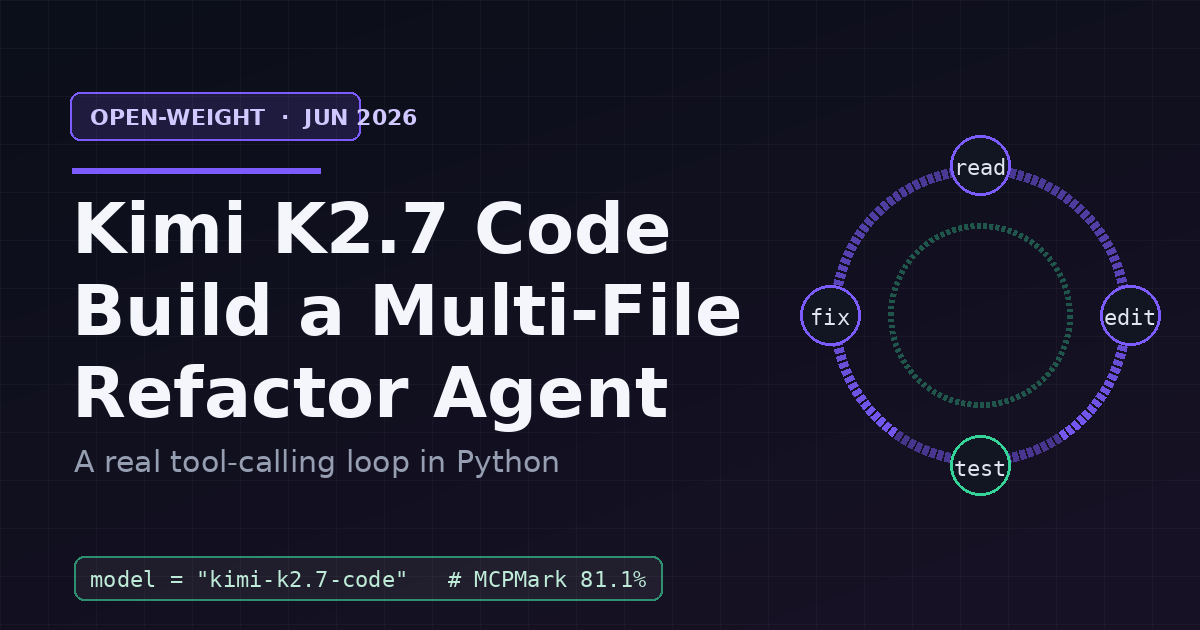
Step 6 is the part you cannot get from a single completion. The model wrote a clean split, ran the tests, saw an ImportError because test_app.py imports from app, and self-corrected by re-exporting the moved symbols. That read-edit-test-fix cycle is exactly the agentic loop K2.7 Code was tuned for, and why its MCP/tool-use scores are the interesting part of the release.


Common pitfalls and gotchas

Wrong base URL. Keys from platform.moonshot.ai only work against api.moonshot.ai/v1; CN keys only work against api.moonshot.cn/v1. A mismatched pair returns a 401 that looks like a bad key but is not.

Dropping the assistant turn. If you append tool results without first appending the assistant message that requested them, the next request fails because the tool_call_id references a message the API never received. Append the assistant message verbatim, every time.

Unbounded tool output. Feeding a full test log or a giant file straight back into messages can balloon context and cost. Tail or summarize large outputs before returning them, as we did with the 4000-character cap on test output.

No step cap and no path sandbox. An autonomous loop without max_steps can spin indefinitely, and one without a path check can write outside your project. Both are cheap to add and expensive to omit.

Trusting first-party benchmarks. The +21.8% on Kimi Code Bench v2 and the 30% token reduction are Moonshot's own measurements. They are directionally credible, but treat the token-efficiency gain as a hypothesis to verify on your own repo before you build a cost model around it. Independent SWE-Bench Pro and Terminal-Bench re-runs are the numbers to wait for.

Assuming self-hosting is free. The Modified MIT weights are real and give you a self-host path, but a 1T-class MoE is a serious serving commitment. Start on the hosted API; keep self-hosting as a compliance fallback, not a default.


Quick reference

ItemValue
Model id (API)kimi-k2.7-code
ReleasedJune 12, 2026 (Moonshot AI)
Architecture1T-class MoE, ~32B active per token
Context window256K tokens
LicenseModified MIT (weights on Hugging Face)
API styleOpenAI-compatible (also Anthropic-compatible)
Intl base URLhttps://api.moonshot.ai/v1
CN base URLhttps://api.moonshot.cn/v1
Tool-use signal81.1% MCPMark Verified (early third-party)
Efficiency claim~30% fewer reasoning tokens vs K2.6
Best fitAgentic, multi-step, tool-heavy coding loops

Next steps

  • Swap the hand-rolled file tools for a real MCP server and connect it via Moonshot's tool interface. K2.7 Code's MCPMark score is highest exactly when tools come through MCP.
  • Add a git_diff tool and a git_commit tool so the agent leaves a reviewable trail instead of overwriting blind.
  • Instrument resp.usage per step and log thinking-token share, then compare K2.7 against K2.6 on the same task to test the 30% claim on your own code.
  • Try the open-source Kimi Code CLI (MoonshotAI/kimi-code on GitHub) to see a production-grade version of this same loop with coder, explore, and plan sub-agents.
  • Harden the loop: add retries on transient 5xx errors, a wall-clock budget alongside max_steps, and a confirmation gate before any destructive write.

You now have the whole mental model: tools are JSON schemas, the model emits calls, your code is the sandbox, and the loop is just send-run-append until the model stops asking. Everything fancier (MCP, sub-agents, swarms) is a refinement of these four steps.

Comments

Subscribe to join the conversation...

Be the first to comment

Found this useful?

Get new AI guides for builders by email. Free.

Join 2,072 builders reading daily.