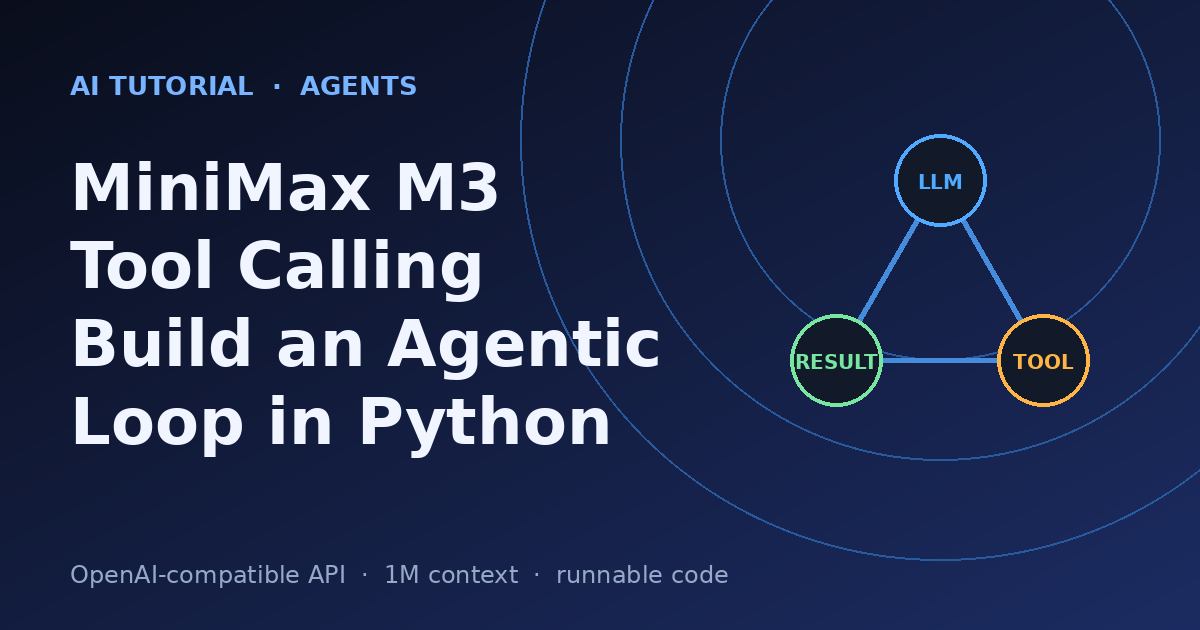
MiniMax M3 Tool Calling: Build an Agentic Loop in Python
Summary
Wire MiniMax M3's OpenAI-compatible API into a real tool-calling agent loop.
MiniMax shipped MiniMax-M3 on June 1, 2026, and it has been the loudest release on the open-weight side of AI all week. It is the first open model to bundle three frontier capabilities at once: a 1,000,000-token context window (powered by its MiniMax Sparse Attention architecture), native multimodality, and genuinely strong agentic coding and tool use. On the BrowseComp browsing benchmark MiniMax reports M3 scoring 83.5, ahead of Claude Opus 4.7 at 79.3.
The part that matters for builders is the last one. M3 was trained to drive long-horizon agent loops: decide what tool to call, read the result, decide the next step, and keep going until the job is done. MiniMax demoed it running unattended for ~12 hours to reproduce an ICLR paper and ~24 hours to optimize a CUDA kernel through 1,959 tool calls. You do not need a 24-hour job to benefit from that. The same loop powers a customer-support agent, a data lookup bot, or a code fixer.
This guide builds that loop from scratch in Python against M3's OpenAI-compatible endpoint. No agent framework, no magic. By the end you will have a working agent that reads a user request, calls your own Python functions in the right order, feeds the results back, and returns a final answer. Every API detail here is checked against MiniMax's official docs.
Prerequisites
- Python 3.9+ and
pip install openai(the official OpenAI SDK >= 1.0). - A MiniMax API key from
platform.minimax.io(the OpenAI-compatible base URL ishttps://api.minimax.io/v1). - Basic familiarity with JSON and Python functions. No ML background needed.
- Set your key as an environment variable:
export MINIMAX_API_KEY=sk-...
How an agentic tool-calling loop actually works
A chat model on its own only produces text. Tool calling adds a structured channel: you describe your functions as JSON schemas, the model replies with a request to call one (or several) of them, your code runs the real function, and you append the result back into the conversation. The model then either calls another tool or writes the final answer.
The loop has four moving parts that repeat until the model stops asking for tools:
- Send the conversation plus your tool definitions to M3.
- Inspect the reply. If
finish_reasonistool_calls, the model wants you to run something. - Execute each requested tool in your own code and append a
role: "tool"message carrying the result and the matchingtool_call_id. - Repeat until
finish_reasonisstop, then return the assistant's text.
Step 1 - Connect to MiniMax M3
M3 speaks both an Anthropic-compatible and an OpenAI-compatible dialect. We use the OpenAI one because the tool-calling protocol is the most familiar. Point the standard OpenAI SDK at MiniMax's base URL and use the model id MiniMax-M3.
from openai import OpenAI
import os
client = OpenAI(
base_url="https://api.minimax.io/v1", # MiniMax OpenAI-compatible endpoint
api_key=os.environ["MINIMAX_API_KEY"],
)
# Smoke test: one plain message, no tools yet.
resp = client.chat.completions.create(
model="MiniMax-M3",
messages=[{"role": "user", "content": "Reply with the single word: ready"}],
)
print(resp.choices[0].message.content)
Expected output:
ready
If that prints, your key and endpoint are wired correctly and you can move on to tools.
Step 2 - Define your tools as JSON schemas
Each tool is a Python function plus a schema that tells M3 what the function does and what arguments it takes. The schema is what the model sees; the function is what your code runs. Keep descriptions concrete because the model uses them to decide when to call each tool.
# --- The real Python functions (deterministic, fully local) ---
INVOICES = {
"INV-2032": {"customer": "Acme Corp", "amount_usd": 1450.00, "status": "unpaid"},
"INV-2033": {"customer": "Globex", "amount_usd": 320.00, "status": "paid"},
}
RATES = {"USD_EUR": 0.92, "USD_GBP": 0.79} # fixed demo rates
def get_invoice(invoice_id: str) -> dict:
return INVOICES.get(invoice_id, {"error": f"no invoice {invoice_id}"})
def convert_currency(amount: float, from_currency: str, to_currency: str) -> dict:
key = f"{from_currency}_{to_currency}"
if key not in RATES:
return {"error": f"no rate for {key}"}
return {"amount": round(amount * RATES[key], 2), "currency": to_currency}
import ast, operator
_OPS = {ast.Add: operator.add, ast.Sub: operator.sub, ast.Mult: operator.mul,
ast.Div: operator.truediv, ast.Pow: operator.pow, ast.USub: operator.neg}
def _eval(node):
if isinstance(node, ast.Constant): return node.value
if isinstance(node, ast.BinOp): return _OPS[type(node.op)](_eval(node.left), _eval(node.right))
if isinstance(node, ast.UnaryOp): return _OPS[type(node.op)](_eval(node.operand))
raise ValueError("unsupported expression")
def calculate(expression: str) -> dict:
# safe arithmetic only - never use eval() on model output
return {"result": _eval(ast.parse(expression, mode="eval").body)}
Now the matching schemas and a dispatch table that maps tool names to functions:
TOOLS = [
{"type": "function", "function": {
"name": "get_invoice",
"description": "Look up an invoice by its ID. Returns customer, amount_usd, and status.",
"parameters": {"type": "object", "properties": {
"invoice_id": {"type": "string", "description": "e.g. INV-2032"}},
"required": ["invoice_id"]}}},
{"type": "function", "function": {
"name": "convert_currency",
"description": "Convert an amount from one currency to another using current rates.",
"parameters": {"type": "object", "properties": {
"amount": {"type": "number"},
"from_currency": {"type": "string", "description": "e.g. USD"},
"to_currency": {"type": "string", "description": "e.g. EUR"}},
"required": ["amount", "from_currency", "to_currency"]}}},
{"type": "function", "function": {
"name": "calculate",
"description": "Evaluate a basic arithmetic expression, e.g. '1334.0 * 1.08'.",
"parameters": {"type": "object", "properties": {
"expression": {"type": "string"}},
"required": ["expression"]}}},
]
DISPATCH = {"get_invoice": get_invoice,
"convert_currency": convert_currency,
"calculate": calculate}
Step 3 - Write the agent loop
This is the core. We pass tools=TOOLS on every call. When M3 returns tool calls, we run each one, append a tool message with the JSON result and the original tool_call_id, and call again. A hard iteration cap stops runaway loops.
import json
def run_agent(user_message: str, max_steps: int = 8) -> str:
messages = [
{"role": "system", "content":
"You are a billing assistant. Use the tools to look up data and do math. "
"Never guess numbers you can compute with a tool."},
{"role": "user", "content": user_message},
]
for step in range(max_steps):
resp = client.chat.completions.create(
model="MiniMax-M3",
messages=messages,
tools=TOOLS,
tool_choice="auto", # let the model decide
temperature=0, # deterministic tool use
)
msg = resp.choices[0].message
# No tool calls -> the model produced the final answer.
if not msg.tool_calls:
return msg.content
# Append the assistant turn (it holds the tool_calls), then each result.
messages.append(msg.model_dump())
for call in msg.tool_calls:
name = call.function.name
args = json.loads(call.function.arguments or "{}")
result = DISPATCH[name](**args)
print(f" [step {step}] {name}({args}) -> {result}")
messages.append({
"role": "tool",
"tool_call_id": call.id,
"content": json.dumps(result),
})
return "Stopped: hit max_steps without a final answer."
Three details that trip people up. First, tool_choice="auto" lets M3 choose; set it to "required" to force at least one tool call, or "none" to forbid them. Second, you must append the assistant message before the tool results, or the conversation is malformed. Third, every tool message needs the exact tool_call_id it answers - that is how the model pairs request with result.
Step 4 - A worked multi-step example
Give the agent a task that needs three tools in sequence: look up an invoice, convert its USD total to EUR, then add 8% tax. None of these can be answered in one shot, so M3 has to chain them.
answer = run_agent(
"Customer INV-2032 wants their total in EUR with 8% tax added. "
"Look up the invoice, convert the USD amount to EUR, then add the tax."
)
print("\nFINAL:", answer)
Representative run (your wording will vary, the numbers will not):
[step 0] get_invoice({'invoice_id': 'INV-2032'}) -> {'customer': 'Acme Corp', 'amount_usd': 1450.0, 'status': 'unpaid'}
[step 1] convert_currency({'amount': 1450.0, 'from_currency': 'USD', 'to_currency': 'EUR'}) -> {'amount': 1334.0, 'currency': 'EUR'}
[step 2] calculate({'expression': '1334.0 * 1.08'}) -> {'result': 1440.72}
FINAL: Invoice INV-2032 (Acme Corp) is 1450.00 USD, which is 1334.00 EUR.
With 8% tax added, the total comes to 1440.72 EUR.
The model decided the order on its own. It never saw the rate table or the invoice store directly - it only saw tool results - yet it produced the correct 1440.72 EUR by composing three calls. That composition is what "agentic" means in practice.
Step 5 - Parallel tool calls and the 1M context window
M3 can request several tools in a single turn when they are independent. Because our loop iterates over msg.tool_calls, it already handles that: run all of them, append one tool message per call, then continue. If two lookups do not depend on each other, M3 will often batch them, which cuts round trips.
The 1M-token context (guaranteed minimum 512K) changes what you can keep in the loop. You can leave full tool outputs, large file contents, or a long task log in messages without aggressive truncation. That is the difference that lets M3 run long-horizon jobs without losing the thread. For multimodal tasks, the same Chat Completions format accepts image_url and video_url content parts, so a tool can hand back an image for the model to read.
Common pitfalls and how to avoid them
- Forgetting the assistant message. You must append the assistant turn that contains
tool_callsbefore appending anytoolresults. Skip it and the API rejects the next call as an orphaned tool message. - Mismatched tool_call_id. Each
toolmessage must carry the exact id from the call it answers. With parallel calls, append one result per id - do not merge them. - No iteration cap. A confused model can loop forever calling tools. Always bound the loop (
max_steps) and return a clear stop message. - Trusting argument JSON blindly.
call.function.argumentsis a string the model wrote. Wrapjson.loadsin a try/except and validate required keys before calling your function. - Using eval() on expressions. Never
eval()model output. The example uses an AST walker that only allows arithmetic. Treat every tool input as untrusted. - Non-zero temperature for tool routing. For reliable, repeatable tool selection set
temperature=0. Save higher temperatures for creative text, not for deciding which function to call. - Assuming one tool per turn. Iterate over the full
tool_callslist; M3 may return several at once. - Wrong base URL or model id. Use
https://api.minimax.io/v1with modelMiniMax-M3for the OpenAI path. The Anthropic path ishttps://api.minimax.io/anthropicand expects the Anthropic SDK instead.
Quick reference
| Item | Value |
|---|---|
| OpenAI-compatible base URL | https://api.minimax.io/v1 |
| Anthropic-compatible base URL | https://api.minimax.io/anthropic |
| Model id | MiniMax-M3 |
| Context window | 1,000,000 tokens (min 512K guaranteed) |
| Tool field on request | tools=[...], tool_choice=auto|required|none |
| Signal to run a tool | finish_reason == 'tool_calls' |
| Result message role | role='tool' with matching tool_call_id |
| Stop signal | finish_reason == 'stop' (no tool_calls) |
| Released | June 1, 2026 (open weights on HuggingFace: MiniMaxAI) |
Next steps
- Add error handling: return tool errors as JSON so M3 can recover and retry a different way.
- Swap the demo functions for real ones - a database query, an HTTP call, a shell command in a sandbox.
- Stream the final answer with
stream=Truefor a responsive UI while still running tools server-side. - Try the Anthropic-compatible endpoint to access M3's interleaved thinking blocks for more transparent reasoning.
- Point Claude Code, Cline, or Cursor at MiniMax M3 to use the same model inside an existing coding agent.
That is a complete agentic loop in under 80 lines: define tools, let M3 route, execute, feed back, repeat. The pattern scales from this three-tool billing helper to the long-horizon jobs M3 was built for.
Comments
Be the first to comment
Found this useful?
Get new AI guides for builders by email. Free.