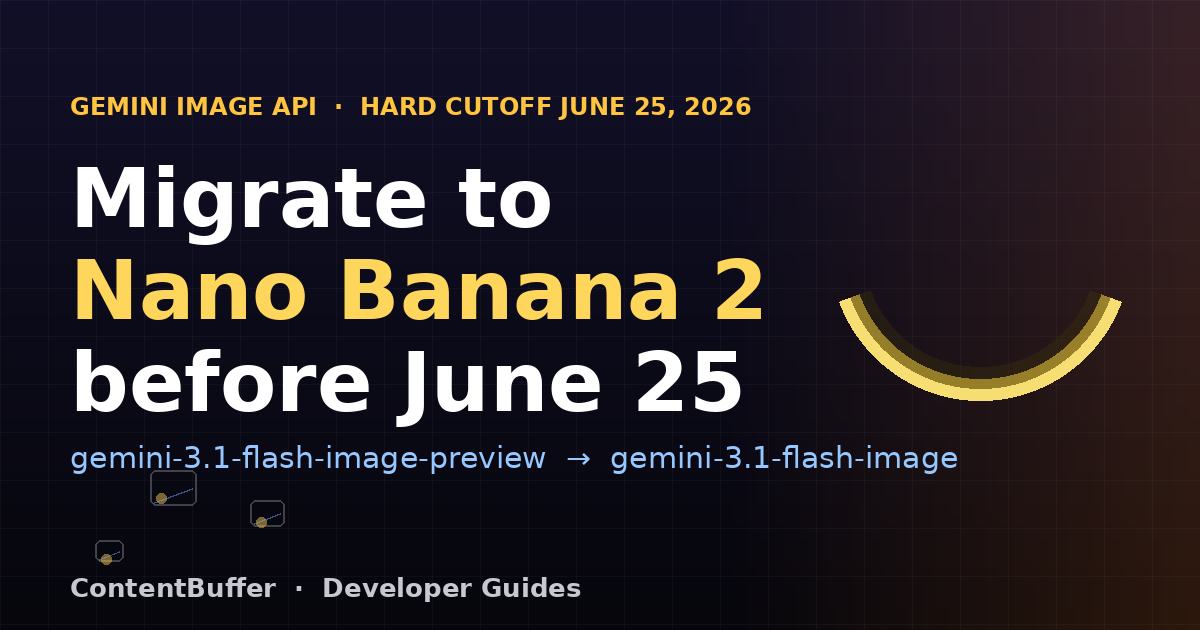
Nano Banana 2: Migrate Gemini Image Code by June 25
Summary
Gemini's image preview models die June 25. Swap to the Nano Banana 2 GA IDs with verified Python.
Google just set a hard deadline that quietly breaks a lot of production code. On June 25, 2026, the Gemini API shuts down its preview image-generation models, including gemini-3.1-flash-image-preview and gemini-3-pro-image-preview. If your app still calls those IDs, image generation returns errors that day, with no grace period.
This is not a rumor. The Gemini 2.0 text models already went dark on June 1, and video generation models follow on June 30. The fix is small but real: the generally available replacements, nicknamed Nano Banana 2 and Nano Banana Pro, have shipped since May 28 and you migrate by deleting one word from a string. The catch is that the GA models also added a few config options, so it is worth understanding what you are switching to rather than blindly editing strings.
This guide walks through the exact model IDs that die, the verified google-genai code that replaces them, and a script you can run today to find every dead reference in your codebase before the cutoff.
Why this matters right now
Google is clearing its legacy model catalog fast to push everyone onto the Gemini 3.x family. Three shutdown waves land in a single month:
- June 1, 2026 (done):
gemini-2.0-flashand its variants were shut down. Migrate togemini-3.5-flashorgemini-3.1-flash-lite. - June 25, 2026: the preview image models
gemini-3.1-flash-image-previewandgemini-3-pro-image-previeware shut down. - June 30, 2026: older video preview models are shut down; migrate to the Veo 3.1 IDs.
Image generation is the one most teams miss, because the preview model worked fine for months and there is no deprecation warning in a successful API response. The day the model is removed, every call just fails. Migrating now costs minutes; migrating during an outage costs your weekend.
There is a second reason this deserves attention beyond the date. Preview models are explicitly unstable contracts. Google can change their behavior, pricing, or availability with little notice, which is exactly what a preview label means. Shipping production traffic against a preview ID was always borrowing against a deadline. The June 25 shutdown is that loan coming due. Moving to the GA models gives you a model that Google commits to keeping stable, which is what you want under a real workload anyway.
The good news is that the GA models are not a rewrite. The request shape, the response shape, and the helper methods are identical to the previews you have been using. In almost every case the migration is a string edit plus a quick test. The work is in finding every place the old ID hides and proving the new one behaves before the cutoff, not in learning a new API.
Prerequisites
- Python 3.9+ and a Gemini API key from Google AI Studio, set as the
GEMINI_API_KEYenvironment variable. - The official
google-genaiSDK (the new unified SDK, not the oldergoogle-generativeaipackage). - Pillow installed if you plan to edit existing images (
pip install pillow). - A few minutes and a codebase you can grep through.
Step 1: Know exactly which IDs die and what replaces them
There are three image models in the Nano Banana family. The migration is always the same shape: drop the -preview suffix to land on the GA model. Here is the full mapping.
| Deprecated preview ID | GA replacement | Nickname | Best for |
|---|---|---|---|
| gemini-3.1-flash-image-preview | gemini-3.1-flash-image | Nano Banana 2 | Fast, high-volume generation |
| gemini-3-pro-image-preview | gemini-3-pro-image | Nano Banana Pro | Complex prompts, crisp text, posters |
| gemini-2.5-flash-image-preview | gemini-2.5-flash-image | Nano Banana | Low-latency, cheapest tier |
The 2.5 preview was already shut down earlier, so if you see gemini-2.5-flash-image-preview anywhere it is already broken. The two June 25 casualties are the 3.x previews. Pick gemini-3.1-flash-image for most apps; reach for gemini-3-pro-image when you need reliable in-image text rendering or it has to follow a long, detailed brief.
Choosing between Flash and Pro is the one real decision in this migration, so it is worth a moment. Nano Banana 2, the flash tier, is built for speed and high-volume work: thumbnails, social cards, quick variations, anything where you generate a lot and latency matters. Nano Banana Pro uses additional reasoning, what Google calls Thinking, to follow complex multi-part instructions and to render legible text inside the image. That text-rendering gap is the most common reason to pay for Pro. If your output is a poster, a labeled diagram, a product mockup with a brand name, or an infographic, the flash tier will often garble the letters while Pro keeps them crisp. If your output is a textureless background or a decorative hero image, flash is the better economic choice. A practical rule: default to gemini-3.1-flash-image, and promote specific call sites to gemini-3-pro-image only where you can see the quality difference matters.
Step 2: Update the SDK
Make sure you are on a recent google-genai. The GA image models and the image_config options need a current build.
pip install -U google-genai
python -c "import google.genai, importlib.metadata as m; print(m.version('google-genai'))"
If your project still imports google.generativeai (the old SDK), that is a separate, older library. The new import path is from google import genai. The examples below all use the new SDK.
Step 3: Migrate text-to-image
This is the common case. Here is the call most teams have today, pointing at the soon-dead preview ID:
# OLD -- this model ID stops serving on June 25, 2026
from google import genai
client = genai.Client() # reads GEMINI_API_KEY from the environment
resp = client.models.generate_content(
model="gemini-3.1-flash-image-preview", # <- DEPRECATED preview ID
contents=["A neon koi fish swimming through a cyberpunk Tokyo alley, rain"],
)
for part in resp.parts:
if part.inline_data is not None:
part.as_image().save("koi.png")
The migration is literally removing -preview. While you are in there, it is worth handling the text part of the response too, because the GA models can return a short text part alongside the image:
# NEW -- the GA model, available now, no shutdown date
from google import genai
client = genai.Client() # GEMINI_API_KEY in env
resp = client.models.generate_content(
model="gemini-3.1-flash-image", # <- GA Nano Banana 2 (drop "-preview")
contents=["A neon koi fish swimming through a cyberpunk Tokyo alley, rain"],
)
for part in resp.parts:
if part.text is not None:
print(part.text)
elif part.inline_data is not None:
part.as_image().save("koi.png")
print("saved koi.png")
Example output when you run it:
saved koi.png
That is the whole core migration. Everything below is about the surface area around it.
Step 4: Migrate image editing (text + image to image)
If you edit existing images, pass the prompt and a Pillow image together in contents. The same model-ID swap applies.
# Image editing: text + image -> image (also moves to the GA ID)
from google import genai
from PIL import Image
client = genai.Client()
source = Image.open("product_photo.jpg")
prompt = "Place this product on a marble kitchen counter with soft morning light"
resp = client.models.generate_content(
model="gemini-3.1-flash-image", # GA Nano Banana 2
contents=[prompt, source], # prompt first, then the PIL image
)
for part in resp.parts:
if part.inline_data is not None:
part.as_image().save("product_on_marble.png")
Order matters: put the text prompt first, then the image. The model returns the edited image as inline data, which part.as_image() converts straight into a Pillow image you can save.
Step 5: Iterate in a chat, and control size
The recommended way to refine an image is a multi-turn chat. The model keeps the previous image in context, so you can give follow-up instructions instead of re-describing the whole scene. Set response_modalities to ask for both text and image.
# Multi-turn: generate, then refine in the same chat session
from google import genai
from google.genai import types
client = genai.Client()
chat = client.chats.create(
model="gemini-3.1-flash-image",
config=types.GenerateContentConfig(
response_modalities=["TEXT", "IMAGE"],
tools=[{"google_search": {}}], # optional: grounds factual infographics
),
)
r1 = chat.send_message("A clean infographic explaining how RAG works, 3 labeled steps")
for part in r1.parts:
if part.inline_data is not None:
part.as_image().save("rag_v1.png")
# Iterate -- the model keeps the previous image in context
r2 = chat.send_message("Same image, but make the background dark and the arrows orange")
for part in r2.parts:
if part.inline_data is not None:
part.as_image().save("rag_v2.png")
To control the output shape, pass an image_config with an aspect ratio (and, on the Pro model, a higher resolution). Supported ratios include 1:1, 2:3, 3:2, 4:5, 5:4, 9:16, 16:9, and 21:9.
# Control aspect ratio (and resolution on Pro) via image_config
from google import genai
from google.genai import types
client = genai.Client()
resp = client.models.generate_content(
model="gemini-3.1-flash-image",
contents=["A wide cinematic banner of a mountain observatory at dusk"],
config=types.GenerateContentConfig(
response_modalities=["TEXT", "IMAGE"],
image_config=types.ImageConfig(aspect_ratio="16:9"), # 1:1,2:3,3:2,4:5,9:16,16:9,21:9...
),
)
for part in resp.parts:
if part.inline_data is not None:
part.as_image().save("banner.png")
Worked example: migrate a whole repo safely
A blind find-and-replace across a large codebase is risky, because the dead string can show up in comments, tests, logs, and docs you do not want to touch silently. Instead, scan first and review the hits. This script reports every dead model reference and the exact replacement, without changing anything:
# Real-world: scan a repo for dead image model IDs before the cutoff
import pathlib
DEAD = {
"gemini-3.1-flash-image-preview": "gemini-3.1-flash-image",
"gemini-3-pro-image-preview": "gemini-3-pro-image",
"gemini-2.5-flash-image-preview": "gemini-2.5-flash-image",
}
hits = []
for path in pathlib.Path(".").rglob("*.py"):
text = path.read_text(encoding="utf-8", errors="ignore")
for dead, live in DEAD.items():
if dead in text:
hits.append((str(path), dead, live))
for path, dead, live in hits:
print(f"{path}: {dead} -> {live}")
print(f"\n{len(hits)} reference(s) to migrate before June 25, 2026")
Example output on a small project:
services/thumbnails.py: gemini-3.1-flash-image-preview -> gemini-3.1-flash-image
tests/test_images.py: gemini-3.1-flash-image-preview -> gemini-3.1-flash-image
2 reference(s) to migrate before June 25, 2026
Once you have edited the real call sites, run a one-shot smoke test against the GA model so you know the new ID actually returns image bytes with your key and quota:
# Smoke test: prove the GA model returns image bytes after migrating
from google import genai
client = genai.Client()
resp = client.models.generate_content(
model="gemini-3.1-flash-image",
contents=["A single red apple on a white background, studio lighting"],
)
img_parts = [p for p in resp.parts if p.inline_data is not None]
assert img_parts, "No image returned -- check model ID and API key"
img_parts[0].as_image().save("smoke_test.png")
print("OK: GA model returned", len(img_parts), "image(s)")
Expected output:
OK: GA model returned 1 image(s)
The reason to keep this smoke test around is that it converts a future deprecation from a production incident into a failing CI job. The next time Google retires a model, the assertion fails on your build instead of on a user's request, and you get a clear signal months before any user notices. It costs one cheap API call per CI run, which is a good trade for never being surprised by a model shutdown again.
Common pitfalls
- Replacing the string in the wrong files. Scan and review before editing. A global sed that also rewrites changelog entries or test fixtures can hide what really changed in your diff.
- Forgetting the response can include text. GA models may return a text part plus the image. If your loop only checks
inline_datayou are fine, but if you assume the first part is always the image you can crash. Iterate over all parts. - Confusing the two SDKs.
from google import genai(new) is notimport google.generativeai(old). Mixing their call patterns is the most common copy-paste error. - Assuming the preview still works after June 25. There is no fallback or auto-redirect for the image previews. A removed model returns an error, not a quietly-substituted result.
- Hardcoding resolution everywhere. Higher resolutions like 2K and 4K are a Pro-model feature and cost more. Set them per call where you actually need print-quality output, not as a global default.
- Ignoring SynthID. Every generated image carries an invisible SynthID watermark. That is expected behavior, not corruption, and you should not try to strip it.
Quick reference
| Task | Model ID to use | Key argument |
|---|---|---|
| Fast text-to-image | gemini-3.1-flash-image | contents=[prompt] |
| High-fidelity / text in image | gemini-3-pro-image | contents=[prompt] |
| Edit an existing image | gemini-3.1-flash-image | contents=[prompt, pil_image] |
| Iterative refinement | gemini-3.1-flash-image | client.chats.create(...) |
| Set aspect ratio | gemini-3.1-flash-image | image_config=ImageConfig(aspect_ratio=...) |
| Replaced text model (June 1) | gemini-3.5-flash | n/a |
Next steps
Run the scan script across your repos today and open a single PR that swaps the IDs and adds the smoke test to CI, so a future deprecation gets caught automatically. If your prompts lean on accurate in-image text, like product mockups or infographics, A/B the two models: gemini-3-pro-image usually renders typography far better than the flash tier, at a higher cost. And while you are in the migration mindset, check your video code against the June 30 Veo deadline so you are not back here in two weeks.
The whole image migration is a one-word change, but the value is in doing it before the cutoff instead of during the outage. Verify with the smoke test, ship it, and move on.
Comments
Be the first to comment
Found this useful?
Get new AI guides for builders by email. Free.
Join 2,110 builders reading daily.