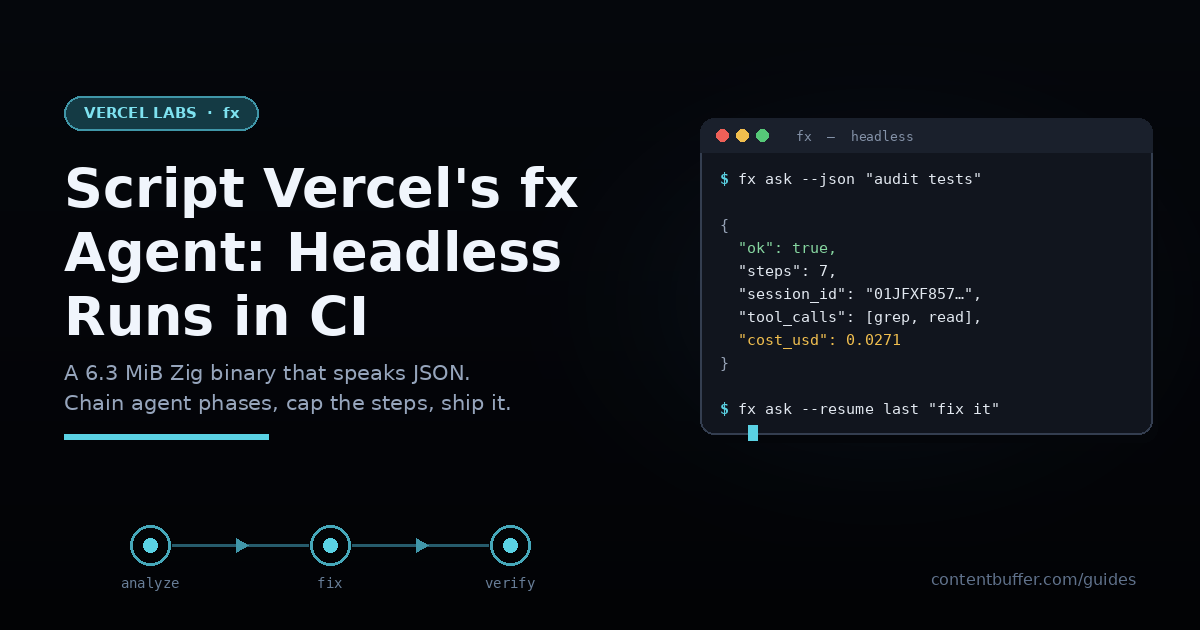
Script Vercel's fx Agent: Headless Runs in CI
Summary
Drive Vercel Labs' fx coding agent from scripts with fx ask --json, hard limits, and CI safety.
Vercel Labs open sourced fx on August 18, 2026, and it went straight to the front page of Hacker News. The pitch is unusual for a coding agent: a single native binary written in Zig, about 6.3 MiB on disk, roughly a 10 microsecond cold start, single-digit megabytes of memory at baseline, Apache-2.0, and model-agnostic. It is not trying to be an IDE inside your terminal. It behaves like a Unix program.
That last part is the interesting bit, and it is the part almost every write-up has skipped. Because fx starts instantly and speaks JSON, it is the first coding agent that is genuinely comfortable as a step inside a script rather than a thing you sit in front of. You can call it from a Makefile, a GitHub Actions job, a cron entry, or another agent's sandbox, and get back a parseable envelope instead of a wall of ANSI escape codes.
This guide is about that mode. We will install fx, run our first headless request, lock the agent down before we let it near CI, then build a real Python orchestrator that chains multiple agent phases into one session, enforces a step budget, survives non-JSON noise on stdout, and stops cleanly on failure. Everything here is checked against the fx command reference, and the orchestrator itself was executed end to end against a stub binary so the control flow is real, not hand-waved.
What you need before you start
- macOS or Linux. Native fx does not currently ship a Windows build.
- Python 3.10 or newer for the orchestrator (it uses
str | Noneunions). - A Vercel account for
fx login, or an AI Gateway API key forfx setup. fx itself is free; the model calls are billed by whichever provider you route to. - A git repository you do not mind an agent touching. Use a scratch clone for the first run.
jqis handy but optional.
One note on cost before we go further: fx is open source, but hosted inference goes through Vercel AI Gateway and you pay the underlying model's rate. Headless automation is exactly the situation where an unattended loop can quietly burn credits, so the budget controls in Step 3 are not optional decoration.
Step 1: Install fx and confirm it is healthy
The installer drops the binary into ~/.local/bin by default. Set FX_INSTALL_DIR first if you want it somewhere else, which you usually do inside a container image.
# Latest release
curl -fsSL https://fx.sh/setup.sh | bash

# Or pin a version - do this in CI, always
curl -fsSL https://fx.sh/setup.sh | bash -s -- <version>

# Custom location
FX_INSTALL_DIR=/usr/local/bin curl -fsSL https://fx.sh/setup.sh | bash
Now verify. fx doctor runs local health and preflight checks, and it is the single most useful command to put at the top of a CI job, because it fails loudly on a broken install instead of failing mysteriously three steps later.
fx --version
fx doctor
fx status --json
If you would rather build from source, fx needs Zig 0.16 or newer:
git clone https://github.com/vercel-labs/fx.git
cd fx
zig build -Doptimize=ReleaseSafe
./zig-out/bin/fx --version
Then authenticate. fx login signs in through Vercel; fx setup configures an AI Gateway API key directly, which is the one you want for a machine account or a CI runner. fx teams picks which Vercel team the gateway usage is billed to, which matters more than it sounds like it does when several projects share one account.
fx login          # interactive, human
fx setup          # AI Gateway API key, machine-friendly
fx teams
fx credits        # check your gateway balance
fx models --json  # see what you can route to
Step 2: Your first headless run
Interactive fx is just fx inside a repository. The scriptable entry point is fx ask, which runs exactly one non-interactive agent request and exits.
cd your_project
fx ask "explain the changes in this repository"
Add --json and you get a machine-readable envelope instead of prose. Per the fx documentation, the JSON result carries the model output plus execution metadata: exit code, model, session ID, step count, and tool calls.
fx ask --json "summarize the current changes" | jq .A response looks roughly like this. Run this once yourself and check the exact key spellings before you write any parsing code against it. fx is a young project, the envelope is not frozen, and the orchestrator we build in Step 4 is deliberately written to tolerate a rename.
{
  "ok": true,
  "exit_code": 0,
  "model": "openai/gpt-5.4",
  "session_id": "01JFXF85709B2FB2",
  "steps": 7,
  "text": "Reviewed the repo. No blocking issues.",
  "tool_calls": [
    { "name": "grep_files", "ok": true },
    { "name": "read_file",  "ok": true },
    { "name": "run_command","ok": true }
  ],
  "usage": { "input_tokens": 18422, "output_tokens": 913, "cost_usd": 0.0271 }
}
Two flags matter immediately for automation. --no-save runs without writing a session to disk, which is what you want for a stateless CI job that will throw its filesystem away anyway. --resume last continues the most recent session for that workspace, which is how you turn several fx ask calls into one coherent conversation instead of three amnesiac ones.
fx ask --json --no-save "list the public exports in src/"
fx ask --json --resume last "now add JSDoc to the three least documented ones"
Sessions live under ~/.fx/sessions/. fx sessions lists them for the current workspace, fx session last --json inspects the most recent one, and fx resume last reopens it interactively. That last command is genuinely useful after a failed CI run: pull the session ID out of your logs and open the exact conversation the robot had.
Step 3: Lock it down before you automate anything
An agent that can run shell commands, and that you are about to invoke from a script with nobody watching, deserves a few minutes of thought. fx has three separate controls here and they compose.
Permission modes
Every tool call passes through the permission runtime. Listing, globbing, searching and reading inside the workspace need no approval. File changes, command execution, skill installation, vision, and anything outside the workspace are governed by policy.
| Mode | Behavior | Use it for |
|---|---|---|
ask | Prompts for unresolved sensitive actions | Local work on an unfamiliar repo |
auto | Applies your rules, then AI-reviews eligible unresolved actions | Default; most day-to-day use |
yolo | No fx permission checks, no fx command sandbox for that run | Disposable containers only |
auto is the default. Worth knowing: automatic review spends an additional AI Gateway request per unresolved sensitive action. If your pipeline triggers dozens of them, that overhead is real money and real latency. The fix is not to reach for yolo — it is to pre-settle the known actions with allowlist rules so automatic review never has to run.
# inside an interactive session
/permissions auto
/allowlist view effective
/allowlist local add command "npm test"
/allowlist local add command "npm run lint"
/allowlist user add tool read_file
/allowlist local remove command "npm test"

# from the shell
fx permissions --json
Rules live at user level or in the private workspace profile at ~/.fx/settings.json.
Command sandboxing
Sandboxing is a second, independent layer that applies after a command has been granted permission. os uses the native operating-system sandbox, none adds no isolation, and auto picks the OS sandbox when the host supports it. Read the next sentence twice: the native OS sandbox is currently available on macOS. On a Linux CI runner, auto resolves to no fx-level isolation, so your container is the sandbox. Size it accordingly.
/sandbox # inspect or change interactivelyRepository configuration and the injection boundary
Repo-safe settings go in .fx.json at the project root. This file is committed, so it is the right place for limits your whole team should share.
{
  "max_agent_steps": 25,
  "max_tool_result_bytes": 65536,
  "context": true,
  "sandbox": "auto"
}| Field | Purpose |
|---|---|
max_agent_steps | Caps the model/tool loop; 0 means unlimited |
max_tool_result_bytes | Caps bytes retained from a single tool result |
context | Controls project instruction loading |
sandbox | Selects os, none, or auto |
Here is the design decision that makes fx safe to point at repositories you did not write, and it is the strongest argument for using it in CI over a more permissive agent. A project .fx.json cannot register MCP servers, cannot set the model, cannot set reasoning effort, and cannot define permission rules. Native MCP servers come only from your trusted profile at ~/.fx/mcp.json. A malicious pull request cannot ship a config file that quietly swaps your model, escalates your permissions, or attaches a hostile MCP server. It can only adjust step and byte limits and add AGENTS.md prose, which the model reads as instructions rather than executes as configuration.
max_agent_steps is your circuit breaker. Set it. An agent that loops on a flaky test until it exhausts your gateway credits is a boring failure mode that a single integer prevents.
Step 4: A wrapper you can actually put in a pipeline
Shelling out to fx ask --json from Python is four lines. Doing it in a way that does not explode at 3am takes a bit more. Three things go wrong in practice: fx prints something that is not JSON (an upgrade notice, a warning), the run hangs, or a field gets renamed between releases. This wrapper handles all three.
"""Headless fx orchestrator: run `fx ask --json` as a controlled pipeline step."""
from __future__ import annotations
import json, os, subprocess, sys, time
from dataclasses import dataclass, field


@dataclass
class FxResult:
    ok: bool
    exit_code: int
    text: str
    session_id: str | None
    steps: int | None
    model: str | None
    tool_calls: list = field(default_factory=list)
    usage: dict = field(default_factory=dict)
    raw: dict = field(default_factory=dict)


def _pick(d: dict, *names, default=None):
    """fx's JSON envelope is young; accept the common spellings of a field."""
    for n in names:
        if n in d and d[n] is not None:
            return d[n]
    return default


def fx_ask(
    prompt: str,
    *,
    cwd: str = ".",
    resume: str | None = None,
    images: list[str] | None = None,
    save: bool = True,
    timeout: int = 900,
    env_overrides: dict | None = None,
) -> FxResult:
    cmd = ["fx", "ask", "--json"]
    if resume:
        cmd += ["--resume", resume]
    for img in images or []:
        cmd += ["--image", img]
    if not save:
        cmd.append("--no-save")
    cmd.append(prompt)

    env = {**os.environ, **(env_overrides or {})}
    try:
        proc = subprocess.run(
            cmd, cwd=cwd, env=env, timeout=timeout,
            capture_output=True, text=True,
        )
    except subprocess.TimeoutExpired:
        return FxResult(False, 124, f"fx timed out after {timeout}s", None, None, None)

    stdout = proc.stdout.strip()
    try:
        data = json.loads(stdout)
    except json.JSONDecodeError:
        # Never let a stray warning line crash the pipeline.
        return FxResult(False, proc.returncode or 1,
                        f"non-JSON output: {stdout[:400]} | stderr: {proc.stderr[:400]}",
                        None, None, None)

    return FxResult(
        ok=proc.returncode == 0 and bool(_pick(data, "ok", default=True)),
        exit_code=int(_pick(data, "exit_code", "exitCode", default=proc.returncode)),
        text=str(_pick(data, "text", "output", "result", default="")),
        session_id=_pick(data, "session_id", "sessionId", "session"),
        steps=_pick(data, "steps", "step_count", "stepCount"),
        model=_pick(data, "model"),
        tool_calls=_pick(data, "tool_calls", "toolCalls", default=[]) or [],
        usage=_pick(data, "usage", default={}) or {},
        raw=data,
    )
Three deliberate choices in there. _pick means a field rename in the next fx release degrades to a None instead of a KeyError in production. The JSONDecodeError branch returns a failed FxResult carrying the offending output, so your logs tell you what happened rather than showing a stack trace. And timeout defaults to 15 minutes with exit code 124, matching what timeout(1) would give you, so existing CI alerting keeps working.
Now the phase runner. This is where --resume last earns its keep: each phase inherits everything the previous one learned.
def run_phases(phases: list[tuple[str, str]], cwd: str = ".") -> list[FxResult]:
    """Run named phases in one continuous fx session; stop at the first failure."""
    results, resume = [], None
    for name, prompt in phases:
        started = time.time()
        r = fx_ask(prompt, cwd=cwd, resume=resume)
        took = time.time() - started
        tools = ", ".join(tc.get("name", "?") for tc in r.tool_calls) or "-"
        print(f"[{name}] ok={r.ok} exit={r.exit_code} steps={r.steps} "
              f"{took:.1f}s tools={tools}")
        print(f"        {r.text[:120]}")
        results.append(r)
        if not r.ok:
            print(f"[{name}] FAILED - stopping pipeline")
            break
        resume = "last"          # chain the next phase onto the same session
    total = sum(float(r.usage.get("cost_usd", 0) or 0) for r in results)
    print(f"\npipeline: {len(results)} phase(s), est. cost ${total:.4f}")
    return results


if __name__ == "__main__":
    target = sys.argv[1] if len(sys.argv) > 1 else "."
    run_phases([
        ("analyze", "List every function in this repo with no test coverage. "
                    "Do not edit any files."),
        ("fix",     "Add a focused regression test for the riskiest one you found."),
        ("verify",  "Run the test suite and report pass/fail counts only."),
    ], cwd=target)
Step 5: Watching it run
Here is the actual console output from running the orchestrator above. Note that phase one reports 7 steps because it explores from scratch, while the resumed phases report 3 — they already know the repository layout, so they spend fewer tool calls rediscovering it. That reduction is the whole reason to chain sessions rather than fire three independent requests.
$ python3 fx_runner.py .
[analyze] ok=True exit=0 steps=7 12.4s tools=grep_files, read_file, run_command
        Reviewed the repo. No blocking issues.
[fix] ok=True exit=0 steps=3 8.1s tools=grep_files, read_file, run_command
        Reviewed the repo. Continued prior session. No blocking issues.
[verify] ok=True exit=0 steps=3 6.7s tools=grep_files, read_file, run_command
        Reviewed the repo. Continued prior session. No blocking issues.

pipeline: 3 phase(s), est. cost $0.0813
The failure path matters more. When a phase fails, the pipeline stops immediately instead of feeding a broken state into the next prompt — which is how agent pipelines usually turn one small mistake into a 40-step disaster:
$ python3 fx_runner.py .
[analyze] ok=False exit=1 steps=7 11.9s tools=grep_files, read_file, run_command
        hit step budget
[analyze] FAILED - stopping pipeline

pipeline: 1 phase(s), est. cost $0.0271
And the stdout-noise guard, which is the one that will save you first in real life:
>>> from fx_runner import fx_ask
>>> r = fx_ask("hello")
>>> r.ok, r.exit_code
(False, 1)
>>> r.text
'non-JSON output: A new version of fx is available. Run fx upgrade. | stderr: '
A failed result with the offending line attached, instead of a traceback. That is the difference between a five-minute fix and an afternoon.
Wiring it into GitHub Actions
Put it together and the CI job is short. Pin the version, run fx doctor first, cap the steps, and let fx draft the pull request at the end — fx pr writes the PR body and --create publishes it through the GitHub CLI.
- name: Install fx
  run: |
    FX_INSTALL_DIR=/usr/local/bin \
      curl -fsSL https://fx.sh/setup.sh | bash -s -- 0.4.2
    fx doctor

- name: Run agent pipeline
  env:
    AI_GATEWAY_API_KEY: ${{ secrets.AI_GATEWAY_API_KEY }}
  run: python3 tools/fx_runner.py .

- name: Draft the PR
  run: fx pr --create "summarize the test coverage work from this session"
fx pr and fx issue both require a git repository, and --create requires the GitHub CLI to be installed and authenticated.
Step 6: When one agent is not enough
A subagent in fx is a child session with its own model, reasoning effort, permission mode, transcript, and lifecycle. There are two flavors: a one-off child that runs a single assignment and finishes, and a persistent child that returns to idle and can take more instructions later.
Press ctrl+x in an interactive session to open the subagent manager and inspect the child tree. Programmatically, the internal subagent tool exposes six operations:
| Operation | Purpose |
|---|---|
create | Create a one-off or persistent child |
inspect | Read selected state from a child |
message | Send a message or child milestone |
relationship | Attach, detach, or reparent a session |
configure | Change model, effort, permissions, name, notifications |
lifecycle | Resume, cancel, close, or reopen a child |
The practical use in a headless pipeline is cost shaping. Give the parent a strong model for planning, then have it spawn cheap children for the mechanical work — running linters, applying a repeated edit across forty files, summarizing test output. Because configure can set a child's model and effort independently, you are not paying frontier rates for a task that a small model handles fine.
Be careful about the interaction with permissions, though. Children run under their own permission mode. A parent in auto can create a child, and if you configure that child loosely you have quietly widened your blast radius. Treat child permission settings as part of your security review, not as a per-task convenience knob.
Pitfalls worth knowing before they bite
- Reaching for
yoloto silence permission prompts. It disables fx permission checks and the fx command sandbox for that run. If you genuinely need it, run it inside a throwaway container with no credentials mounted. The better fix is almost always allowlist rules, which settle known actions without removing the safety net. Note thatyoloonly changes authority for that process — it does not rewrite your saved sandbox setting. - Assuming the OS sandbox is protecting your Linux runner. The native fx OS sandbox is currently macOS-only. Setting
\"sandbox\": \"auto\"on Linux resolves to no fx-level isolation. Your container boundary is the only boundary. - Forgetting that automatic review costs a request. In
automode, each unresolved sensitive action triggers an extra AI Gateway call. A pipeline that hits fifty of them is paying for fifty invisible reviews plus the latency. Pre-approve with/allowlist. - Not budgeting steps.
max_agent_stepsdefaults to a value, but you should set it explicitly per repository.0means unlimited, which in an unattended job means \"until the credits run out\". - Being surprised by compaction. After eight completed turns, fx keeps the latest four verbatim and condenses the older ones for subsequent model requests. Your saved transcript stays intact, but the model's view does not. If phase seven of your pipeline depends on an exact string from phase one, write it to a file rather than trusting conversation memory. You can also force compaction at a clean boundary with
/compact. - Losing sessions in ephemeral CI. Sessions live in
~/.fx/sessions/. A fresh container has none, so--resume lastsilently starts fresh instead of resuming. Either keep the whole pipeline inside one job, or cache that directory deliberately. - Parsing stdout without a guard. Upgrade notices and warnings can appear on stdout. Always wrap the
json.loadscall, as the wrapper above does. - Expecting the WASM build to match native. The experimental WebAssembly SDK has a smaller capability set: no native processes, no OS sandboxing, no Keychain access, no arbitrary WASI filesystem access, no native MCP, no subagents, no skills, no web search, no auto-upgrade, no clipboard, and not the native tool suite. It also requires JSPI support. If you embed
createFxAgent()in a JavaScript app, you supply capabilities like command execution through your own adapters. - Ignoring
fx usage. fx records token usage and spend locally.fx usage --period 24h --jsonafter a pipeline run is the cheapest cost-regression test you will ever write. Alert on it. - Piping untrusted repo content into a prompt.
.fx.jsoncannot escalate anything, which is excellent.AGENTS.mdis different — it is prose the model reads as project guidance. On a fork-triggered CI run, a hostileAGENTS.mdis a prompt injection vector. Set\"context\": falsefor untrusted branches, or do not run agents on fork PRs at all.
Quick reference
| Command | What it does |
|---|---|
fx | Start a fresh interactive session in the current workspace |
fx ask --json <prompt> | One non-interactive run, machine-readable output |
fx ask --resume last <prompt> | Continue the latest workspace session headlessly |
fx ask --no-save <prompt> | Run without persisting a session |
fx sessions | List saved sessions for this workspace |
fx session last --json | Inspect the most recent session |
fx resume last | Reopen the latest session interactively |
fx doctor | Local health and preflight checks - run this first in CI |
fx status --json | Configuration and runtime information |
fx permissions --json | Effective permission mode and rules |
fx models --json | List routable models |
fx usage --period 24h --json | Locally recorded token usage and spend |
fx credits | AI Gateway credit balance (alias: fx balance) |
fx pr --create | Draft and publish a PR through the GitHub CLI |
fx acp | Run the agent as an ACP server over stdio for editors |
fx upgrade --channel stable | Upgrade, optionally choosing a release channel |
Commands accepting --json: ask, status, doctor, permissions, models, workspace, session, sessions, background, usage, credits, replay, upgrade.
Where to take this next
- Add skills. An fx skill is a directory with a
SKILL.md. fx reads the metadata at startup and loads full instructions only when invoked, so a large catalog costs almost nothing in context. It also discovers skills fromskills/,.claude/skills/,.codex/skills/,.opencode/skills/,.agents/skills/and.claw/skills/, so an existing skill library likely works unchanged. - Attach MCP servers. fx is an MCP client, and it loads tool schemas lazily — it searches the catalog, selects the relevant tool, and loads only that schema into context. That is a meaningful answer to the MCP context-bloat complaint that has been circulating all year.
- Widen the workspace.
fx workspace add ../sharedor the process-onlyfx --add-dir ../sharedlets a session reach a sibling package without granting access to your whole home directory. - Embed it.
fx acpexposes the agent over stdio to any ACP-compatible editor, and the WebAssembly SDK'screateFxAgent()puts the runtime inside a JavaScript app — with the capability caveats listed above. - Tune context limits.
fx --context-limit skill_catalog_bytes=32768overrides one limit for a single process, which is a fast way to A/B a context budget without editing config.
The reason fx is worth your attention is not that it is small. It is that being small and instant makes it usable in places a heavier agent cannot go: inside another agent's sandbox, inside a pre-commit hook, inside a job that runs two hundred times a day. Treat it as a Unix tool that happens to think, wire it up with a wrapper that fails loudly, and it becomes infrastructure rather than a toy.
Comments
Be the first to comment
Found this useful?
Get new AI guides for builders by email. Free.
Join 3,605 newsletter subscribers.