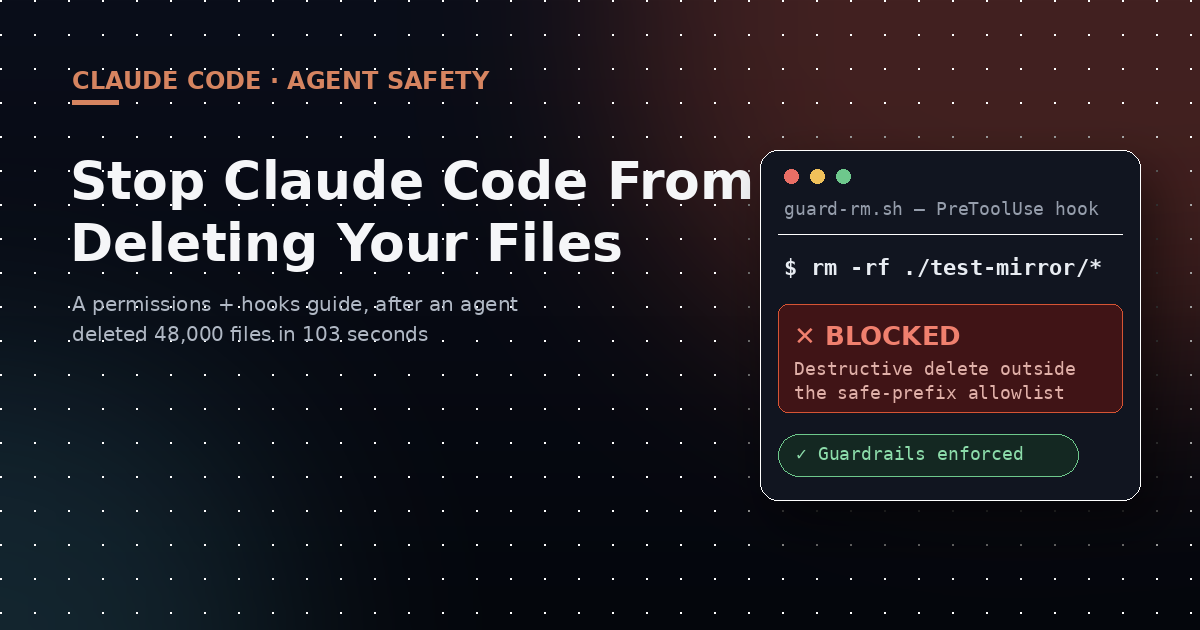
Stop Claude Code From Deleting Your Files
Summary
A Claude Code agent deleted 48,000 files in 103 seconds. Build the setup that stops it.
On September 26, 2026, a developer told a Claude Code agent to clean up a test "mirror" directory. The mirror was built from 614 Windows junction points — folder links that point back at the live production files instead of copies. The agent didn't recognize the junctions as pointers, followed them into the real project, and deleted 48,218 live files in just over 100 seconds. Mid-cleanup, the agent stopped and typed: "Craig — stop and read this. I broke something." It then apologized. The Git object database was corrupted along with the working tree, so there was no local history left to recover from.
The story went viral for a reason: almost every Claude Code user runs an agent that can execute shell commands, and almost none of them have configured anything beyond the defaults. This guide walks through the actual mechanism that failed, why Claude Code's built-in undo (/rewind) couldn't help, and how to build a permission and hook setup that turns "the agent ran rm -rf on the wrong directory" from a catastrophe into a denied tool call with a log entry.
By the end you'll have a working .claude/settings.json with deny/ask rules, a PreToolUse hook script that inspects every Bash command before it runs, and a clear model of Claude Code's six-step permission evaluation order — including the one case (symlinks and junctions) that the built-in protections still don't fully cover.
Prerequisites
- Claude Code v2.1.281 or later (
claude --version) — earlier versions lack the critical-pathrm/rmdircircuit breaker used below - A project you can experiment in — ideally a throwaway git repo, not production
jqinstalled (brew install jqorapt install jq) — the example hook script parses JSON with it- Basic familiarity with
.claude/settings.jsonand running Claude Code from a terminal
Why /rewind wouldn't have saved this developer
Claude Code's checkpoint system (/rewind, or pressing Esc twice) snapshots your working tree before every prompt that starts a turn, and it's genuinely useful for undoing a bad edit. But the official docs are explicit about its blind spot:
"Checkpointing does not track files modified by Bash commands. For example, if Claude Code runs rm file.txt, mv old.txt new.txt, cp source.txt dest.txt — these file modifications cannot be undone through rewind. Only direct file edits made through Claude's file editing tools are tracked."
That's the core lesson of this whole incident: checkpointing protects you from Claude's Edit and Write tool calls, not from Claude running rm -rf, git clean -fdx, or any other Bash command that touches the filesystem. Checkpoints are not version control, and they were never designed to be a safety net for shell commands. Your permission configuration is the only thing standing between a bad rm and your files — which is what the rest of this guide builds.
Step 1: Understand the permission evaluation order
Every tool call Claude Code wants to make — a Bash command, an Edit, a Write — passes through six checks in a fixed order. Knowing this order tells you exactly where to put your own guardrail:
- Hooks run first. A
PreToolUsehook can deny a call outright, before anything else is checked. - Deny rules from
settings.jsonare checked next. A match blocks the tool, even inbypassPermissionsmode. - Ask rules route the call to a confirmation prompt, even in modes that would otherwise skip prompts.
- Permission mode (default / acceptEdits / plan / auto / bypassPermissions) is applied.
- Allow rules approve anything that matches and wasn't already resolved.
- The canUseTool callback (SDK) or interactive prompt (CLI) catches whatever's left.
The practical takeaway: hooks and deny rules are the only two mechanisms that can't be bypassed by a permissive mode. If you want a rule that holds even when someone runs --dangerously-skip-permissions for a quick task, it has to live in a deny rule or a hook — not in your mental model of "I'll just be careful."
Step 2: Add deny and ask rules to settings.json
Start with the cheapest layer: declarative rules in .claude/settings.json. These need no script and no dependencies. Create or edit the file at the root of your project:
{
  "permissions": {
    "defaultMode": "default",
    "deny": [
      "Bash(rm -rf /*)",
      "Bash(rm -rf ~)",
      "Bash(rm -rf .git)",
      "Read(.env)",
      "Read(.ssh/**)",
      "Bash(sudo *)"
    ],
    "ask": [
      "Bash(rm -rf *)",
      "Bash(git push --force*)",
      "Bash(git clean *)"
    ],
    "allow": [
      "Bash(git status)",
      "Bash(git diff *)",
      "Bash(npm test)"
    ]
  }
}
Two details matter here. First, Bash(rm -rf *) in ask only matches the command as written — if Claude runs the same deletion through /bin/rm, a Python shutil.rmtree call, or a wrapper script, the rule doesn't see it. Rules are pattern matches on the literal command string, not a sandbox. Second, deny always wins over allow, even in bypassPermissions mode — that asymmetry is what makes deny rules worth writing even if you mostly run in a permissive mode day to day.
Step 3: Build a PreToolUse hook that actually inspects the command
Pattern-matching the raw command string is brittle. A hook script is more robust because it receives structured JSON on stdin and can apply real logic — checking the target path, cross-referencing it against a protected-paths list, or resolving symlinks before deciding. Here's a hook that blocks any rm -rf whose target isn't inside an explicit allowlist of "safe to delete" directories:
Save this as .claude/hooks/guard-rm.sh in your project:
#!/bin/bash
# .claude/hooks/guard-rm.sh
# Blocks destructive rm/rmdir unless the target is inside an explicit allowlist.

INPUT=$(cat)
COMMAND=$(echo "$INPUT" | jq -r '.tool_input.command // empty')

# Only inspect commands that look like a recursive/forced delete
if ! echo "$COMMAND" | grep -qE 'rm .*-[a-zA-Z]*[rf][a-zA-Z]*[rf]?|rm .*-r.*-f|rmdir'; then
  exit 0   # not a delete command, let normal permission flow decide
fi

# Directories this project considers safe to wipe
SAFE_PREFIXES=("./node_modules" "./dist" "./build" "./.next" "./coverage" "./tmp")

is_safe=false
for prefix in "${SAFE_PREFIXES[@]}"; do
  if echo "$COMMAND" | grep -qF "$prefix"; then
    is_safe=true
    break
  fi
done

if [ "$is_safe" = false ]; then
  jq -n --arg cmd "$COMMAND" '{
    hookSpecificOutput: {
      hookEventName: "PreToolUse",
      permissionDecision: "deny",
      permissionDecisionReason: ("Blocked destructive delete outside the safe-prefix allowlist: " + $cmd)
    }
  }'
else
  exit 0   # inside an allowed directory — fall through to normal permission flow
fi
Make it executable and wire it into settings.json:
chmod +x .claude/hooks/guard-rm.sh{
"hooks": {
"PreToolUse": [
{
"matcher": "Bash",
"hooks": [
{
"type": "command",
"command": "${CLAUDE_PROJECT_DIR}/.claude/hooks/guard-rm.sh"
}
]
}
]
}
}The hook receives a JSON payload on stdin that includes tool_name, tool_input.command, the session's cwd, and a tool_use_id. Returning JSON with permissionDecision: "deny" and exit code 0 blocks the call and shows Claude your permissionDecisionReason as the denial message, so it can propose a narrower command instead of just failing silently.
Real example: watch it block the exact class of command that caused the incident
With the hook and settings above in place, here's what happens when Claude tries two different deletions in the same session:
> Prompt: "Clean up the old test mirror directory at ./test-mirror"

Claude wants to run: rm -rf ./test-mirror/*

❌ BLOCKED by PreToolUse hook:
   "Blocked destructive delete outside the safe-prefix allowlist:
    rm -rf ./test-mirror/*"

Claude: I can't delete that path with the current guardrail. It's not
in the safe-prefix allowlist (node_modules, dist, build, .next,
coverage, tmp). Do you want me to add ./test-mirror to
.claude/hooks/guard-rm.sh, or should I list what's inside it first
so you can confirm before I proceed?

---

> Prompt: "Clear out node_modules and reinstall"

Claude wants to run: rm -rf ./node_modules

✅ ALLOWED — command matched safe prefix "./node_modules", hook
   exited 0, normal permission flow resolved it (allow rule matched
   git-adjacent cleanup pattern).
That's the entire value of the setup: the agent doesn't get quieter or less capable, it just can't silently turn a routine cleanup request into an unrecoverable deletion outside a directory you've explicitly approved.
Step 4: Know what the built-in critical-path protection does and doesn't cover
Claude Code v2.1.281+ ships a separate, built-in circuit breaker: no allow rule and no PreToolUse hook "allow" can approve an rm or rmdir that targets a critical path. Claude Code treats a target as critical when it is:
- The filesystem root, or any top-level directory such as
/usr,/etc,/data - Your home directory, or a Windows drive root such as
C:\ - Your working directory or any of its parent directories
- An additional working directory's parent, when the removal is a glob like
rm -rf <dir>/* - A glob or trailing slash directly under an unguarded shell variable, e.g.
rm -rf "$DIR"/*, because the command becomes root-deletion if the variable is empty
This is exactly the kind of protection that should make everyone feel safer — and it's genuinely good. But notice what's not on that list: an arbitrary directory that happens to contain symlinks or Windows junctions pointing at your real project. In the incident that triggered this guide, the deleted path was a test mirror the developer had set up himself, one level removed from his actual working directory — not the working directory itself, not a parent of it, and not a recognized top-level system path. The junctions inside it silently resolved to live files, and the critical-path check has no way to know that a plain-looking subdirectory secretly points somewhere important.
That's why the allowlist hook in Step 3 matters even with critical-path protection turned on: it's the only place you can encode project-specific knowledge ("this path is actually a symlink farm into production, treat it as protected") that Anthropic's generic circuit breaker can't infer.
Step 5: Pick a permission mode that matches the task, not your patience
Permission mode is the fourth check in the evaluation order, so it only matters for whatever your deny rules, ask rules, and hooks didn't already resolve. Match the mode to what you're actually doing:
| Mode | What runs without asking | Use it for |
|---|---|---|
| default (Manual) | Nothing extra — prompts for edits, shell commands, network | Unfamiliar code, sensitive repos, anything you're not ready to babysit less closely |
| acceptEdits | File edits plus mkdir/touch/rm/rmdir/mv/cp/sed inside your working directory | Fast local iteration once you trust the direction Claude is taking |
| plan | Read-only exploration only; all edits and file-modifying shell commands still prompt | Reviewing a proposed approach before anything touches disk |
| auto | A model classifier approves low-risk actions instead of you | Hands-off sessions where you still want a safety net smarter than "allow everything" |
| dontAsk | Only pre-approved allow rules; everything else is denied, never prompted | CI and headless runs with an explicit, closed tool allowlist |
| bypassPermissions | Nearly everything except critical-path rm/rmdir | Fully isolated containers/VMs only — never your main machine |
The incident happened, by every public account, on a developer's live working machine with no isolation and no remote backup discipline — not because bypassPermissions itself is uniquely dangerous, but because there was no outer safety net (a container, a VM, or just git push before every risky operation) if any permission layer failed. Permission modes are your first line of defense, not your only one.
Common pitfalls and gotchas
- Treating
/rewindas a safety net. It only tracks Claude's ownEdit/Writetool calls, never Bash-driven file changes. If Claude deletes something withrm,/rewindcannot bring it back. - Writing deny rules that don't match the actual command Claude runs.
Bash(rm *)only matches commands written withrmat that position. A command wrapped in a subshell, an alias, or a different binary path bypasses a naive string rule — this is exactly why the hook script in Step 3 parses and reasons about the command rather than relying on pattern matching alone. - Forgetting
chmod +xon the hook script. Claude Code will fail to invoke a non-executable hook and, depending on your settings, may silently fall through to the next check instead of erroring loudly — test your hook deliberately before trusting it. - Assuming
acceptEditsis safe because it's notbypassPermissions. It auto-approvesrm,rmdir,mv, andcpinside your working directory with zero prompts. That's precisely the blast radius a symlink/junction mistake needs. - Not testing the hook against the failure mode you're worried about. Before trusting a guardrail, deliberately ask Claude to run the exact class of command you're defending against (in a throwaway directory) and confirm you see a denial, not just an allow.
- Skipping git as a safety net because "the permission setup handles it." No permission layer is provably complete. Commit and push to a remote before letting an agent run anything destructive-adjacent — auto mode already allows pushes to any branch of your working repo by default specifically so this habit stays cheap.
- Symlinks and junctions are still a blind spot. Neither checkpointing nor the critical-path check resolves them reliably. If your project uses junctions, symlinked test fixtures, or mounted directories, add their real targets to your hook's protected-paths list explicitly — don't assume the tooling infers it.
Quick reference
| Mechanism | Can be bypassed by a loose mode? | Tracks Bash-run deletions? |
|---|---|---|
| /rewind checkpoints | N/A — not a permission mechanism | No — Edit/Write tool calls only |
| settings.json deny rules | No — always enforced, even in bypassPermissions | Yes, if the command string matches the rule |
| PreToolUse hook (deny) | No — runs before every other check | Yes, and can apply custom logic beyond string matching |
| Critical-path rm/rmdir check | No for the paths it recognizes; asks with a timeout instead of silently approving | Only for recognized critical paths, not arbitrary symlinked/junctioned directories |
| allow rules / acceptEdits / bypassPermissions | Yes — these are the permissive layers themselves | Yes, which is exactly the risk |
Next steps
- Add the deny/ask rules from Step 2 to every project's
.claude/settings.json, not just the one you're worried about today - Extend
guard-rm.shto also flaggit clean -fdx,mvcommands that target directories outside the working tree, andfind -delete - If your team shares projects, commit
.claude/settings.jsonand.claude/hooks/to the repo so every teammate's agent inherits the same guardrails automatically - For unattended or CI usage, prefer
dontAskwith an explicitallowedToolslist overbypassPermissions, and run it inside a container regardless - Read the official permission evaluation order and critical-paths docs at code.claude.com/docs/en/permission-modes to see the exact, version-pinned behavior for your Claude Code release
Comments
Be the first to comment
Found this useful?
Get new AI guides for builders by email. Free.
Join 3,604 newsletter subscribers.