Skip to content

Best Productivity AI tools

483 Productivity AI tools ranked by our quality score, with pricing and alternatives. See the best AI tools overall.

  1. CerebroCerebro logo
    Productivity

    Cerebro

    Cerebro is an AI-powered knowledge management tool that transforms videos, articles, and books into searchable, actionable knowledge. Users can save content by pasting links or uploading PDFs, ask natural language questions to get precise answers instantly, and discover hidden connections across their content. It features automatic key point extraction, a built-in PARA method for organization, and an AI assistant named Nova. Cerebro helps users process more information, find insights fast, and never miss crucial details buried in their digital content.

    AIknowledge managementnote-taking+7
  2. TransmonkeyTransmonkey logo
    Productivity

    Transmonkey

    Transmonkey is an AI-powered online translator that supports documents, images, audio, and video in over 130 languages. It preserves original formatting for documents, removes and replaces text in images, and offers transcription, subtitle generation, and audio dubbing for videos. The platform uses large language models like ChatGPT, Gemini, and Claude, along with OpenAI's Whisper and TTS, to deliver high accuracy. It handles up to 30 file formats, including PDF, Word, PNG, MP4, and PPTX, with large file size limits. Integrations include Google Chrome, Google Workspace, and YouTube extensions. Trusted by 100,000+ professionals, it offers a free tier and paid plans.

    AI translationdocument translatorimage translator+7
  3. ZeroWorkZeroWork logo
    Productivity

    ZeroWork

    ZeroWork is a no-code RPA (Robotic Process Automation) tool that enables users to automate repetitive web tasks such as web scraping, lead generation, social media interactions, and data enrichment. It features a visual drag-and-drop interface, built-in anti-bot detection, AI integration, and supports scheduling. Users can create multi-step automations without coding, and the tool is used by agencies, businesses, and freelancers to save time and scale operations.

    RPAweb scrapinglead generation+12
  4. YouTube DubbingYouTube Dubbing logo
    Productivity

    YouTube Dubbing

    YouTube Dubbing is a browser extension that combines AI subtitle translation and online dubbing, supporting GPT and Claude models. It works on platforms like YouTube, Udemy, Bilibili, and gamedev.tv, offering features such as multiple voice options, playback speed control, background sound preservation, speaker recognition, translated subtitle display, and webpage text dubbing. The core functionality is free, with a paid membership for higher-quality translation and additional features.

    dubbingtranslationsubtitles+7
  5. Privacy AIPrivacy AI logo
    Productivity

    Privacy AI

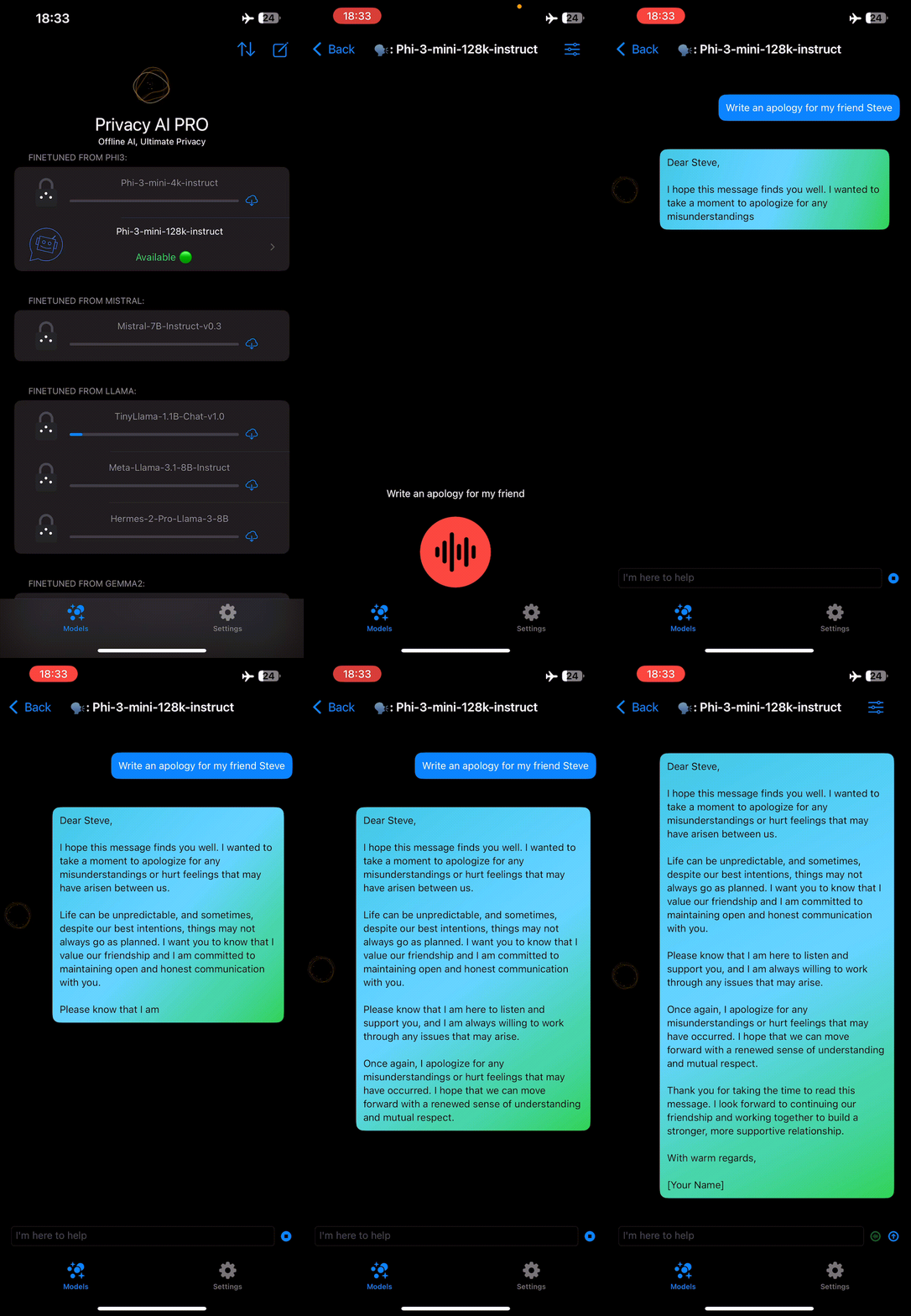
    Privacy AI is an offline AI chatbot hub that runs entirely on-device, ensuring your data stays private and secure. It offers a selection of open-source large language models like LLaMA, Mistral, Phi3, StableLM, and Gemma2, optimized for Apple devices. Users can customize AI interactions by adjusting parameters such as sampling temperature, system prompt, and Top-p value. The app works on iPhone, iPad, and Mac, providing a consistent experience across devices. It includes a free model, with a subscription or one-time purchase to unlock more models.

    offline AIprivacyLLM+10
  6. SplotchSplotch logo
    Productivity

    Splotch

    Splotch is an AI-powered diagramming tool designed to help enterprises map, understand, and optimize their ERP and CRM systems. It transforms messy instances into clear maps with actionable insights, using features like code mapping, health checks, workflow verification, documentation generation, visual editing, and collaboration. The platform guides users through a 7-step process from chaos to clarity, enabling system integrators and IT teams to untangle complexity and prepare for AI adoption.

    AI diagrammingERP mappingCRM mapping+12