Developer Tools Paid
Chatwithcloud
Command Line 3.8/5 macOSLinuxWindows
What is Chatwithcloud?
CLI to chat with your AWS Cloud from Terminal using generative AI for cost, security, and troubleshooting.
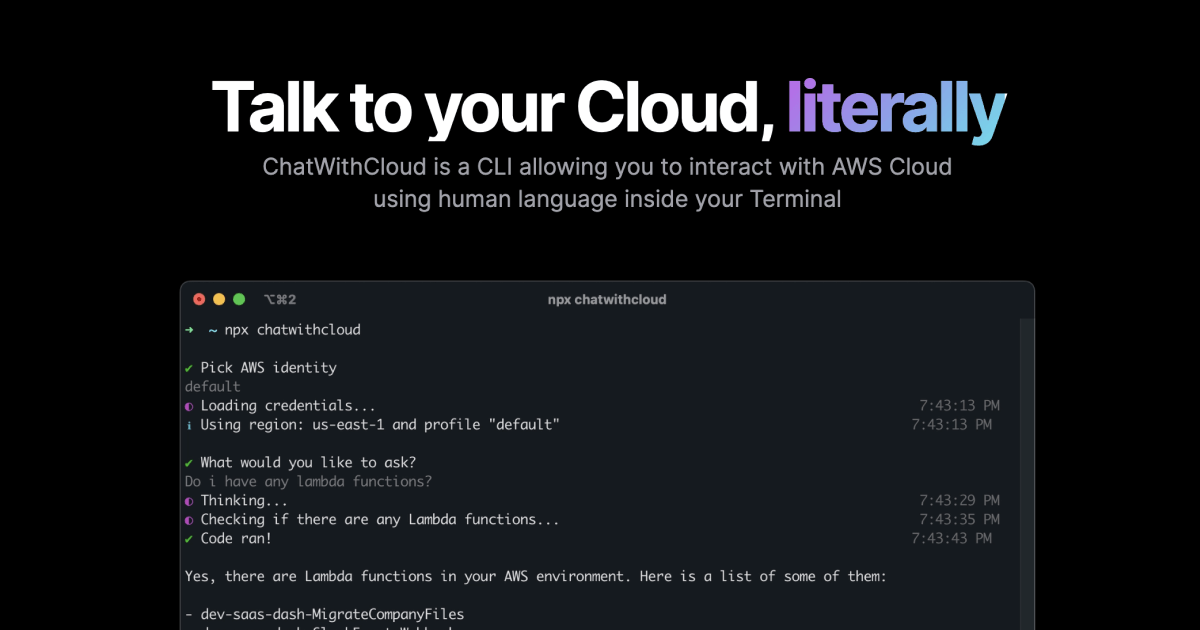
ChatWithCloud is a CLI tool that allows you to interact with your AWS Cloud using human language inside your Terminal, powered by generative AI. It helps with cost analysis, security analysis, troubleshooting, and fixing infrastructure issues. You can install it via npm, brew, pnpm, or Bun, and try it for free without needing an OpenAI API key.
Key Features
Cost analysis
Security analysis
Troubleshooting
Fix infrastructure
Human language interaction
Install via npm/brew/pnpm/Bun
Try for free without API key
Use Cases
Cloud engineers quickly identify cost drivers across AWS services by asking natural language questions, reducing manual billing analysis from hours to minutes.
Security teams analyze IAM policies and resource configurations by describing their concerns in plain English, uncovering misconfigurations and improving security posture.
DevOps troubleshoot infrastructure issues by describing symptoms to the CLI, which diagnoses problems and suggests fixes, accelerating incident resolution.
System administrators fix infrastructure problems by instructing the CLI to apply changes, automating remediation tasks that previously required manual scripting.
Developers new to AWS explore their cloud environment by asking questions like 'Show me all EC2 instances with public IPs', learning about resources without deep AWS knowledge.
IT managers evaluate cloud spending by requesting cost breakdowns by service or tag, enabling data-driven optimization decisions without complex queries.
Operations teams compare ChatWithCloud with Amazon Q by testing its ability to modify resources, finding it more flexible for hands-on infrastructure management.
AWSCLIgenerative AIcloudterminalcost analysissecuritytroubleshooting
Alternatives
Frequently asked questions
- Is Chatwithcloud free?
- Chatwithcloud offers a free trial.
- What is Chatwithcloud used for?
- Chatwithcloud is used for Cloud engineers quickly identify cost drivers across AWS services by asking natural language questions, reducing manual billing analysis from hours to minutes.; Security teams analyze IAM policies and resource configurations by describing their concerns in plain English, uncovering misconfigurations and improving security posture.; DevOps troubleshoot infrastructure issues by describing symptoms to the CLI, which diagnoses problems and suggests fixes, accelerating incident resolution.; System administrators fix infrastructure problems by instructing the CLI to apply changes, automating remediation tasks that previously required manual scripting.; Developers new to AWS explore their cloud environment by asking questions like 'Show me all EC2 instances with public IPs', learning about resources without deep AWS knowledge..
- What are alternatives to Chatwithcloud?
- Alternatives to Chatwithcloud include Amazon Q. See the full ranked list of Chatwithcloud alternatives on ContentBuffer.
Opens in a new tab on Chatwithcloud website.
Comments
Subscribe to join the conversation...
Be the first to comment
Discover more AI tools like this
Get the best AI tools, news, and resources delivered weekly.
Join 3,571 builders reading daily.
Also get