
ImageToVideo AI
What is ImageToVideo AI?
Convert images to MP4 videos with AI. Free online tool with templates, music, and HD downloads without watermark.
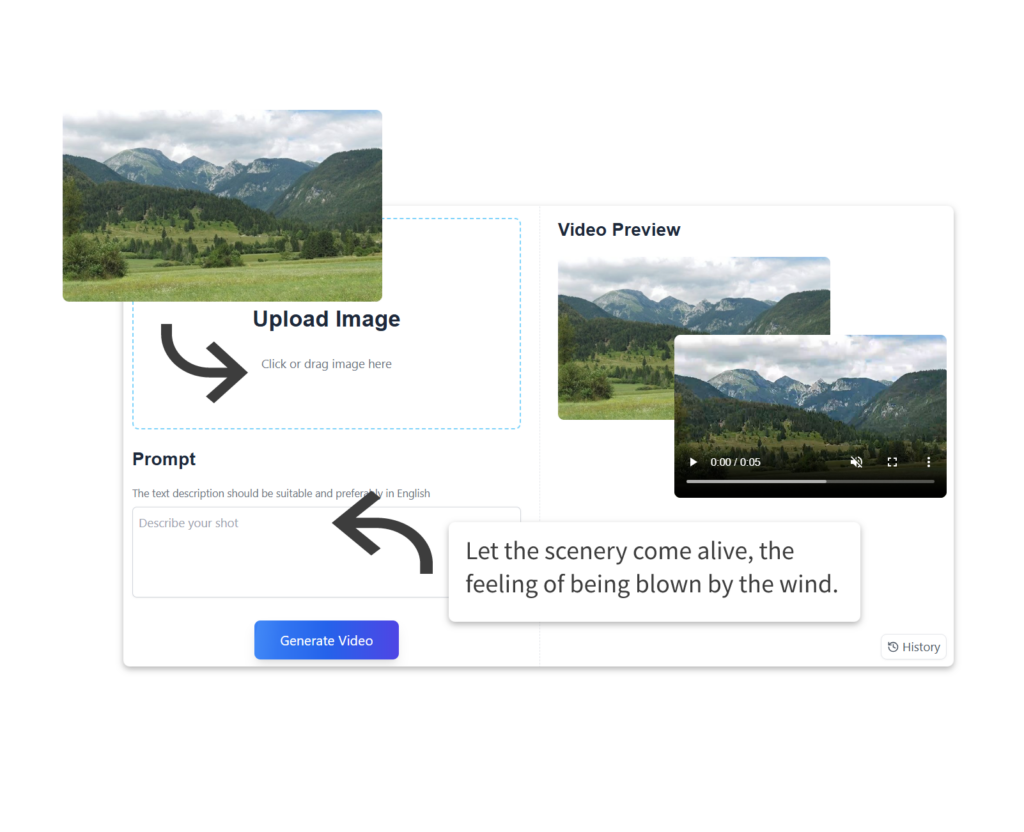
ImageToVideo AI is an AI-powered online tool that transforms static images into high-quality MP4 videos. Users upload an image, optionally add a creative prompt, and customize settings like duration (5s or 10s), resolution (720p or 1080p), and AI model (Basic 1.0, Fast 1.4, Pro-Turbo 2.5). The tool supports JPG, PNG, and WEBP formats, offers 50+ templates, and allows adding AI-generated background music. It is designed for content creators, marketers, and individuals to create engaging videos for social media, promotions, or personal projects. Videos are downloadable without watermarks. A free tier with daily credits is available; Pro unlocks higher limits and faster generation.
Key Features
Use Cases
Alternatives
Frequently asked questions
- Is ImageToVideo AI free?
- ImageToVideo AI offers a free trial.
- What is ImageToVideo AI used for?
- ImageToVideo AI is used for Social media managers create engaging Reels and TikToks by uploading product photos and adding trending motion effects, boosting engagement by 40%.; Content creators transform travel photos into cinematic short films with AI-generated music and smooth animations, attracting more followers on Instagram.; E-commerce marketers convert static product images into dynamic promotional videos with customizable templates, increasing click-through rates on ads.; Event organizers compile family gathering photos into a professional-looking memory video with cute animation effects, sharing it on social platforms.; Small business owners generate video ads from a single product image and a brief prompt, producing multiple formats for different platforms without editing skills..
- What are alternatives to ImageToVideo AI?
- Alternatives to ImageToVideo AI include RunwayML, Pika Labs, Stable Video Diffusion. See the full ranked list of ImageToVideo AI alternatives on ContentBuffer.
Opens in a new tab on ImageToVideo AI website.
Comments
Be the first to comment
Discover more AI tools like this
Get the best AI tools, news, and resources delivered weekly.
Join 3,568 builders reading daily.