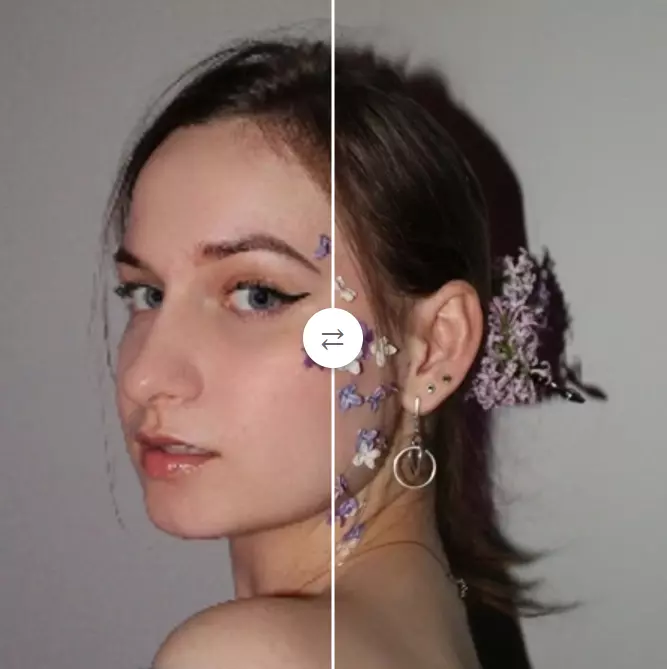
Image Editing Free
Unblurimage AI
Web Application 3.8/5 Web
What is Unblurimage AI?
Easily unblur images and sharpen photos online for free with AI-powered one-click enhancement.
UnblurImage AI is a free online tool that uses AI to unblur and sharpen photos in one click. It supports various image formats and offers features like upscaling to 4K, noise reduction, and quality enhancement. Users can upload images, choose enhancement options, and download the result without sign-up.
Key Features
AI-powered image sharpening
Remove blur from photos
Upscale images to 4x and 4K resolution
Image quality enhancement
Noise reduction and clarity enhancement
Supports PNG, JPG, HEIC formats
No sign-up required
Instant download
Use Cases
E-commerce sellers unblur product photos to showcase every detail, color, and texture, boosting customer confidence and sales.
Photographers sharpen blurry images from shoots, recovering clarity for prints or portfolios without manual editing.
Graphic designers enhance blurry source images for digital projects, ensuring text, textures, and borders are crisp and professional.
Social media managers unblur and sharpen visuals to create eye-catching posts on Instagram, Facebook, and Twitter, increasing engagement.
Artists retouch photographs of their artwork, rescuing blurry images to present their work clearly online or in print.
Content creators fix blurry vacation photos or event shots, making them vibrant and shareable on social platforms.
Print professionals upscale and sharpen images for large-format prints, posters, or photo books, maintaining stunning detail.
unblursharpenimage enhancementAIfreeonlinephoto editingupscalingnoise reduction
Alternatives
Frequently asked questions
- What is Unblurimage AI used for?
- Unblurimage AI is used for E-commerce sellers unblur product photos to showcase every detail, color, and texture, boosting customer confidence and sales.; Photographers sharpen blurry images from shoots, recovering clarity for prints or portfolios without manual editing.; Graphic designers enhance blurry source images for digital projects, ensuring text, textures, and borders are crisp and professional.; Social media managers unblur and sharpen visuals to create eye-catching posts on Instagram, Facebook, and Twitter, increasing engagement.; Artists retouch photographs of their artwork, rescuing blurry images to present their work clearly online or in print..
- What are alternatives to Unblurimage AI?
- Alternatives to Unblurimage AI include Adobe Photoshop, Topaz Sharpen AI, Remini. See the full ranked list of Unblurimage AI alternatives on ContentBuffer.
Opens in a new tab on Unblurimage AI website.
Comments
Subscribe to join the conversation...
Be the first to comment
Discover more AI tools like this
Get the best AI tools, news, and resources delivered weekly.
Join 3,568 builders reading daily.
Also get