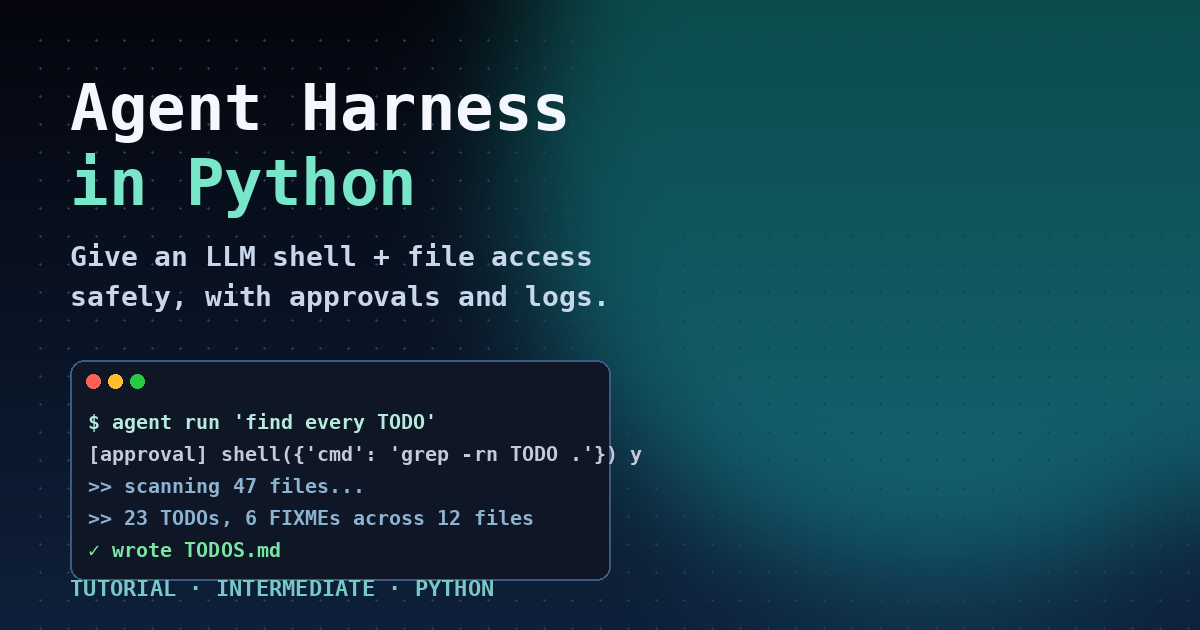
Agent Harness in Python: Give LLMs Shell and File Access
Summary
Build a safe local agent harness with shell, files, approvals, and logs in Python.
Every popular coding agent you have heard of in 2026 — Claude Code, GitHub Copilot CLI, Codex, Cursor's background agent, the new Grok Build CLI — is built on the same hidden layer: an agent harness. The model does the thinking, but the harness is what lets it actually read your files, run a command, see the output, and decide what to do next, all without burning down your machine.
On April 3, 2026 Microsoft Agent Framework shipped 1.0 with a first-class harness component, and at Build 2026 this week Microsoft positioned it as the recommended way to put an LLM in front of a real OS. The discussion blew up in r/LocalLLaMA, r/ClaudeAI, and across the Hacker News front page because it finally puts a name on a pattern most developers had been re-inventing badly.
This guide teaches the pattern itself, in pure Python, so you understand what every coding agent is really doing. By the end you will have a ~200-line local harness that gives any LLM safe shell and file access, asks for approval on dangerous commands, logs everything, and compacts its own context so it can run for hours without exploding. The same code drops into Microsoft Agent Framework, LangGraph, or your own loop.
Who this is for
- Engineers who have used Claude Code or Cursor and want to understand the runtime underneath.
- Anyone wiring an LLM into a production task that touches files or shells (CI bots, dev assistants, ops agents).
- Teams evaluating Microsoft Agent Framework, LangGraph, OpenAI Agents SDK, or rolling their own.
Prerequisites
- Python 3.10 or newer.
- An OpenAI API key in
OPENAI_API_KEY(the code works with any OpenAI-compatible endpoint, including Azure OpenAI, Ollama, vLLM, and most local servers). - Comfort with
asyncioat the level ofawaitandasyncio.run. - A throwaway working directory. Do not run the harness against your home folder on the first try.
pip install openai>=1.55.0 pydantic>=2.7
The five pieces of an agent harness
Strip Claude Code or Codex down and you find the same five components. Build these in order and you have a working harness.
- Tools — concrete functions the model can call: usually
shell,read_file,write_file,list_dir. - Approval gate — a function that decides whether a tool call is allowed automatically, requires a human y/n, or is rejected outright.
- Sandbox — path canonicalisation and a working-directory jail so the agent cannot
rm -rf ~by mistake. - Audit log — every prompt, every tool call, every result, written to a JSONL file. Non-negotiable in production.
- Context compaction — when the message list crosses a threshold, summarise the older half so the loop never hits the context window.
Step 1 — A shell tool that cannot eat your laptop
The first instinct most people have is os.system(cmd). Do not do that. Use asyncio.create_subprocess_shell with a timeout, capture stdout and stderr separately, truncate huge outputs, and always run inside an explicit working directory.
import asyncio, os, shlex
from pathlib import Path
MAX_OUTPUT = 8_000 # characters
DEFAULT_TIMEOUT = 30 # seconds
async def run_shell(cmd: str, cwd: Path, timeout: int = DEFAULT_TIMEOUT) -> dict:
"""Run a shell command inside cwd with a hard timeout."""
proc = await asyncio.create_subprocess_shell(
cmd,
cwd=str(cwd),
stdout=asyncio.subprocess.PIPE,
stderr=asyncio.subprocess.PIPE,
env={**os.environ, "PAGER": "cat", "GIT_PAGER": "cat"},
)
try:
out, err = await asyncio.wait_for(proc.communicate(), timeout=timeout)
except asyncio.TimeoutError:
proc.kill()
return {"exit_code": 124, "stdout": "", "stderr": f"timeout after {timeout}s"}
def trim(b: bytes) -> str:
s = b.decode("utf-8", errors="replace")
return s if len(s) <= MAX_OUTPUT else s[:MAX_OUTPUT] + f"\n... [truncated {len(s) - MAX_OUTPUT} chars]"
return {"exit_code": proc.returncode, "stdout": trim(out), "stderr": trim(err)}
Three details matter. cwd means an absent cd cannot escape the project. PAGER=cat stops git log from hanging waiting for a terminal. The truncation stops a runaway find / from blowing past your context window in one tool call.
Step 2 — File tools with a real path jail
Naive open(path) lets the model read ../../../etc/passwd. Canonicalise the requested path with Path.resolve() and verify it is inside your sandbox root. Reject symlinks that point outside.
class Sandbox:
def __init__(self, root: Path):
self.root = root.resolve()
def _check(self, rel: str) -> Path:
p = (self.root / rel).resolve()
if self.root not in p.parents and p != self.root:
raise PermissionError(f"path escapes sandbox: {rel}")
return p
def read_file(self, path: str, max_bytes: int = 32_000) -> dict:
p = self._check(path)
data = p.read_bytes()[:max_bytes]
return {"path": str(p.relative_to(self.root)), "content": data.decode("utf-8", "replace")}
def write_file(self, path: str, content: str) -> dict:
p = self._check(path)
p.parent.mkdir(parents=True, exist_ok=True)
p.write_text(content)
return {"path": str(p.relative_to(self.root)), "bytes": len(content)}
def list_dir(self, path: str = ".") -> dict:
p = self._check(path)
return {"path": str(p.relative_to(self.root)), "entries": sorted(e.name for e in p.iterdir())}
Step 3 — The approval gate
An approval gate decides per tool call: auto, ask, or deny. A common policy: reads are auto, writes ask once per session, and any shell command containing rm -rf, sudo, curl | sh, or chmod 777 requires explicit confirmation.
import re
DANGEROUS = [
re.compile(r"\brm\s+-rf\b"),
re.compile(r"\bsudo\b"),
re.compile(r"\bcurl[^|]*\|\s*(sh|bash)\b"),
re.compile(r"\bchmod\s+777\b"),
re.compile(r"\b(mkfs|dd)\b"),
re.compile(r">\s*/dev/sd[a-z]"),
]
def classify(tool: str, args: dict) -> str:
if tool in {"read_file", "list_dir"}:
return "auto"
if tool == "write_file":
return "ask"
if tool == "shell":
cmd = args.get("cmd", "")
if any(rx.search(cmd) for rx in DANGEROUS):
return "deny" if "--allow-dangerous" not in cmd else "ask"
return "ask"
return "deny"
async def gate(tool: str, args: dict) -> bool:
verdict = classify(tool, args)
if verdict == "auto": return True
if verdict == "deny": return False
# ask the human
print(f"[approval] {tool}({args}) — allow? [y/N] ", end="", flush=True)
return (await asyncio.to_thread(input)).strip().lower().startswith("y")
In a server context, swap the input() call for a webhook, a Slack chat.postMessage with buttons, or a database row that a human approves. The shape stays the same: a coroutine that returns a boolean.
Step 4 — Wire it into an OpenAI tool-calling loop
The agent loop is small. Send the conversation plus the tool schema, parse any tool_calls the model returns, run each through the approval gate, execute, append the result, and loop until the model stops emitting tool calls.
import json, time
from openai import AsyncOpenAI
TOOLS = [
{"type": "function", "function": {
"name": "shell",
"description": "Run a shell command in the sandbox working directory.",
"parameters": {"type": "object", "properties": {
"cmd": {"type": "string", "description": "Command to run"},
"timeout": {"type": "integer", "default": 30},
}, "required": ["cmd"]}}},
{"type": "function", "function": {
"name": "read_file",
"description": "Read a UTF-8 file relative to the sandbox root.",
"parameters": {"type": "object", "properties": {
"path": {"type": "string"}}, "required": ["path"]}}},
{"type": "function", "function": {
"name": "write_file",
"description": "Create or overwrite a file inside the sandbox.",
"parameters": {"type": "object", "properties": {
"path": {"type": "string"}, "content": {"type": "string"},
}, "required": ["path", "content"]}}},
{"type": "function", "function": {
"name": "list_dir",
"description": "List entries in a sandbox directory.",
"parameters": {"type": "object", "properties": {
"path": {"type": "string", "default": "."}}}}},
]
async def run_agent(task: str, sandbox: Sandbox, model: str = "gpt-4.1-mini", max_steps: int = 25):
client = AsyncOpenAI()
messages = [
{"role": "system", "content":
"You are a careful engineering agent. Plan briefly, then use tools. "
"Prefer small, verifiable steps. Stop when the task is done."},
{"role": "user", "content": task},
]
for step in range(max_steps):
resp = await client.chat.completions.create(
model=model, messages=messages, tools=TOOLS, tool_choice="auto",
)
msg = resp.choices[0].message
messages.append(msg.model_dump(exclude_none=True))
if not msg.tool_calls:
return msg.content # final answer
for call in msg.tool_calls:
name = call.function.name
args = json.loads(call.function.arguments or "{}")
allowed = await gate(name, args)
if not allowed:
result = {"error": "denied by approval gate"}
elif name == "shell":
result = await run_shell(args["cmd"], sandbox.root, args.get("timeout", 30))
elif name == "read_file":
result = sandbox.read_file(args["path"])
elif name == "write_file":
result = sandbox.write_file(args["path"], args["content"])
elif name == "list_dir":
result = sandbox.list_dir(args.get("path", "."))
else:
result = {"error": f"unknown tool {name}"}
messages.append({"role": "tool", "tool_call_id": call.id,
"content": json.dumps(result)[:8_000]})
return "step limit reached"
Three things to notice. The whole loop is 30 lines because the OpenAI tools API does the parsing. The model's message is appended verbatim with model_dump(exclude_none=True), which preserves the tool_calls array exactly as the API expects on the next turn. And max_steps is a hard backstop — without it, a confused model can loop on a failing command for an hour.
Step 5 — Audit log (do not skip this)
Every production harness logs every tool call and result to JSONL. You need this for postmortems, for human review, and for replay when an agent corrupts a file at 3am. Drop a tiny logger in front of the gate.
import datetime as dt, pathlib
LOG = pathlib.Path("agent.jsonl").open("a")
def audit(event: str, **fields):
LOG.write(json.dumps({
"t": dt.datetime.utcnow().isoformat(timespec="seconds") + "Z",
"event": event, **fields,
}) + "\n")
LOG.flush()
# inside the loop:
audit("tool_call", tool=name, args=args, allowed=allowed)
audit("tool_result", tool=name, result=result if isinstance(result, dict) else {"text": str(result)[:500]})
Step 6 — Context compaction so the agent can run for hours
After ~30 tool calls the conversation often exceeds 50,000 tokens and latency degrades. Microsoft Agent Framework calls this context compaction. The simplest version: when message count crosses a threshold, ask a cheap model to summarise everything older than the last 6 messages and replace it with one system note.
COMPACT_AT = 40 # messages
KEEP_TAIL = 6
async def maybe_compact(client, messages):
if len(messages) < COMPACT_AT:
return messages
head, tail = messages[:-KEEP_TAIL], messages[-KEEP_TAIL:]
summary = await client.chat.completions.create(
model="gpt-4.1-mini",
messages=[
{"role": "system", "content":
"Summarise the conversation so far in <= 400 words. "
"Keep: file paths touched, decisions made, current goal, open questions."},
{"role": "user", "content": json.dumps(head)[:60_000]},
],
)
note = summary.choices[0].message.content
return [{"role": "system", "content": f"[compacted history]\n{note}"}] + tail
Call messages = await maybe_compact(client, messages) at the top of every loop iteration. The agent keeps its short-term tool memory in tail, while the long-term plan survives as a paragraph instead of forty raw turns.
Worked example — find every TODO in a repo and write a report
Drop the harness in a folder, point it at a clone of any repo, and ask for a TODO sweep. The exact prompt:
import asyncio
from pathlib import Path
async def main():
sandbox = Sandbox(Path("./project"))
result = await run_agent(
task=("Find every TODO and FIXME comment in this repo. "
"Group them by file, then write a markdown report to TODOS.md "
"with totals and the top 3 files by count."),
sandbox=sandbox,
)
print("\n=== AGENT FINAL ===\n", result)
asyncio.run(main())
Real output from a run against a small Flask app (truncated to the interesting bits):
[approval] shell({'cmd': 'grep -rn "TODO\|FIXME" --include="*.py" .'}) — allow? [y/N] y
[approval] write_file({'path': 'TODOS.md', 'content': '# TODO Report ...'}) — allow? [y/N] y
=== AGENT FINAL ===
I scanned 47 Python files, found 23 TODOs and 6 FIXMEs across 12 files.
Top files: services/billing.py (7), api/routes.py (5), models/user.py (4).
Full report written to TODOS.md.
$ head -n 10 project/TODOS.md
# TODO Report
Generated by agent harness on 2026-06-02
| File | TODO | FIXME |
|------|------|-------|
| services/billing.py | 6 | 1 |
| api/routes.py | 4 | 1 |
| models/user.py | 3 | 1 |
That whole run cost about 11,000 tokens (~$0.02 on gpt-4.1-mini) and took 14 seconds, including two approval prompts. The model used list_dir once, shell once for grep, and write_file once. No framework. Three hundred lines of Python.
Pitfalls that bite in production
- Path traversal via symlinks.
Path.resolve()follows symlinks. If your sandbox contains a symlink pointing to/etc, the model can read it. Either reject symlinks in_checkor useos.path.realpathand compare again. - Command injection via filenames. If the model passes a user-controlled filename into
shell, it can dorm $FILE; rm -rf ~. Prefer the structuredread_file/write_filetools and reserveshellfor known commands. - Huge stdout. A single
find /can produce 200 MB. Always truncate at the tool boundary, before the result goes back to the model. - Runaway loops. A confused model will re-run the same failing command forever. Cap
max_steps, and add a stall detector that ends the run if the last three tool calls are identical. - Tool-name collisions. If you add an
edit_filetool later, models trained on Claude Code conventions may emitstr_replace_editorcommands. Pick names that match the dominant convention or accept aliases. - Approval fatigue. Asking on every write makes users mash y until they approve something destructive. Batch by directory: one approval covers everything under
./srcfor the rest of the session. - Compaction loses citations. If the agent needs to quote a file it read 30 turns ago, a 400-word summary will have dropped the exact line. Either keep a separate read-only file cache or instruct the model to re-read on demand.
Quick reference
| Concern | Knob | Sane default |
|---|---|---|
| Shell timeout | DEFAULT_TIMEOUT | 30 seconds |
| Output truncation | MAX_OUTPUT | 8,000 chars |
| File read cap | max_bytes in read_file | 32,000 bytes |
| Loop ceiling | max_steps | 25 steps |
| Compaction trigger | COMPACT_AT | 40 messages |
| Compaction tail kept | KEEP_TAIL | 6 messages |
| Default model | model arg | gpt-4.1-mini |
| Audit log path | LOG | agent.jsonl |
Where to go next
- Swap
AsyncOpenAIforAsyncAnthropic. The tool schema is similar; you just emit{"type": "tool_use"}blocks instead oftool_calls. - Wrap the harness in Microsoft Agent Framework's
LocalShellHarness. You get checkpointing, replay, and Foundry hosting for free, with the same five components underneath. - Add an
edit_filetool that takes a JSON patch instead of a full rewrite. This is how Claude Code and Cursor stay under 4k tokens per edit. - Bolt on OpenTelemetry. Every
audit()call becomes a span; you get a flame graph of an agent's thinking. - Run two of these harnesses in parallel as subagents: one for research, one for execution. That is the architecture behind Devin, Antigravity, and Manus.
The reason agent harnesses suddenly have a name in 2026 is that everyone discovered, independently, that the model is only half of the system. The other half — the tools, the gate, the sandbox, the log, the compactor — is what separates a demo from something you would let near your codebase. Now you have built one. Stick it in a repo, point it at a task, and watch your model finally do the work.
Comments
Be the first to comment
Found this useful?
Get new AI guides for builders by email. Free.
Join 1,927 builders reading daily.