Build a ReAct Agent from Scratch in Python (No Framework)
Summary
Reason + Act loop, tool routing, retries — implement a real agent in 200 lines of Python.
Frameworks like LangChain, LlamaIndex, and the Claude Agent SDK make it easy to ship an agent in an afternoon. But the abstractions hide where the real engineering decisions live: how you structure the prompt, when you stop the loop, what you do when a tool throws, how you keep the model from hallucinating tool names. The fastest way to internalise those decisions is to write the loop yourself, once, end to end.
This guide walks through a complete ReAct (Reason + Act) agent in roughly 200 lines of Python with zero agent dependencies. We talk to the model via the official Anthropic SDK, but the same pattern works against any chat completions API. By the end you will have a working agent that searches the web, reads files, does math, recovers from tool errors, and stops when it has actually answered the question rather than when it runs out of patience.
What ReAct Actually Is
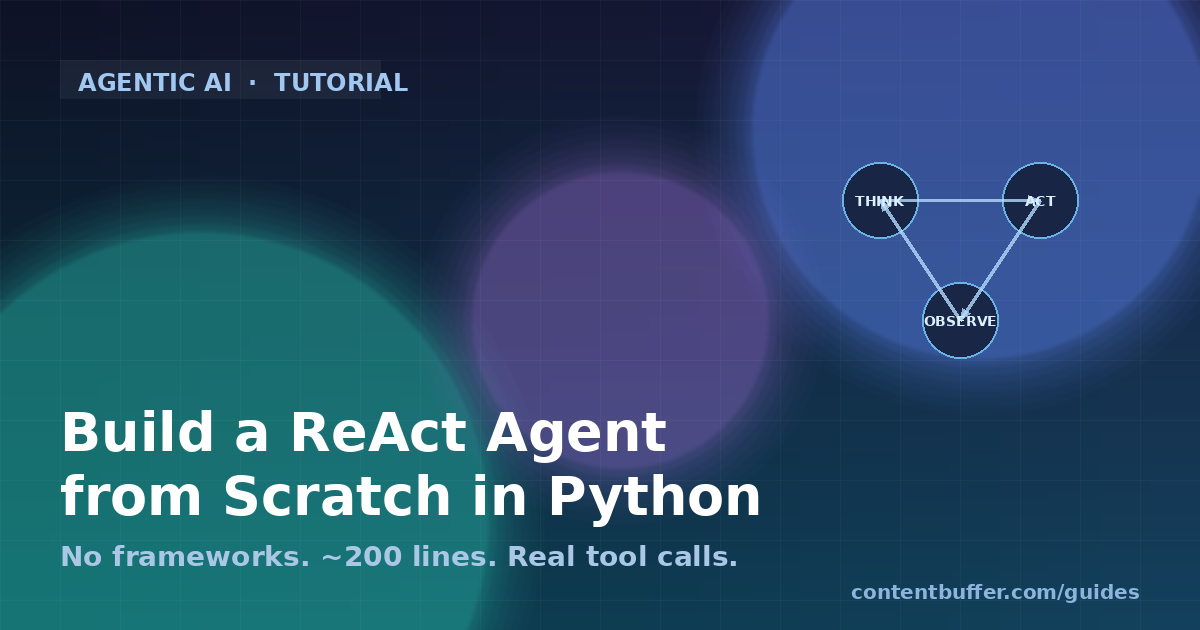
ReAct, introduced by Yao et al. in 2022 and now the de facto baseline for tool-using agents in 2026, is a loop with three phases on every turn. The model produces a Thought (free-text reasoning), then either an Action (a tool call with arguments) or a Final Answer. If it is an Action, the runtime executes the tool and feeds the Observation back into the next turn. The loop ends when the model emits a Final Answer or hits a guard rail.
Modern function-calling APIs do half of this work for you: the model emits a structured tool_use block instead of free-form ACTION strings, and the runtime returns a tool_result. The thinking-out-loud part is what is left, and it still matters: models that reason explicitly before calling tools pick better tools and recover from failed observations more reliably.
Prerequisites
- Python 3.11 or newer
- An
ANTHROPIC_API_KEYfrom console.anthropic.com (any tier works) pip install anthropic httpx— that is the entire dependency list- Comfortable reading 200 lines of synchronous Python
Step 1 — Define the Tool Contract
Every tool has four parts: a name, a JSON schema for its arguments, a docstring the model reads, and a Python callable. We register them in a single dict so the agent loop never has to know what tools exist at compile time.
import math
import json
import httpx
from typing import Callable, Any
class Tool:
def __init__(self, name: str, description: str, schema: dict, func: Callable[..., Any]):
self.name = name
self.description = description
self.schema = schema
self.func = func
def to_anthropic(self) -> dict:
return {
"name": self.name,
"description": self.description,
"input_schema": self.schema,
}
TOOLS: dict[str, Tool] = {}
def register(tool: Tool) -> None:
TOOLS[tool.name] = tool
Three tools is enough to demonstrate the interesting failure modes: a deterministic one (math), a side-effecting one (file read), and a network one that can flake (web fetch).
def _calculate(expression: str) -> str:
# Restricted eval — no builtins, only math.
try:
result = eval(expression, {"__builtins__": {}}, vars(math))
return str(result)
except Exception as e:
return f"ERROR: {type(e).__name__}: {e}"
def _read_file(path: str, max_chars: int = 4000) -> str:
try:
with open(path, "r", encoding="utf-8") as f:
content = f.read(max_chars + 1)
if len(content) > max_chars:
return content[:max_chars] + f"\n... [truncated, file longer than {max_chars} chars]"
return content
except FileNotFoundError:
return f"ERROR: file not found: {path}"
except Exception as e:
return f"ERROR: {type(e).__name__}: {e}"
def _web_fetch(url: str) -> str:
try:
r = httpx.get(url, timeout=10, follow_redirects=True)
r.raise_for_status()
return r.text[:6000]
except httpx.HTTPError as e:
return f"ERROR: {type(e).__name__}: {e}"
register(Tool(
name="calculate",
description="Evaluate a math expression. Supports +, -, *, /, **, and the math module (math.sqrt, math.log, math.pi).",
schema={
"type": "object",
"properties": {"expression": {"type": "string", "description": "Python math expression."}},
"required": ["expression"],
},
func=_calculate,
))
register(Tool(
name="read_file",
description="Read up to 4000 characters from a local UTF-8 text file. Returns an ERROR string if the file is missing.",
schema={
"type": "object",
"properties": {"path": {"type": "string"}},
"required": ["path"],
},
func=_read_file,
))
register(Tool(
name="web_fetch",
description="HTTP GET a URL and return the first 6000 characters of the response body.",
schema={
"type": "object",
"properties": {"url": {"type": "string", "format": "uri"}},
"required": ["url"],
},
func=_web_fetch,
))
Two patterns to copy here. First, every tool returns a string, even when it fails — the model is stronger at recovering from a structured ERROR string than from a Python exception you swallow. Second, the schema is the contract the model actually uses; sloppy schemas produce sloppy tool calls.
Step 2 — The System Prompt
ReAct lives or dies on the system prompt. You are telling the model how to think, not just what to do. The four lines that matter most are: explain the loop, name the tools that exist, describe the stop condition, and forbid the failure mode you most want to avoid.
SYSTEM_PROMPT = """You are a careful research assistant that solves problems step by step.
You have access to three tools: calculate, read_file, web_fetch.
On each turn, briefly think out loud about what you need next, then either:
- call exactly one tool to gather information, OR
- give a final answer in plain prose.
Rules:
1. Do not invent tool results. If a tool returns ERROR, decide whether to retry with different arguments or give up.
2. Do not call the same tool with identical arguments twice in a row.
3. Stop and answer as soon as you have enough information. Do not pad.
4. If the user asks something you cannot verify with the tools above, say so plainly.
"""
Rules 2 and 3 are the difference between an agent that finishes in three turns and one that loops 17 times before someone kills it. Rule 1 is the difference between a useful answer and a hallucination dressed up as a citation.
Step 3 — The Agent Loop
The loop maintains a list of messages, calls the model, dispatches any tool_use blocks, appends the tool_results, and repeats until the model returns without asking for a tool. Two safety rails — a max-turns budget and a duplicate-call detector — keep a misbehaving model from burning your wallet.
import os
from anthropic import Anthropic
client = Anthropic(api_key=os.environ["ANTHROPIC_API_KEY"])
MODEL = "claude-sonnet-4-6"
MAX_TURNS = 8
def run_agent(user_question: str, verbose: bool = True) -> str:
messages = [{"role": "user", "content": user_question}]
last_call_signature: tuple | None = None
for turn in range(1, MAX_TURNS + 1):
if verbose:
print(f"\n--- turn {turn} ---")
resp = client.messages.create(
model=MODEL,
max_tokens=1024,
system=SYSTEM_PROMPT,
tools=[t.to_anthropic() for t in TOOLS.values()],
messages=messages,
)
# Append the assistant turn verbatim — required for tool_result correlation.
messages.append({"role": "assistant", "content": resp.content})
# Surface any reasoning text the model emitted before tool calls.
if verbose:
for block in resp.content:
if block.type == "text" and block.text.strip():
print(f"thought: {block.text.strip()[:300]}")
# Did the model finish?
if resp.stop_reason == "end_turn":
text_parts = [b.text for b in resp.content if b.type == "text"]
return "\n".join(text_parts).strip()
# Otherwise it asked for tools — execute each one.
tool_results = []
for block in resp.content:
if block.type != "tool_use":
continue
sig = (block.name, json.dumps(block.input, sort_keys=True))
if sig == last_call_signature:
output = "ERROR: refusing duplicate tool call. Try different arguments or stop."
elif block.name not in TOOLS:
output = f"ERROR: unknown tool {block.name!r}"
else:
try:
output = TOOLS[block.name].func(**block.input)
except TypeError as e:
output = f"ERROR: bad arguments — {e}"
last_call_signature = sig
if verbose:
print(f"action: {block.name}({block.input}) -> {output[:200]!r}")
tool_results.append({
"type": "tool_result",
"tool_use_id": block.id,
"content": output,
})
messages.append({"role": "user", "content": tool_results})
return "Agent stopped: hit max turns without a final answer."
Three things to notice. First, we append resp.content raw to messages — the SDK requires the exact assistant blocks back so the next turn can reference tool_use_id. Second, tool results live inside a single user message, not separate ones. Third, the duplicate-call check operates on a tuple of name + sorted arguments, so paraphrased duplicates (same arguments in a different key order) still get caught.
Step 4 — Run It
if __name__ == "__main__":
answer = run_agent(
"What is the SHA of the file /etc/hostname, and what is the square root of its byte length?"
)
print("\n=== final answer ===")
print(answer)
Sample output (abbreviated). The arrows are mine — the model produces the thoughts and tool calls organically:
--- turn 1 ---
thought: I need to read /etc/hostname first to get its content and length.
action: read_file({'path': '/etc/hostname'}) -> 'my-laptop.local\n'
--- turn 2 ---
thought: The file is 16 bytes. Now I need sqrt(16).
action: calculate({'expression': 'math.sqrt(16)'}) -> '4.0'
--- turn 3 ---
=== final answer ===
The contents of /etc/hostname are "my-laptop.local" (16 bytes).
The square root of the byte length is 4.0. I cannot compute the SHA without a hash tool.
Notice the model honestly admits it cannot compute the SHA — that is rule 4 of the system prompt earning its keep. Add a hash_string tool and the same query produces a complete answer next run.
Common Pitfalls and How to Fix Them
Pitfall 1: Schema drift
If you change a tool's schema mid-conversation (say you add a required field), past tool_use blocks in the message history will not match the new schema and the model will emit confused outputs. Either reset the conversation when schemas change, or version the tool name (web_fetch_v2) so the model treats it as a new capability.
Pitfall 2: Long observations poisoning context
A web_fetch that returns a 200KB HTML page will eat your context window in three turns. Always cap tool outputs at the boundary — we used 6000 chars for HTTP responses and 4000 for files. For real production agents, run the response through a short summariser model (Haiku is the right tool here) before handing it back to the planner.
Pitfall 3: Infinite tool-call loops
Two flavours. The duplicate-call loop, where the model retries the same failed call forever — solved by our signature check. The escalation loop, where each turn calls a slightly different but equally useless tool — solved by the MAX_TURNS budget. Set the budget low (six to ten) for cheap agents and high (thirty plus) only when you have monitoring in place to alert on long traces.
Pitfall 4: Tool exceptions crashing the loop
If your tool function raises, the loop dies and the model never gets to recover. Always catch broad exceptions inside the tool body and return them as ERROR strings. The model is genuinely good at retrying with corrected arguments when it sees a structured error message.
Pitfall 5: Forgetting that text + tool_use can coexist
A single assistant turn can contain a text block (thought) and one or more tool_use blocks together. Code that only looks at the first content block will miss the tool calls. Iterate the entire content list every turn.
Quick Reference
| Concern | Default | When to change |
|---|---|---|
| MAX_TURNS | 8 | Raise to 20+ for research-style queries with many tools |
| Tool output cap | 4–6 KB | Lower to 1 KB if context costs dominate |
| Model | claude-sonnet-4-6 | Use Haiku for cheap dispatchers, Opus for hard reasoning |
| Duplicate guard | (name, args) tuple | Hash longer arg payloads with sha256 first |
| Stop condition | stop_reason == end_turn | Add explicit ' |
| Tool error format | string starting 'ERROR: ' | Match whatever pattern your eval suite checks |
Where to Go Next
- Add streaming with
client.messages.stream(...)so the user sees thoughts in real time. The loop structure stays identical. - Add memory by keeping a separate scratchpad message that survives across user questions. Append summaries of each finished task instead of full traces.
- Add parallel tool calls. The Anthropic API lets the model emit multiple tool_use blocks in one turn — execute them concurrently with
asyncio.gather. - Add tracing. Wrap the loop with OpenTelemetry spans (one per turn, one per tool call) and you can debug live agents the way you debug services.
- Replace the system prompt with a plan + execute structure if your tasks need multi-step planning. The loop body does not change; only the prompt does.
Two hundred lines of Python is enough to ship a real agent. Frameworks add convenience, not correctness — once you have felt the loop yourself, every framework abstraction becomes legible. Ship something small, watch a few traces, and you will know exactly which abstractions you actually need.
Comments
Be the first to comment