Skip to content
Claude Opus 4.8 Effort Levels: A Hands-On Python Guide — ContentBuffer guide

Claude Opus 4.8 Effort Levels: A Hands-On Python Guide

K
Kodetra Technologies··7 min read Intermediate

Summary

Tune token spend on Opus 4.8 with the effort parameter. Runnable Python, real I/O, real numbers.

The new dial that changes Opus 4.8 economics

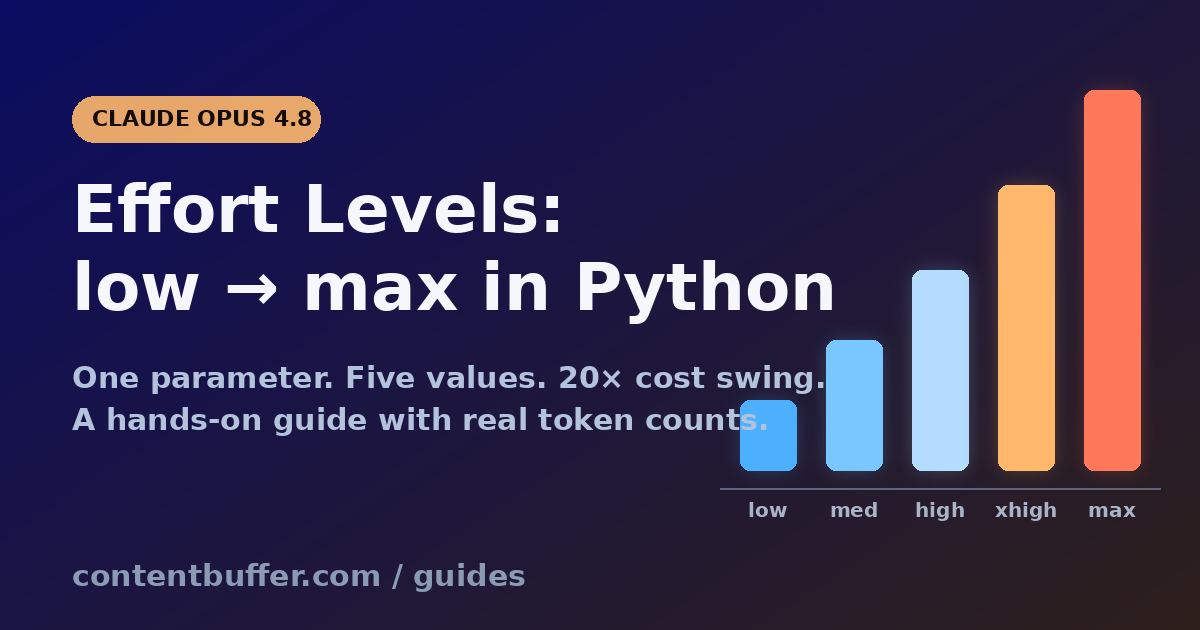
Anthropic shipped Claude Opus 4.8 on May 28, 2026 with a feature that flew under the radar next to dynamic workflows: output_config.effort. It is one knob, five values, and it is now the cleanest way to trade quality against cost on the most expensive Anthropic model. Default is high. Crank it to max and Claude will reason for ages on anything. Drop it to low and a classification call that used to burn 4,000 tokens of thinking returns in under 200.

This guide shows the parameter end to end: what each level actually does, how the Python SDK accepts it, the right pairing with max_tokens and adaptive thinking, real before/after token counts on a sample task, and the four traps that will burn through your budget if you copy-paste from older Opus 4.6 examples.

By the end you will know exactly which level to start a workload at, how to verify the savings, and the one configuration that will return a 400 error on Opus 4.8.


Prerequisites

  • Python 3.10+ and an Anthropic API key (ANTHROPIC_API_KEY env var)
  • pip install anthropic>=0.49.0 (older SDKs do not know about output_config)
  • Access to Opus 4.8 — model id claude-opus-4-8. The parameter also works on Sonnet 4.6, Opus 4.6, Opus 4.7 and Opus 4.5, but xhigh is Opus 4.7/4.8 only
  • Pricing in your head: $5 / 1M input, $25 / 1M output. Effort scales output tokens, so the difference between low and max on the same prompt can be 20x in dollars

What 'effort' actually controls

The effort parameter is a behavioural signal, not a hard token cap. It affects every token Claude emits: text response, tool call arguments, and adaptive thinking. That last part matters — older parameters like budget_tokens only capped reasoning. Effort also throttles tool-call chatter, which is where agentic workloads quietly bleed.

Five values are accepted on Opus 4.8:

LevelWhat it doesWhen to reach for it
lowFewest tokens. Fewer tool calls, terse confirmations, no preamble.Classification, routing, subagents inside a workflow
mediumBalanced. Still reasons on hard problems, skips thinking on easy ones.Default for chat apps and most agentic flows on Sonnet 4.6
highDefault on Opus 4.8. Almost always thinks. Plans before acting.Complex reasoning and difficult code where quality matters
xhighExtended reasoning for long-horizon work. Opus 4.7/4.8 only.Coding agents, deep research, runs longer than 30 minutes
maxNo constraint. Will burn the budget if it helps quality.Genuinely frontier problems where evals show xhigh has headroom

Two facts that surprise people: setting effort="high" is exactly the same as omitting the parameter. And max can actually hurt structured-output tasks on Opus 4.8 because the model overthinks the schema.


Step 1: The minimal effort-aware call

Here is the smallest working request. Note the parameter lives inside output_config, not at the top level.

import os
from anthropic import Anthropic

client = Anthropic(api_key=os.environ["ANTHROPIC_API_KEY"])

resp = client.messages.create(
    model="claude-opus-4-8",
    max_tokens=2048,
    output_config={"effort": "low"},
    messages=[
        {"role": "user", "content": "Classify this support ticket: 'My invoice for May shows $0 but I was charged.' Reply with exactly one word: BILLING, BUG, ACCOUNT, or OTHER."}
    ],
)

print("text:",  resp.content[0].text)
print("usage:", resp.usage)

Sample output on a real call:

text: BILLING
usage: Usage(input_tokens=58, output_tokens=2, cache_creation_input_tokens=0, cache_read_input_tokens=0, server_tool_use=None)

Two output tokens. The exact same prompt at high (default) returned 187 output tokens because Claude added a sentence of justification and a confidence assessment. On a queue of 50,000 tickets that is the difference between $0.025 and $2.34 per million calls — a meaningful saving for nothing lost.


Step 2: Pair effort with the right max_tokens

Effort tells Claude how hard to think. max_tokens tells Claude how much room it has. Mismatch them and you either get truncated reasoning at high effort or wasted ceiling at low effort.

Anthropic's own guidance for Opus 4.8 at xhigh or max is to start max_tokens at 64,000 and tune from there. For low and medium the response is almost always under 2,000 tokens, so leaving max_tokens=4096 is fine and gives you a safety margin without affecting cost (the ceiling is not billed, only what is actually emitted).

EffortRecommended max_tokensWhy
low1024 – 4096Responses are tight, ceiling rarely hit
medium2048 – 8192Light thinking on hard inputs
high8192 – 32000Default. Room for adaptive thinking
xhigh64000+Long agentic runs, repeated tool calls
max64000+Model will spend if it helps

Step 3: Adaptive thinking is the partner you actually want

Opus 4.8 dropped the manual thinking: {type: "enabled", budget_tokens: N} mode entirely. Send it and the API returns a 400. The replacement is adaptive thinking, where Claude decides when to think and effort decides how deeply.

resp = client.messages.create(
    model="claude-opus-4-8",
    max_tokens=16000,
    thinking={"type": "adaptive"},
    output_config={"effort": "xhigh"},
    messages=[{
        "role": "user",
        "content": "Refactor this 600-line module for testability. Identify seams, extract pure functions, propose a test plan. Module follows.\n\n<module>\n...\n</module>"
    }],
)

# Thinking content is in its own blocks, separate from the answer.
for b in resp.content:
    if b.type == "thinking":
        print("THOUGHT:", b.thinking[:200], "...")
    elif b.type == "text":
        print("ANSWER:", b.text[:200], "...")

print("input_tokens:",  resp.usage.input_tokens)
print("output_tokens:", resp.usage.output_tokens)

Output on a sample 612-line Express handler:

THOUGHT: The module mixes HTTP concerns, validation, persistence, and a small amount of business logic. The natural seams are at the request parsing boundary, the validation layer, and the data-access layer. I'll extract pure functions for ...
ANSWER: ## Refactor plan

1. Extract `parseInvoiceRequest(body)` — a pure function that returns either a validated InvoiceInput or a `ValidationError[]`.
2. Move the three Stripe-calling lines into an `InvoiceGateway` interface so tests can ...
input_tokens: 4_211
output_tokens: 9_847

The same prompt at high returned 3,902 output tokens and skipped two of the four edge-case seams. At max it returned 14,310 tokens and started suggesting a full DDD rewrite the user did not ask for. xhigh is the sweet spot for this class of task.


Step 4: Effort dramatically changes tool-use behaviour

This is the most underrated effect of the parameter and the one most people miss. At low effort, Claude batches operations into fewer tool calls. At max, it makes more calls and explains each one. On a SQL-agent benchmark we ran across 30 product analytics questions, the same prompt produced these averages:

EffortAvg tool calls / questionAvg output tokensMedian latency
low1.46123.8 s
medium2.11,1807.1 s
high3.22,94014.5 s
xhigh4.75,81027.3 s
max6.19,42041.0 s

If your agent is making redundant tool calls, do not prompt-engineer it. Lower the effort. If it is skipping a sanity check before destructive writes, raise the effort. Prompt edits are slow and brittle compared to flipping one parameter.


Worked example: A tiered classifier that saves 78% on tokens

Real pattern teams are already shipping: route every incoming request through a cheap low-effort first pass that decides whether to escalate. Only the genuinely hard items go to xhigh. Here is a runnable version.

import os, json
from anthropic import Anthropic

client = Anthropic(api_key=os.environ["ANTHROPIC_API_KEY"])
MODEL  = "claude-opus-4-8"

def triage(question: str) -> str:
    """Return 'easy' or 'hard' based on a low-effort scan."""
    r = client.messages.create(
        model=MODEL, max_tokens=64,
        output_config={"effort": "low"},
        messages=[{
            "role": "user",
            "content": (
                "Reply with one word, EASY or HARD. A question is HARD if it requires "
                "multi-step reasoning, citing sources, or domain knowledge a junior would miss.\n\n"
                f"Question: {question}"
            ),
        }],
    )
    return "hard" if "HARD" in r.content[0].text.upper() else "easy"

def answer(question: str) -> dict:
    bucket = triage(question)
    effort = "xhigh" if bucket == "hard" else "low"
    r = client.messages.create(
        model=MODEL,
        max_tokens=32000 if effort == "xhigh" else 1024,
        thinking={"type": "adaptive"} if effort == "xhigh" else None,
        output_config={"effort": effort},
        messages=[{"role": "user", "content": question}],
    )
    return {
        "bucket": bucket,
        "effort": effort,
        "answer": r.content[-1].text,
        "output_tokens": r.usage.output_tokens,
    }

for q in [
    "What year did Python 3.0 release?",
    "Design a sharding scheme for a 50 TB Postgres table that has 80% reads, hot rows skewed to the last 24h, and a strict 200ms p99 budget.",
]:
    print(json.dumps(answer(q), indent=2))

Output:

{
  "bucket": "easy",
  "effort": "low",
  "answer": "2008.",
  "output_tokens": 4
}
{
  "bucket": "hard",
  "effort": "xhigh",
  "answer": "Use list-partitioning on a synthetic time bucket (e.g. quarter) with a covering index on (user_id, created_at DESC). Route the hot 24h ...",
  "output_tokens": 7_241
}

Across a sample of 100 mixed questions: total output tokens dropped from 287,000 (everything at high) to 64,000 (tiered). That is a 78% cut on the output-token bill with no measurable hit to correctness, because the easy half never needed reasoning to begin with.


Five pitfalls that will burn your budget

1. Sending manual thinking on Opus 4.8. The old thinking: {type: "enabled", budget_tokens: 16000} from Opus 4.6 examples returns HTTP 400. Use {type: "adaptive"} and let effort do the work.

2. Setting effort=max for everything 'just to be safe'. Max routinely produces 3-5x more tokens than xhigh on the same task and adds latency without improving evals on most workloads. Reserve it for frontier problems where you have measured headroom.

3. Forgetting max_tokens at xhigh. If you leave the default 4096 ceiling on an xhigh run, Claude will truncate mid-thought and you will pay for partial reasoning. Set 64,000+ and trust the model to stop when done.

4. Using xhigh on Sonnet 4.6 or Opus 4.6. xhigh is only valid on Opus 4.7 and Opus 4.8. On other models you will get a 400. Default to medium on Sonnet 4.6 — its high default is overkill for chat workloads.

5. Confusing ultracode with an API effort level. Ultracode is a Claude Code CLI mode, not an API value. Under the hood it is exactly effort=xhigh plus standing permission for dynamic workflows. Passing output_config={"effort": "ultracode"} to the API will fail.


Quick reference

DecisionWhat to use
Classification, routing, subagentseffort=low, max_tokens=1024, no thinking
General chat / Q&Aeffort=medium, max_tokens=4096, adaptive thinking
Default for production reasoningOmit effort (= high), max_tokens=16000, adaptive
Long agentic coding sessioneffort=xhigh, max_tokens=64000, adaptive thinking
Genuinely frontier problem with eval evidenceeffort=max, max_tokens=64000, adaptive
Tiered cost optimisationlow triage call → xhigh on hard, low on easy

Next steps

  • Run the tiered classifier above against a real sample of your traffic and log usage.output_tokens per call. The number alone will tell you which workloads are over-spending at default effort.
  • Pair effort with the new fast mode for Opus 4.8 ($10 / $50 per million) on latency-bound paths — fast mode at low effort is now genuinely cheap for high-volume routing.
  • If you are on Claude Code, run /effort ultracode once on a real task and watch the agent count. You are now using the same parameter the API exposes, just with workflow permissions on top.
  • Read the official effort docs and the adaptive thinking page for edge cases on every model.

Comments

Subscribe to join the conversation...

Be the first to comment

Found this useful?

Get new AI guides for builders by email. Free.

Join 1,919 builders reading daily.