Skip to content
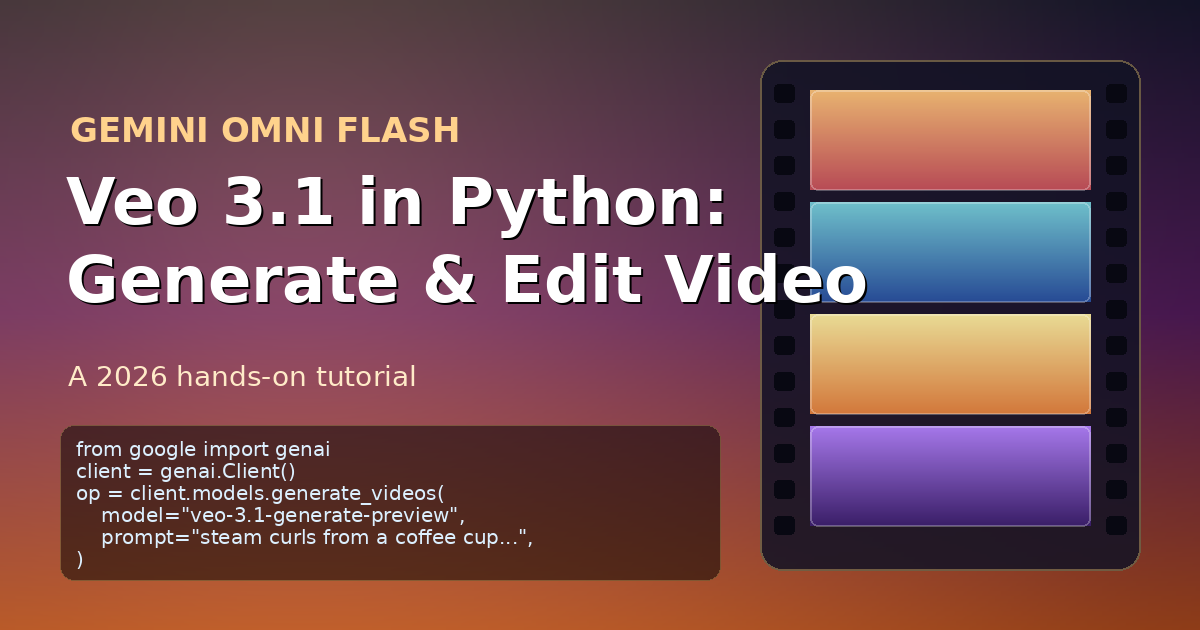
Gemini Omni Flash: Veo 3.1 Python Tutorial 2026 — ContentBuffer guide

Gemini Omni Flash: Veo 3.1 Python Tutorial 2026

K
Kodetra Technologies··8 min read Intermediate

Summary

Generate AI video in Python with Veo 3.1 — the model powering Google's Omni Flash launch.

Google's Gemini Omni Flash was the loudest moment at I/O 2026: an any-to-any model that takes text, image, audio or video in and returns video out, with conversational follow-ups like "make the lighting warmer" or "slow down the last three seconds." The consumer app shipped first. Developer API access is rolling out under the veo-3.1-generate-preview family in the google-genai SDK — and that is what this guide teaches you to use today.

By the end you will have a Python pipeline that does four real things: text-to-video, image-to-video (Nano Banana 2 → Veo 3.1), first-frame + last-frame interpolation, and a three-shot teaser stitched together as one MP4. Every snippet matches the published google-genai method signatures, and the gotchas section flags the four things that quietly burn budget or get your job blocked.

Why this is the hot topic right now

Three things lined up in the last 72 hours. First, Google moved Veo 3.1 from waitlist to general preview in AI Studio, with 1080p and 4K added at 8-second durations. Second, the Omni Flash consumer rollout to all Plus, Pro and Ultra subscribers ran out of stock of compute on launch night, pushing the developer crowd to the API. Third, the conversational edit pattern ("make it warmer") created a flood of demos on X and r/LocalLLaMA — and most of those demos are stitched from the same primitives you are about to learn.


Prerequisites

  • Python 3.10 or newer. The SDK ships type hints that require 3.10+ unions.
  • An API key from Google AI Studio. The free tier includes a small Veo allowance; for sustained use you need a paid project.
  • Around 700 MB of free disk for generated MP4s while you iterate.
  • If you are in the EU, UK, Switzerland or MENA, set person_generation="allow_adult" (Veo 3.1 blocks allow_all in those regions).
pip install google-genai pillow
export GOOGLE_GENAI_API_KEY="YOUR_KEY_HERE"

Step 1: Your first text-to-video call

The new SDK exposes Veo through client.models.generate_videos. It returns a long-running operation, not a video — Veo can take anywhere from 11 seconds to 6 minutes depending on resolution and load.

import time
from google import genai
from google.genai import types

client = genai.Client()  # picks up GOOGLE_GENAI_API_KEY

prompt = (
    "A close-up of steam curling from a black coffee cup on a wooden desk. "
    "Warm morning light through a window, shallow depth of field, slow drift in."
)

operation = client.models.generate_videos(
    model="veo-3.1-generate-preview",
    prompt=prompt,
    config=types.GenerateVideosConfig(
        aspect_ratio="16:9",
        resolution="720p",
        duration_seconds="6",
        person_generation="allow_adult",
    ),
)

while not operation.done:
    print("waiting for video...")
    time.sleep(10)
    operation = client.operations.get(operation)

generated = operation.response.generated_videos[0]
client.files.download(file=generated.video)
generated.video.save("coffee.mp4")
print("saved coffee.mp4")

Example output (truncated terminal log):

waiting for video...
saved coffee.mp4
# coffee.mp4 -> 6.0s, 1280x720, 4.8 MB

Two non-obvious details. duration_seconds is a string, not an int — Veo accepts "4", "6", or "8". And the response holds a server-side handle, not bytes: you must call client.files.download before .save(), otherwise the file object is empty.


Step 2: Image-to-video with Nano Banana 2

Veo 3.1 is at its best when you pin the first frame. Generate that frame with gemini-3.1-flash-image-preview (Google's marketing calls it Nano Banana 2), then hand the image straight to generate_videos. The two SDK calls compose without you ever touching a file.

from google import genai
from google.genai import types
import time

client = genai.Client()

subject = (
    "Panning wide shot of a calico kitten sleeping on a sunlit windowsill, "
    "plants in the background, gentle camera drift left to right."
)

# 1) Generate the opening frame.
image_resp = client.models.generate_content(
    model="gemini-3.1-flash-image-preview",
    contents=subject,
    config={"response_modalities": ["IMAGE"]},
)
opening_frame = image_resp.parts[0].as_image()

# 2) Animate it.
operation = client.models.generate_videos(
    model="veo-3.1-generate-preview",
    prompt=subject,
    image=opening_frame,
    config=types.GenerateVideosConfig(
        aspect_ratio="16:9",
        duration_seconds="6",
        person_generation="dont_allow",  # animals + scenery only
    ),
)

while not operation.done:
    time.sleep(10)
    operation = client.operations.get(operation)

video = operation.response.generated_videos[0].video
client.files.download(file=video)
video.save("kitten.mp4")

Set person_generation="dont_allow" when humans should not appear at all — Veo otherwise has a habit of slipping a passer-by into the background of "empty" scenes.


Step 3: First-frame + last-frame interpolation

This is the closest API analog to the consumer app's "make the ending feel different" command. You pass image= as the starting frame and last_frame= in the config; Veo plans a coherent motion arc between them.

from PIL import Image
from google import genai
from google.genai import types
import time

client = genai.Client()

first = Image.open("shots/open_door.png")
last  = Image.open("shots/sunlit_garden.png")

operation = client.models.generate_videos(
    model="veo-3.1-generate-preview",
    prompt="Camera dollies forward through the doorway into a sunlit garden, leaves drifting.",
    image=first,
    config=types.GenerateVideosConfig(
        last_frame=last,
        duration_seconds="8",  # required when last_frame is set
        resolution="1080p",    # only legal at 8s
        aspect_ratio="16:9",
    ),
)

while not operation.done:
    time.sleep(15)
    operation = client.operations.get(operation)

operation.response.generated_videos[0].video.save("door_to_garden.mp4")

Three constraints worth memorising: duration_seconds must be "8", 1080p and 4k only render at 8 seconds, and your first and last frames must share the same aspect ratio or Veo rejects the job before it starts.


Step 4: Retry wrapper and cost guardrails

Veo jobs fail for two boring reasons in production: rate-limited concurrency and the audio safety filter rejecting a clip. The audio-block case is free (you are not charged for blocked output), but a 429 on a 1080p 8-second job has cost you the time slot. Wrap calls in retry-with-backoff and cap resolution by environment.

import os, time
from google import genai
from google.genai import types
from google.genai.errors import ClientError, ServerError

client = genai.Client()
MAX_RES = os.getenv("VEO_MAX_RES", "720p")  # cheap default in dev

def render(prompt, *, image=None, last_frame=None, seconds="6"):
    cfg = types.GenerateVideosConfig(
        aspect_ratio="16:9",
        resolution=MAX_RES,
        duration_seconds=seconds,
        person_generation="allow_adult",
    )
    if last_frame is not None:
        cfg.last_frame = last_frame
        cfg.duration_seconds = "8"  # forced by API

    for attempt in range(4):
        try:
            op = client.models.generate_videos(
                model="veo-3.1-generate-preview",
                prompt=prompt, image=image, config=cfg,
            )
            break
        except ClientError as e:        # 4xx — quota, validation
            if e.code == 429 and attempt < 3:
                time.sleep(2 ** attempt * 15)
                continue
            raise
        except ServerError:             # 5xx — transient
            time.sleep(2 ** attempt * 5)
    else:
        raise RuntimeError("Veo retries exhausted")

    while not op.done:
        time.sleep(10)
        op = client.operations.get(op)

    if not op.response.generated_videos:
        # Safety/audio filter blocked the job. No charge, return None.
        return None
    v = op.response.generated_videos[0].video
    client.files.download(file=v)
    return v

Pin VEO_MAX_RES=720p in CI and dev shells. Flip to 1080p only when an artist signs off on a specific job — 4K is roughly 5× the price of 720p for the same six seconds, and Veo will happily eat the budget.


Worked example: a three-shot product teaser

Here is the pipeline I would actually ship for a coffee-brand launch: an opening hero shot, a slow zoom on the product, and a closing brand-frame. Each shot is generated independently, then concatenated with ffmpeg. Doing it this way keeps any single regeneration cheap and lets a human swap one shot without re-rendering everything.

from pathlib import Path
import subprocess

SHOTS = [
    ("hero",   "Aerial pan over a misty coffee farm at sunrise, golden light."),
    ("zoom",   "Macro slow zoom into a single roasted coffee bean, sharp focus."),
    ("brand",  "Coffee bag standing on a wooden table, logo facing camera, soft window light."),
]

out_dir = Path("teaser"); out_dir.mkdir(exist_ok=True)
manifest = out_dir / "shots.txt"
manifest.write_text("")

for name, prompt in SHOTS:
    video = render(prompt, seconds="6")
    if video is None:
        print(f"shot {name} blocked, skipping"); continue
    path = out_dir / f"{name}.mp4"
    video.save(str(path))
    manifest.write_text(manifest.read_text() + f"file '{path.name}'\n")
    print(f"saved {path}")

subprocess.run([
    "ffmpeg", "-y", "-f", "concat", "-safe", "0",
    "-i", str(manifest), "-c", "copy", str(out_dir / "teaser.mp4"),
], check=True)
print("teaser.mp4 ready")

Example output:

saved teaser/hero.mp4
saved teaser/zoom.mp4
saved teaser/brand.mp4
ffmpeg ... -i teaser/shots.txt -c copy teaser/teaser.mp4
teaser.mp4 ready   # 18.0s, 1280x720, 14.2 MB

The whole run takes between 90 seconds and 4 minutes wall-clock at 720p, depending on Veo queue depth. Cost at preview pricing lands in the low single-digit dollars per teaser — cheap enough to iterate on the prompts.


Common pitfalls

  • You forgot to download the video. generated.video is a remote handle; .save() on a non-downloaded file silently writes a 0-byte MP4. Always call client.files.download(file=video) first.
  • Server retention is 2 days. Generated videos disappear from Google's storage after 48 hours. If a downstream consumer needs them, copy to your own bucket on the same run, not later.
  • Region defaults bite you. In the EU/UK/CH/MENA, leaving person_generation unset on Veo 3.1 errors out. Set "allow_adult" explicitly so the same code runs in every region.
  • 1080p and 4K only at 8 seconds. Asking for resolution="4k" with duration_seconds="6" returns a confusing 400. Tie the two settings together in your config builder.
  • SynthID watermark is always on. Every Veo output carries an invisible SynthID watermark. If your compliance team needs that disclosed in product, document it before you ship.
  • The audio filter is the silent budget killer. Veo 3.1 sometimes blocks a clip on the audio track even though the visual prompt is fine. You are not charged for blocked output — check op.response.generated_videos for an empty list and re-prompt without lyrics or human dialogue if it keeps happening.

Quick reference

SettingAllowed valuesNotes
modelveo-3.1-generate-preview, veo-3.1-fast-generate-preview, veo-3.1-lite-generate-previewFast is ~2× quicker, Lite drops 1080p/4K and reference images.
aspect_ratio16:9, 9:16Mixed first/last frames must share aspect.
resolution720p, 1080p, 4k1080p and 4k require duration_seconds="8".
duration_seconds"4", "6", "8"String, not int. Forced to "8" when last_frame is set.
person_generationallow_all, allow_adult, dont_allowEU/UK/CH/MENA capped at allow_adult on Veo 3.1.
imagePIL.Image, types.ImageBecomes the first frame.
last_framePIL.Image, types.ImageSet inside GenerateVideosConfig, not as a top-level arg.
reference_imageslist of types.VideoGenerationReferenceImageUp to 3, Veo 3.1 only, requires 8s.
Latency11s – 6minPlan UI around long-running operations.
Retention48 hours server-sideCopy to your own storage before then.

Next steps

  • Wire the render() helper into a job queue (Celery, Cloud Tasks, or a simple Postgres worker) so your web app never blocks on a 6-minute call.
  • Stand up a tiny review UI that shows the prompt, the first frame, and the MP4 side by side — Veo iteration is mostly a prompt-editing loop and you want the human in it.
  • Try the reference_images parameter for brand assets: it is the only way to get consistent product packaging across multiple shots without fine-tuning.
  • When the dedicated gemini-omni endpoint ships, swap the model string only — the operation/poll/download shape is the same across the family.

That is the whole pipeline. Three SDK calls, one retry wrapper, and an ffmpeg concat — and you have the same primitives powering the consumer Omni Flash demos that flooded your timeline this week.

Comments

Subscribe to join the conversation...

Be the first to comment

Found this useful?

Get new AI guides for builders by email. Free.

Join 1,918 builders reading daily.