Microsoft Agent Framework 1.0: Multi-Agent Python Guide
Summary
Build a research-write-review multi-agent pipeline using Microsoft Agent Framework 1.0 in Python.
Microsoft Agent Framework 1.0: Multi-Agent Python Guide
Microsoft Build 2026 kicked off in San Francisco on June 2 with one clear message for developers: the agent era is in production. The headline release is Microsoft Agent Framework 1.0 — the long-promised merger of AutoGen's lightweight agent abstractions and Semantic Kernel's enterprise-grade orchestration into a single SDK that ships for both .NET and Python.
If you have been waiting to commit to a multi-agent stack for production, this is the release that makes the decision easy on the Microsoft side. The framework now ships with first-class WorkflowBuilder-style graph orchestration, MCP and A2A protocol support out of the box, and a stable Python package on PyPI.
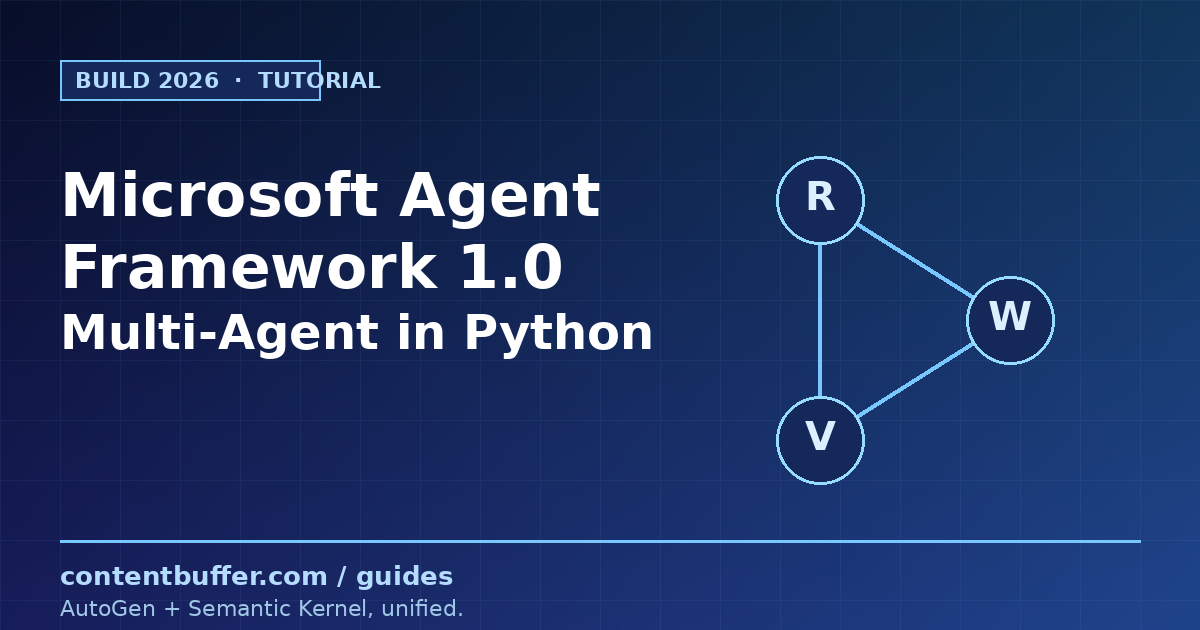
In this guide you will build a working three-agent pipeline in Python: a Researcher that pulls facts from a tool, a Writer that drafts copy, and a Reviewer that grades the draft and decides whether to ship it. Every line of code below runs against the official agent-framework package and matches the API documented in Microsoft Learn as of Build 2026.
Prerequisites
- Python 3.10 or newer (the framework drops 3.9 support).
- An OpenAI or Azure OpenAI key. This guide uses the
OpenAIChatClientwithgpt-4.1, but any chat-completion-compatible model works. - Basic comfort with
async/awaitin Python — agents are coroutines. - A virtual environment is strongly recommended; the framework pulls in
pydantic,httpx, and a handful of provider SDKs.
Step 1: Install the framework
The package is still preview-tagged on PyPI even after the 1.0 announcement, so the --pre flag is required. Installing the umbrella package gets you the core agent runtime plus the OpenAI and Azure integrations:
pip install agent-framework --pre
If you want a leaner install (for example, in a container), pull only the core package, which already includes workflows and OpenAI/Azure OpenAI support:
pip install agent-framework-core --pre
Set your API key as an environment variable. The chat clients read it automatically:
export OPENAI_API_KEY="sk-..."
export OPENAI_CHAT_MODEL_ID="gpt-4.1"
Step 2: Your first agent with tools
An Agent is the smallest unit you will work with. It wraps a chat client, an instruction prompt, and an optional list of tool functions. Tools are plain Python callables — the framework reflects on their signatures and docstrings to build the function-calling schema, so type hints and pydantic.Field descriptions matter.
import asyncio
from typing import Annotated
from pydantic import Field
from agent_framework import Agent
from agent_framework.openai import OpenAIChatClient
def lookup_stock_price(
ticker: Annotated[str, Field(description="The stock ticker symbol, e.g. MSFT.")],
) -> str:
"""Return a fake live price for the given ticker."""
fake_prices = {"MSFT": 482.10, "NVDA": 1280.55, "GOOGL": 215.40}
price = fake_prices.get(ticker.upper(), 100.00)
return f"{ticker.upper()} is trading at ${price:.2f}"
async def main():
agent = Agent(
client=OpenAIChatClient(),
instructions="You are a concise financial assistant. Always cite the tool output verbatim.",
tools=[lookup_stock_price],
)
result = await agent.run("What is Microsoft trading at?")
print(result)
asyncio.run(main())
Run it and you should see something like:
MSFT is trading at $482.10.
Two things to notice. First, you never wrote a JSON schema — the Annotated[str, Field(...)] hint became the function-calling parameter definition. Second, the model called the tool and rephrased the result; the framework handled the tool-call round trip transparently inside agent.run.
Step 3: Coordinate two agents
The simplest form of multi-agent work is sequential: agent A produces output, agent B consumes it. You do not need any special orchestration primitive for this — just await one agent and feed the result into the next.
import asyncio
from agent_framework import Agent
from agent_framework.openai import OpenAIChatClient
async def main():
client = OpenAIChatClient()
writer = Agent(
client=client,
name="Writer",
instructions=(
"You write short, punchy product taglines. "
"Return exactly one tagline, no explanation."
),
)
reviewer = Agent(
client=client,
name="Reviewer",
instructions=(
"You grade taglines on a 1-10 scale for clarity and originality. "
"Reply in the format: SCORE: <n>/10 -- <one-sentence rationale>."
),
)
brief = "An AI agent platform for backend engineers who hate YAML."
draft = await writer.run(brief)
print("DRAFT :", draft)
grade = await reviewer.run(f"Grade this tagline: {draft}")
print("REVIEW :", grade)
asyncio.run(main())
Sample output from one run:
DRAFT : Agents that ship. No YAML required.
REVIEW : SCORE: 8/10 -- Crisp and on-brief, but "that ship" is becoming a cliche in dev marketing.
This pattern is fine for two-step flows. It breaks down when you want branching, retries, or parallelism — which is exactly what the new WorkflowBuilder API solves.
Step 4: Build a graph workflow with WorkflowBuilder
WorkflowBuilder lets you wire executors into a directed graph and stream events as they fire. An executor is any async function decorated with @executor, or a class with a run method. Each executor receives a typed input and a WorkflowContext it uses to forward messages to downstream nodes.
Here is a three-node pipeline: research → draft → review. The reviewer can either approve (terminate) or send the draft back for one more pass.
import asyncio
from agent_framework import (
WorkflowBuilder,
WorkflowContext,
executor,
Agent,
)
from agent_framework.openai import OpenAIChatClient
client = OpenAIChatClient()
researcher_agent = Agent(
client=client,
name="Researcher",
instructions=(
"Given a topic, return 3 short factual bullet points. "
"No filler, no marketing language."
),
)
writer_agent = Agent(
client=client,
name="Writer",
instructions=(
"Given bullet-point research, write a 60-word LinkedIn post. "
"Plain text. No hashtags."
),
)
reviewer_agent = Agent(
client=client,
name="Reviewer",
instructions=(
"Grade the post 1-10 on clarity. "
"Reply with the single word APPROVE if score >= 8, otherwise REJECT."
),
)
@executor(id="research")
async def research(topic: str, ctx: WorkflowContext[str]) -> None:
bullets = await researcher_agent.run(topic)
await ctx.send_message(str(bullets))
@executor(id="draft")
async def draft(bullets: str, ctx: WorkflowContext[str]) -> None:
post = await writer_agent.run(bullets)
# Forward both bullets and post so the reviewer can see the source.
await ctx.send_message(f"BULLETS:\n{bullets}\n\nPOST:\n{post}")
@executor(id="review")
async def review(packet: str, ctx: WorkflowContext[str]) -> None:
verdict = await reviewer_agent.run(packet)
final = packet.split("POST:\n", 1)[-1].strip()
if "APPROVE" in str(verdict).upper():
await ctx.set_output({"status": "approved", "post": final})
else:
await ctx.set_output({"status": "rejected", "post": final, "verdict": str(verdict)})
async def main():
workflow = (
WorkflowBuilder()
.add_edge(research, draft)
.add_edge(draft, review)
.set_start_executor(research)
.build()
)
result = await workflow.run("Microsoft Agent Framework 1.0 launch at Build 2026")
print(result.output)
asyncio.run(main())
A typical run prints something like:
{
"status": "approved",
"post": "Microsoft just shipped Agent Framework 1.0 at Build 2026. It folds AutoGen and Semantic Kernel into one SDK, ships for .NET and Python, and bakes in the A2A and MCP protocols. If you have been stuck choosing between agent stacks, the choice on the Microsoft side just got simple."
}
The graph runs the three executors in order, but because edges are first-class you can add fan-out, fan-in, or a self-loop back to draft for a revision round without touching the executor bodies.
Step 5: Stream events for observability
In production you almost never want a single blocking workflow.run(). The framework exposes workflow.run_stream(), which yields events as each executor starts, emits intermediate output, or finishes. This is the hook you use to render a live UI, push traces to OpenTelemetry, or implement a kill switch.
async def main_streamed():
workflow = (
WorkflowBuilder()
.add_edge(research, draft)
.add_edge(draft, review)
.set_start_executor(research)
.build()
)
async for event in workflow.run_stream("LoRA fine-tuning on consumer GPUs"):
# Each event has a type and a payload; print a compact trace.
print(f"[{type(event).__name__}] {getattr(event, 'data', '')[:80]}")
An abbreviated trace from one run:
[ExecutorInvokedEvent] research
[ExecutorCompletedEvent] - Unsloth and PEFT now train 7B models on a single 24 GB c
[ExecutorInvokedEvent] draft
[ExecutorCompletedEvent] LoRA used to mean "rent an H100." Not anymore. Unsloth, PE
[ExecutorInvokedEvent] review
[ExecutorCompletedEvent] APPROVE
[WorkflowOutputEvent] {'status': 'approved', 'post': '...'}
A real-world example: a release-note bot
Let's wire the pieces together into something you might actually deploy. The bot takes a GitHub release URL, asks a Researcher agent to extract the changelog, asks a Writer agent to convert it into a customer-facing summary, then asks a Reviewer agent to enforce a style guide. If the review fails, the workflow loops back once.
The interesting part is the conditional edge. WorkflowBuilder.add_edge accepts a condition callable that gates whether the edge fires. Here is the relevant fragment:
from agent_framework import WorkflowBuilder
def needs_revision(msg: str) -> bool:
return "REJECT" in msg.upper()
def is_approved(msg: str) -> bool:
return "APPROVE" in msg.upper()
workflow = (
WorkflowBuilder()
.add_edge(research, draft)
.add_edge(draft, review)
.add_edge(review, draft, condition=needs_revision) # one revision loop
.add_edge(review, finalize, condition=is_approved)
.set_start_executor(research)
.build()
)
Two edges leave review: one back to draft when the reviewer rejected, one forward to a terminal finalize executor when it approved. The framework evaluates conditions in registration order and fires every edge whose condition returns truthy, so make them mutually exclusive unless you actually want fan-out.
Common pitfalls
- Forgetting
--preon install. Even after the 1.0 announcement, the package is still tagged as a pre-release on PyPI.pip install agent-frameworkalone resolves to a much older release; you must pass--pre. - Mixing
AgentandChatAgent.Agentis the high-level convenience class.ChatAgentis the lower-level class it wraps. Stick withAgentunless you need to customize message history handling. - Tool docstrings matter. The framework uses the docstring of each tool function as the description the model sees. A blank or copy-pasted docstring will silently degrade tool-calling accuracy.
- Executors must be
async. A synchronous function decorated with@executorwill run, but it blocks the event loop and breaks the streaming API. Always useasync def. - Set
set_outputexactly once per run. Calling it twice raises; never calling it leavesresult.outputasNone. If you have multiple terminal branches, route them through a singlefinalizeexecutor. - Token costs add up fast. A three-agent loop with one revision is four model calls per request. Use a cheaper model (for example
gpt-4o-mini) for the Reviewer; only spend frontier-model tokens where they actually move the output.
Quick reference
| Concept | Import | Notes |
|---|---|---|
| Single agent | from agent_framework import Agent | Pass client, instructions, tools. |
| OpenAI client | from agent_framework.openai import OpenAIChatClient | Reads OPENAI_API_KEY and OPENAI_CHAT_MODEL_ID. |
| Azure OpenAI client | from agent_framework.azure import AzureOpenAIChatClient | Reads AZURE_OPENAI_* env vars. |
| Functional executor | from agent_framework import executor | Decorate an async def with @executor(id=...). |
| Build a graph | WorkflowBuilder().add_edge(a, b).build() | Use set_start_executor and optional condition=. |
| Stream events | async for ev in workflow.run_stream(x) | Yields invoked, completed, and output events. |
| Terminate run | await ctx.set_output(...) | Call exactly once from a terminal executor. |
Next steps
- Swap in an MCP tool with
agent_framework.mcpso the Researcher can hit a real knowledge base instead of a static function. - Add a persistent thread store so multi-turn conversations survive process restarts. The core package exposes
InMemoryChatMessageStore; replace it with the Redis or Cosmos DB adapters for production. - Wire the graph into the Microsoft Agent Framework DevUI (also announced at Build 2026) for a visual run inspector.
- Migrate an existing AutoGen project. Microsoft published a line-by-line migration guide on Learn that maps every AutoGen primitive to its new home.
- Add observability. The framework emits OpenTelemetry spans on every agent and executor call — point them at any OTel-compatible backend.
Why this matters now. The agent-framework conversation in 2025 was "LangGraph vs. CrewAI vs. AutoGen vs. Semantic Kernel." After Build 2026, the Microsoft answer is a single SDK with stable APIs, GA support contracts, and first-class Windows hosting on the horizon. If your stack is .NET-or-Python and you cannot ship hand-rolled glue code anymore, this is the framework worth a serious afternoon.
Comments
Be the first to comment
Found this useful?
Get new AI guides for builders by email. Free.
Join 1,918 builders reading daily.