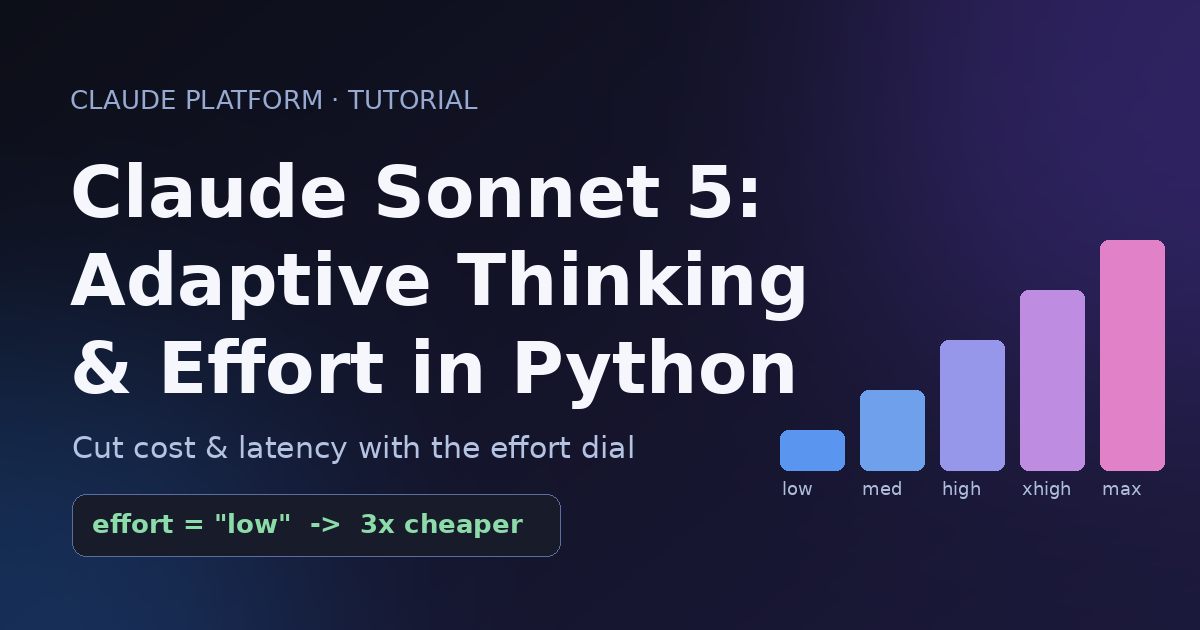
Claude Sonnet 5: Adaptive Thinking and Effort in Python
Summary
Master Sonnet 5's on-by-default thinking and the effort knob to cut cost and latency.
Claude Sonnet 5: Adaptive Thinking and Effort in Python
Anthropic shipped Claude Sonnet 5 on June 30, 2026, and made it the default model on the free and Pro tiers the same day. The headline is that it closes most of the agentic gap with Opus at Sonnet prices. The part that will quietly break your code is smaller and easier to miss: Sonnet 5 thinks by default. If you port a Sonnet 4.6 script by swapping the model ID, the same request now spends extra output tokens on reasoning, and an output limit that used to be plenty can suddenly truncate your answer.
This guide teaches the two controls you actually need to run Sonnet 5 well in production: adaptive thinking (Claude deciding when and how hard to reason) and the effort parameter (your dial for how many tokens it is willing to spend). You will finish with a small, runnable triage script that switches effort per request, reads back exactly how many tokens went to thinking, and avoids the three 400 errors that trip up first-time Sonnet 5 users.
Everything below is checked against the official Claude Platform docs for Sonnet 5, adaptive thinking, and effort. Model ID, parameter shapes, and error behavior are current as of launch week.
Prerequisites
- Python 3.9+ and an Anthropic API key exported as
ANTHROPIC_API_KEY. - The official SDK, version 0.40 or newer:
pip install -U anthropic. - Basic familiarity with the Messages API (
client.messages.create). - A few dollars of API credit. Sonnet 5 is $2 / $10 per million input/output tokens through Aug 31, 2026, then $3 / $15.
pip install -U anthropic
export ANTHROPIC_API_KEY=sk-ant-...
What actually changed in Sonnet 5
Sonnet 5 is a drop-in replacement for Sonnet 4.6 in the sense that request and response shapes are unchanged. But three behavior changes and one tokenizer change alter how existing code behaves at runtime:
- Adaptive thinking is on by default. A request with no
thinkingfield now reasons before answering. On Sonnet 4.6 the same request did not think. - Manual thinking is rejected. Passing
thinking={"type": "enabled", "budget_tokens": N}returns a 400 error. Use adaptive thinking plus effort instead. - Sampling parameters are rejected. Setting
temperature,top_p, ortop_kto a non-default value returns a 400 error. Remove them; steer behavior with the system prompt. - New tokenizer. The same text produces roughly 30% more tokens than on Sonnet 4.6, so token counts, context capacity in characters, and per-request cost all shift even though per-token pricing is unchanged.
The practical upshot: max_tokens is a hard cap on total output, meaning thinking tokens plus visible response text. Thinking on by default eats into that budget, so a limit tuned for a non-thinking Sonnet 4.6 call can now cut your answer short with stop_reason: "max_tokens".
Step 1: A baseline call and reading the token breakdown
Start with the simplest possible request. Notice there is no thinking field and no temperature: adaptive thinking is already active, and sampling params would error.
import anthropic

client = anthropic.Anthropic()

resp = client.messages.create(
    model="claude-sonnet-5",
    max_tokens=2000,
    messages=[
        {"role": "user", "content": "In one paragraph, why is the sky blue?"}
    ],
)

# The visible answer
for block in resp.content:
    if block.type == "text":
        print(block.text)

print("\n--- usage ---")
print("input_tokens :", resp.usage.input_tokens)
print("output_tokens:", resp.usage.output_tokens)
# thinking_tokens is a read-only observability field
details = resp.usage.output_tokens_details
print("thinking_tokens:", getattr(details, "thinking_tokens", 0))
print("stop_reason:", resp.stop_reason)
Example output (values will vary):
Sunlight is white but contains every color. As it passes through the
atmosphere, shorter blue wavelengths scatter far more than longer red
ones (Rayleigh scattering), so blue light reaches your eyes from all
directions and the sky appears blue.

--- usage ---
input_tokens : 18
output_tokens: 214
thinking_tokens: 96
stop_reason: end_turn
Two things to internalize from this run. First, thinking_tokens is non-zero (96) even though you never asked for thinking. Second, output_tokens (214) already includes those 96 thinking tokens. You are billed for the full 214. That is the number your max_tokens cap is measured against.
By default Sonnet 5 sets thinking.display to "omitted", so the thinking blocks come back with an empty thinking field. You still pay for them; you just do not see the text. That is a change from Opus 4.6, where a readable summary appeared without opting in.
Step 2: The effort parameter, your cost and latency dial
The effort parameter lives inside output_config and controls how eager Claude is to spend tokens across the entire response: thinking, explanations, and even the number of tool calls it makes. It defaults to high, which is identical to omitting it. Lowering it is the single most effective lever for cutting cost and latency on Sonnet 5.
| Effort | What Claude does | Reach for it when |
|---|---|---|
| max | Absolute maximum capability, no token constraints | Genuinely frontier problems where you have measured headroom |
| xhigh | Deep, extended exploration | Hardest coding and long-horizon agentic tasks |
| high (default) | Almost always thinks; deep reasoning | Complex reasoning and coding where quality leads |
| medium | Moderate thinking, real token savings | Cost step-down; roughly Sonnet 4.6 at high effort |
| low | Minimal thinking, skips it on simple tasks | Chat, classification, high-volume or latency-sensitive work |
Here is the same question at low effort. Watch the thinking tokens collapse:
resp = client.messages.create(
    model="claude-sonnet-5",
    max_tokens=2000,
    output_config={"effort": "low"},
    messages=[
        {"role": "user", "content": "In one paragraph, why is the sky blue?"}
    ],
)

d = resp.usage.output_tokens_details
print("output_tokens:", resp.usage.output_tokens)
print("thinking_tokens:", getattr(d, "thinking_tokens", 0))
output_tokens: 71
thinking_tokens: 0Same model, same prompt, but low effort skipped thinking entirely and answered in a third of the tokens. On a simple lookup that is nearly free quality loss for a real speed and cost win. The trade only bites when the task genuinely needs multi-step reasoning, which is exactly when you should raise effort back up.
Step 3: Seeing the reasoning when you want it
Because display defaults to "omitted", you have to opt in to read the summarized reasoning. Set it explicitly on the thinking config. This does not change what you are billed, only what comes back in the body.
resp = client.messages.create(
    model="claude-sonnet-5",
    max_tokens=4000,
    thinking={"type": "adaptive", "display": "summarized"},
    output_config={"effort": "high"},
    messages=[
        {"role": "user",
         "content": "A train leaves at 3:15pm going 60mph. Another leaves "
                    "the same station at 3:45pm going 80mph on the same track. "
                    "When does the second catch the first?"}
    ],
)

for block in resp.content:
    if block.type == "thinking":
        print("[thinking]\n", block.thinking, "\n")
    elif block.type == "text":
        print("[answer]\n", block.text)
With display: "summarized" the first block carries a readable summary of the reasoning; the final block is the answer. Keep display omitted in production if you never surface reasoning to users, because omitting it starts the visible answer streaming sooner (lower time-to-first-token) at the same cost.
If you want the lowest latency and no reasoning at all, turn thinking off explicitly. Omitting the field is not enough on Sonnet 5, because omission defaults to adaptive:
resp = client.messages.create(
    model="claude-sonnet-5",
    max_tokens=1000,
    thinking={"type": "disabled"},
    messages=[{"role": "user", "content": "Reply with just the word: ok"}],
)
print(resp.content[0].text)  # ok
Worked example: a per-request effort router
The real win on Sonnet 5 is not picking one effort level, it is choosing per request. Cheap, high-volume traffic should run at low; the occasional hard problem should run at high or xhigh. Below is a small support-ticket triage router that classifies difficulty with a cheap first pass, then answers at a matching effort level and reports what each call cost in tokens.
import anthropic

client = anthropic.Anthropic()
MODEL = "claude-sonnet-5"


def ask(prompt, effort, max_tokens=1500, show_thinking=False):
    thinking = {"type": "adaptive"}
    if show_thinking:
        thinking["display"] = "summarized"
    resp = client.messages.create(
        model=MODEL,
        max_tokens=max_tokens,
        thinking=thinking,
        output_config={"effort": effort},
        messages=[{"role": "user", "content": prompt}],
    )
    text = "".join(b.text for b in resp.content if b.type == "text")
    d = resp.usage.output_tokens_details
    return {
        "text": text,
        "effort": effort,
        "output_tokens": resp.usage.output_tokens,
        "thinking_tokens": getattr(d, "thinking_tokens", 0),
        "stop_reason": resp.stop_reason,
    }


def route(ticket):
    """Cheap classify, then answer at a matching effort level."""
    label = ask(
        f"Classify this support ticket as SIMPLE or COMPLEX. "
        f"Reply with one word only.\n\nTicket: {ticket}",
        effort="low", max_tokens=20,
    )["text"].strip().upper()

    effort = "high" if "COMPLEX" in label else "low"
    answer = ask(
        f"Answer this support ticket helpfully and concisely.\n\n{ticket}",
        effort=effort, max_tokens=1200,
    )
    answer["label"] = label
    return answer


tickets = [
    "How do I reset my password?",
    "Our webhook retries are duplicating orders under high load. "
    "We use idempotency keys but still see doubles. What could cause this?",
]

# Sonnet 5's $ per million output tokens (intro pricing)
OUT_PRICE = 10 / 1_000_000

for t in tickets:
    r = route(t)
    cost = r["output_tokens"] * OUT_PRICE
    print(f"[{r['label']:>7}] effort={r['effort']:<4} "
          f"out={r['output_tokens']:<4} think={r['thinking_tokens']:<4} "
          f"~${cost:.5f}")
    print("  ->", r["text"][:90].replace("\n", " "), "...\n")
Representative run:
[ SIMPLE] effort=low  out=58   think=0    ~$0.00058
  -> Go to Settings > Security > Reset password, enter your email, and follow the ...

[COMPLEX] effort=high out=612  think=284  ~$0.00612
  -> Duplicate orders with idempotency keys under load usually trace to one of three ...
The simple ticket answered with zero thinking tokens and cost a tenth of a cent. The complex one spent 284 tokens reasoning about the race condition and produced a genuinely deeper answer. Same model, same code path, an order-of-magnitude cost difference driven entirely by the effort you route to. Multiply that across a million tickets and the routing logic pays for itself many times over.
Common pitfalls and gotchas
1. max_tokens now includes thinking. This is the most common surprise. If you copy a Sonnet 4.6 call that set max_tokens=300 for a short answer, Sonnet 5 may spend 250 of those on thinking and truncate the visible text. Watch for stop_reason: "max_tokens". Fix it by raising max_tokens or lowering effort.
2. Manual thinking is a hard 400. Any leftover thinking={"type": "enabled", "budget_tokens": N} from older code will fail outright. Replace it with {"type": "adaptive"} and control depth via effort.
3. temperature=0 also 400s. Teams that pinned temperature=0 for determinism must delete the parameter. There is no non-default sampling on Sonnet 5; move any "be terse and literal" instruction into the system prompt.
4. Omitting thinking does not disable it. On Sonnet 5, no thinking field means adaptive, not off. To truly disable, pass {"type": "disabled"}.
5. You do not see thinking by default. display defaults to "omitted", so block.thinking is empty unless you set display: "summarized". You are billed for those tokens either way; read usage.output_tokens_details.thinking_tokens to see how many.
6. Switching thinking modes breaks the prompt cache. Flipping between adaptive and disabled/enabled across turns invalidates message cache breakpoints (system prompts and tool definitions stay cached). Pick a mode per conversation and stick to it.
7. Do not reuse old token counts. The new tokenizer inflates counts about 30%. Any budget, truncation threshold, or cost estimate calibrated on Sonnet 4.6 needs re-measuring with token counting against Sonnet 5.
8. Refusals arrive as 200, not errors. Sonnet 5 adds real-time cybersecurity safeguards. A refused request returns HTTP 200 with stop_reason: "refusal", so branch on stop_reason rather than assuming success means an answer.
Quick reference
| Goal | What to set |
|---|---|
| Use the model | model="claude-sonnet-5" |
| Default behavior | adaptive thinking on, high effort |
| Cheaper / faster | output_config={"effort": "low"} or "medium" |
| Hardest tasks | output_config={"effort": "xhigh"} or "max" |
| See the reasoning | thinking={"type": "adaptive", "display": "summarized"} |
| Turn thinking off | thinking={"type": "disabled"} |
| Measure thinking cost | usage.output_tokens_details.thinking_tokens |
| Avoid 400s | no budget_tokens, no temperature/top_p/top_k |
| Catch truncation | check stop_reason == "max_tokens" |
| Catch refusals | check stop_reason == "refusal" (HTTP 200) |
Next steps
- Add the effort router to a real workload and log
thinking_tokensper request to find where you are overspending. - Benchmark
mediumvshighon your own evals; medium often holds quality at a real discount on Sonnet 5. - For agent loops, combine adaptive thinking with tool use, remembering interleaved thinking is automatic so Claude reasons between tool calls.
- Layer prompt caching on stable system prompts and tools to cut input cost, and keep one thinking mode per conversation so the cache holds.
- Read the official Sonnet 5, adaptive thinking, and effort docs on platform.claude.com for streaming, task budgets, and the migration guide.
Sources: Claude Platform Docs, "What's new in Claude Sonnet 5," "Adaptive thinking," and "Effort" (platform.claude.com), plus Anthropic's June 30, 2026 Sonnet 5 launch coverage.
Comments
Be the first to comment
Found this useful?
Get new AI guides for builders by email. Free.
Join 3,604 newsletter subscribers.