LangChain Deep Agents: Build Multi-Step AI Agents
Summary
Use LangChain Deep Agents to build agents with planning, sub-agents, files, and memory.
What Are Deep Agents?
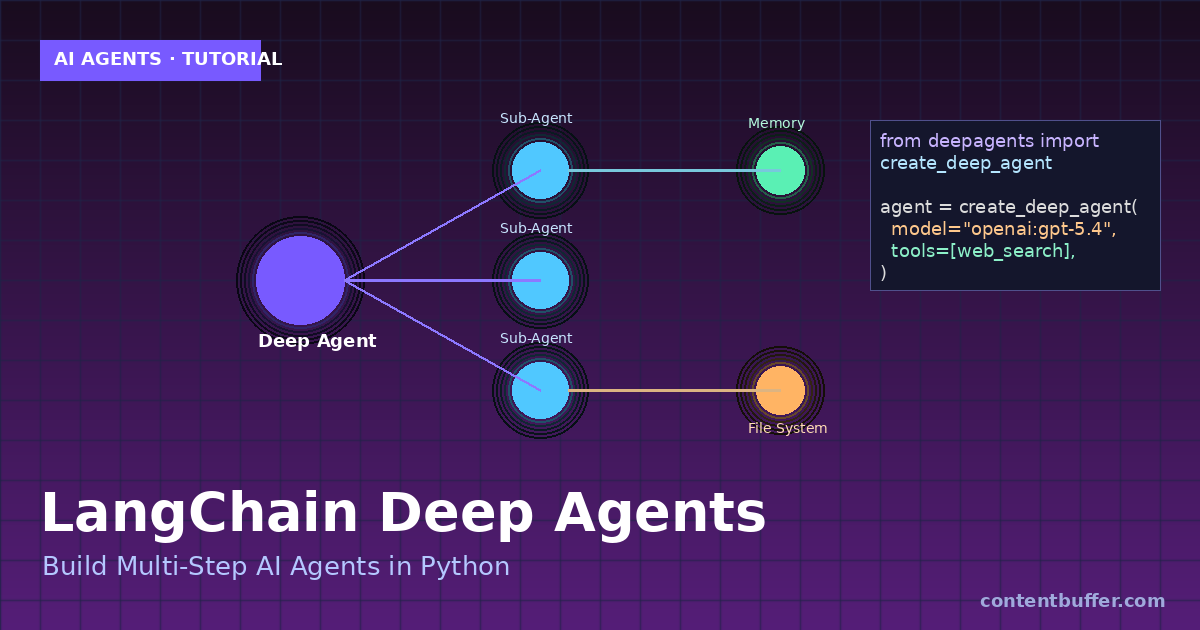
Deep Agents is LangChain's agent harness built on LangGraph. It turns a single LLM call into a durable agent with planning, sub-agents, a virtual file system, and long-term memory — designed for complex, multi-step tasks.
- Planning tool to keep the agent focused on the goal
- Sub-agents to delegate specialized subtasks
- Virtual file system for persistent context across steps
- LangGraph runtime for streaming, checkpoints, and human-in-the-loop
Step 1: Install Deep Agents
Install the package along with LangChain and an optional search tool.
pip install deepagents langchain tavily-python python-dotenv
Step 2: Set Your Model API Key
Export an API key for your preferred provider (OpenAI shown here).
export OPENAI_API_KEY="sk-..."
Step 3: Create a Tool
Deep Agents accept standard Python callables as tools. Define one your agent can call.
from tavily import TavilyClient
def web_search(query: str) -> str:
"""Search the web and return top results."""
client = TavilyClient()
return client.search(query, max_results=5)
Step 4: Build Your First Deep Agent
Call create_deep_agent with a model, your tools, and a system prompt.
from deepagents import create_deep_agent
agent = create_deep_agent(
model="openai:gpt-5.4",
tools=[web_search],
system_prompt="You are a research assistant. Plan, search, then write a concise summary."
)
Example input:
result = agent.invoke({
"messages": [{"role": "user",
"content": "Research LangGraph v2 streaming and summarize in 5 bullets."}]
})
print(result["messages"][-1].content)
Example output (trimmed):
- LangGraph v2 introduces type-safe streaming with unified StreamPart chunks.
- invoke()/ainvoke() returns a GraphOutput with .value and .interrupts.
- Pydantic and dataclass outputs are auto-coerced in values-mode.
- Time travel with interrupts + subgraphs no longer reuses stale state.
- v2 is opt-in and fully backwards compatible.
Step 5: Add Sub-Agents
Delegate specialized work to sub-agents with their own prompts and tools.
agent = create_deep_agent(
model="openai:gpt-5.4",
tools=[web_search],
subagents=[{
"name": "writer",
"description": "Writes polished prose from research notes.",
"prompt": "Write clear, concise content. No filler."
}]
)
Step 6: Use the Built-In File System
The agent can read and write files across steps — great for long tasks.
| Tool | What it does |
|---|---|
| write_file | Persist notes, drafts, or plans |
| read_file | Recall prior state in later steps |
| ls | List files the agent created |
Step 7: Stream Results
Use LangGraph streaming to show progress as the agent plans and acts.
for chunk in agent.stream(
{"messages": [{"role": "user", "content": "Plan a 3-day trip to Tokyo."}]},
stream_mode="values"
):
print(chunk)
When to Use Deep Agents
- Multi-step research and report writing
- Agents that need memory across dozens of tool calls
- Tasks that benefit from sub-agent delegation
- Workflows requiring checkpoints and resume
Quick Reference
| Concept | API |
|---|---|
| Create agent | create_deep_agent(model, tools, system_prompt) |
| Run agent | agent.invoke({"messages": [...]}) |
| Stream | agent.stream({...}, stream_mode="values") |
| Sub-agents | subagents=[{name, description, prompt}] |
Next Steps
- Swap the model for Anthropic Claude Sonnet 4.6 or Google Gemini 3.1
- Add a checkpointer to resume long-running tasks
- Wrap the graph in LangGraph Studio to debug visually
- Deploy the agent behind a FastAPI endpoint
You now have a working Deep Agent that plans, delegates, remembers, and streams — the foundation for production-grade agentic systems in 2026.
Comments
Be the first to comment