Salesforce Headless 360: Connect AI Agents via MCP

Salesforce Headless 360: Connect AI Agents via MCP

K
Kodetra Technologies·April 22, 2026·3 min read Beginner

Summary

Learn how Salesforce Headless 360 exposes your CRM to AI agents via 60+ MCP tools. No UI needed.

Salesforce Headless 360: Connect AI Agents via MCP

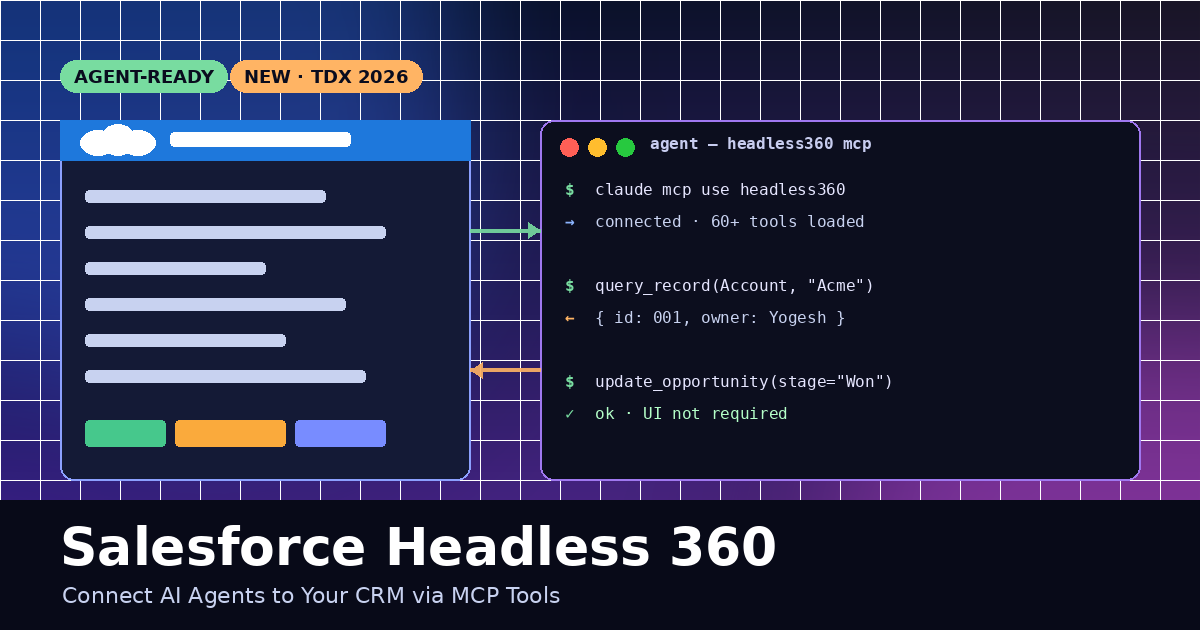
Salesforce launched Headless 360 at TDX 2026 — every capability in the platform (Customer 360, Data 360, Agentforce) is now exposed as an API, MCP tool, or CLI command. That means AI agents can read and update your CRM without ever opening a browser.

This guide shows you how to connect an AI coding agent (Claude Code, Cursor, or Codex) to Salesforce using Headless 360 MCP — in minutes.


What you get

  • 60+ MCP tools for records, flows, Apex, reports, and Agentforce
  • 30+ preconfigured coding skills for org dev tasks
  • Works with Claude Code, Cursor, Codex, Windsurf, VS Code
  • Available now on Developer Edition + paid subscribers

Prerequisites

  • A Salesforce org (Developer Edition is free)
  • Salesforce CLI (sf) installed
  • Node.js 20+ (for the MCP server)
  • An agent that speaks MCP — Claude Code is the simplest

Step 1: Install the Salesforce CLI

The CLI ships the Headless 360 MCP server.

npm install --global @salesforce/cli
sf --version

Expected output:

@salesforce/cli/2.90.0 linux-x64 node-v20.11.0

Step 2: Authorize your org

sf org login web --alias DevHub --set-default

A browser opens. Log in. Once authorized, confirm:

sf org display --target-org DevHub
# Access Token  ****
# Instance Url  https://your-domain.my.salesforce.com
# Status        Connected

Step 3: Start the Headless 360 MCP server

Run the local MCP server bound to your authorized org:

sf mcp start --org DevHub --port 4711

You should see:

[sf-mcp] listening on http://127.0.0.1:4711
[sf-mcp] loaded 62 tools · 34 skills

Step 4: Register the server with your agent

For Claude Code, add the server to ~/.claude/mcp.json:

{
  "mcpServers": {
    "headless360": {
      "command": "sf",
      "args": ["mcp", "start", "--org", "DevHub", "--stdio"]
    }
  }
}

Reload the agent. You should now see the headless360 server connected.

Step 5: Call your first tool

Ask the agent to query a record.

You:

Find the Account named "Acme Corp" and show me its owner and last stage.

Agent (uses headless360.query_record):

{
  "Id": "001Dn00000abc12",
  "Name": "Acme Corp",
  "Owner.Name": "Yogesh B.",
  "LastOpportunityStage": "Negotiation"
}

Step 6: Update a record (write action)

Agents can write — with your confirmation.

You:

Move the Acme Corp opportunity to Closed Won.

Agent calls:

headless360.update_record({
  object: "Opportunity",
  id: "006Dn00000xyz45",
  fields: { StageName: "Closed Won" }
})

Response:

{ "success": true, "id": "006Dn00000xyz45" }

Essential tools at a glance

ToolWhat it does
query_recordSOQL-powered record lookup
create_recordInsert a new record (Account, Contact, etc.)
update_recordPatch fields on an existing record
run_flowInvoke any Flow with inputs
run_apexExecute an anonymous Apex block
agentforce_askDelegate to an Agentforce agent
describe_objectInspect a sObject schema

Step 7: Chain tools in one prompt

The real power is agentic chaining. One prompt, many tools.

For every Opportunity > $50k closing this month,
1. pull the Account,
2. check for an open Case,
3. if none, create a Task for the owner to call the customer.

The agent plans the tool calls, runs them sequentially, and reports back — no UI, no clicks.

Safety: scope what agents can do

  • Run the MCP server under a dedicated Integration User with least-privilege profile
  • Use --allow flags to whitelist tools (e.g., --allow query_record,describe_object)
  • Enable Agent Audit Trail in Setup → Headless 360 → Audit
  • Never hand out the access token — the server auths on behalf of the agent locally

Common gotchas

  • Token expired: rerun sf org login web
  • Tool not loaded: confirm edition — some tools require Enterprise or Agentforce SKU
  • Rate limits: bulk ops should use run_apex or Bulk API, not loops of update_record

Wrap up

Headless 360 turns Salesforce into programmable infrastructure for agents. Three commands — install, authorize, start — and your CRM speaks MCP. From here, point any agent at it and have it run real work.

Next step: try wiring an Agentforce agent behind agentforce_ask so your coding agent can hand off to a specialist.

Comments

Subscribe to join the conversation...

Be the first to comment