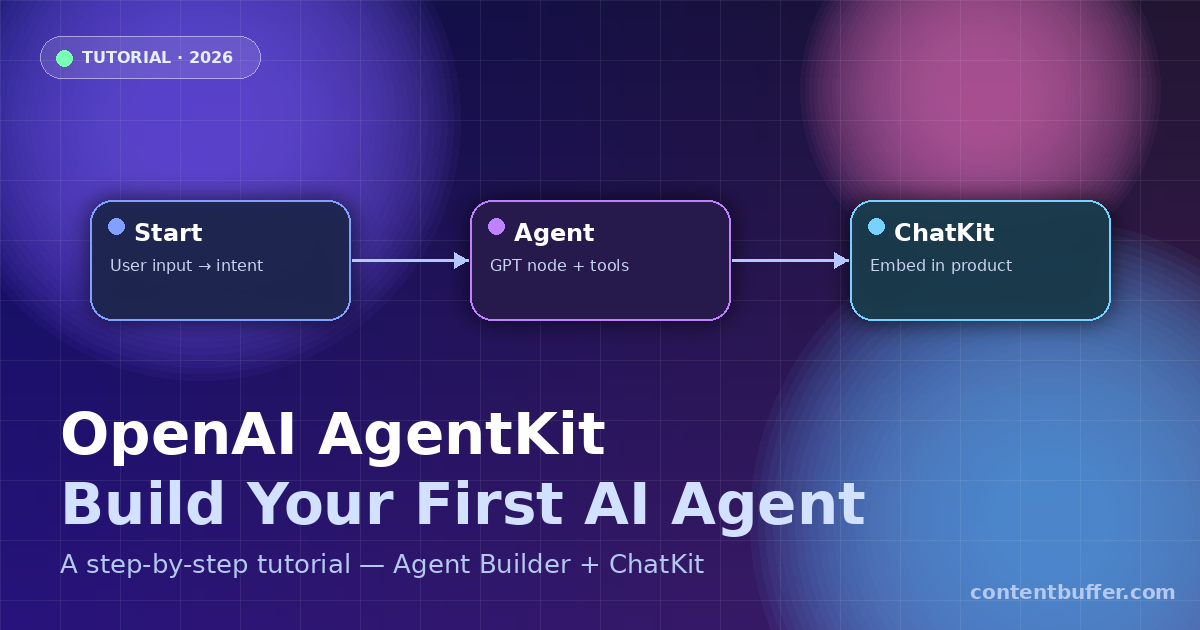
OpenAI AgentKit Tutorial: Build Your First AI Agent
Summary
Step-by-step guide to build, test, and deploy AI agents with AgentKit + ChatKit.
What is OpenAI AgentKit?
AgentKit is OpenAI's all-in-one toolkit for building, deploying, and embedding AI agents. It ships with three core pieces.
- Agent Builder — a visual canvas where you drag and drop nodes to design multi-step agent workflows.
- ChatKit — a drop-in UI that embeds your agent as a chat experience in any site or app.
- Connector Registry — a central place to manage data sources, tools, and MCP servers.
This tutorial walks you from zero to a working, embeddable AI agent in under 15 minutes.
Prerequisites
- An OpenAI account with billing enabled at platform.openai.com.
- Node.js 18+ installed locally.
- Basic familiarity with running
npmcommands.
Step 1 — Open Agent Builder
Go to the builder and sign in with your OpenAI account.
https://platform.openai.com/agent-builder
Click + Create, then choose Start from blank or pick a template (Q&A bot, research agent, support triage, etc.).
Example — what you should see
A blank canvas with a Start node, a side panel for nodes (Agent, Tool, Guardrail, End), and a Preview panel on the right.
Step 2 — Add an Agent node
- Drag an Agent node onto the canvas.
- Connect
Start → Agentby dragging between the handles. - Click the Agent node to open its config panel.
Configure the Agent
| Field | Value |
|---|---|
| Name | research_agent |
| Model | gpt-5.4-mini |
| Instructions | You are a concise research assistant. Answer in 3 bullet points with sources. |
| Tools | Web Search (toggle ON) |
| Output schema | text |
Step 3 — Preview your agent
Click Preview on the top-right to open the test panel.
Example input
What are the top 3 agentic AI frameworks in 2026?
Example output
• LangGraph — stateful graph-based agent orchestration (v1.1.6).
• OpenAI AgentKit — visual Agent Builder + ChatKit UI embed.
• CrewAI — role-based multi-agent crews with tool sharing.
Sources: langchain.com/langgraph, openai.com/agentkit, crewai.com
If the output looks right, you're ready to publish.
Step 4 — Publish the workflow
- Click Publish (top-right).
- Give it a version name like
v1. - Copy the Workflow ID — it looks like
wf_01H.... You'll need it next.
Step 5 — Embed with ChatKit
Clone the ChatKit starter and plug in your workflow ID.
git clone https://github.com/openai/openai-chatkit-starter-app
cd openai-chatkit-starter-app
cp .env.example .env.local
Edit .env.local
OPENAI_API_KEY=sk-...
NEXT_PUBLIC_CHATKIT_WORKFLOW_ID=wf_01H...
Run it
npm install
npm run dev
Open http://localhost:3000. Your agent is now live in a branded chat UI.
Step 6 — Embed on your own site
Add two lines to any page to embed ChatKit:
<script src="https://cdn.openai.com/chatkit/v1/chatkit.js"></script>
<openai-chatkit
workflow-id="wf_01H..."
user-id="user_123">
</openai-chatkit>
workflow-id— the ID from Step 4.user-id— unique per end user; used for memory and rate limits.
Step 7 — Add a Guardrail (optional)
Drag a Guardrail node before the Agent node to block unsafe inputs.
| Guardrail | Blocks |
|---|---|
| PII filter | Emails, SSNs, credit cards |
| Moderation | Hate, self-harm, sexual content |
| Jailbreak detector | Prompt injection attempts |
Quick reference
| Component | What it does |
|---|---|
| Agent Builder | Visual canvas to design workflows |
| ChatKit | Embeddable chat UI |
| Connector Registry | Manages tools and data sources |
| Guardrails | Safety filters on inputs/outputs |
| Evals | Score agent performance over time |
Common issues
- Preview returns empty — Web Search tool is off. Enable it in the Agent config.
- ChatKit won't load — workflow is still in Draft. Publish a version first.
- 401 Unauthorized —
OPENAI_API_KEYmissing in.env.local. - Wrong workflow — double-check the ID matches the published version, not draft.
Next steps
- Add Evals to measure accuracy on a golden test set.
- Connect MCP servers from the Connector Registry for CRM, email, or docs.
- Use the Agents SDK to run the same workflow in your own backend.
You now have a published, embeddable AI agent — no backend code required.
Comments
Be the first to comment