OpenAI Agents SDK Sandbox: Build Safer AI Agents
Summary
Learn to build safer autonomous AI agents using OpenAI Agents SDK's new sandbox harness.
What Is the OpenAI Agents SDK Sandbox?
OpenAI just shipped a major update to its Agents SDK (April 2026): a built-in sandbox harness that lets autonomous agents run commands, edit files, and complete long-horizon tasks — inside an isolated environment.
In this quick tutorial you will: install the SDK, configure a sandboxed agent, run it, and inspect its traces.
Why Sandboxing Matters
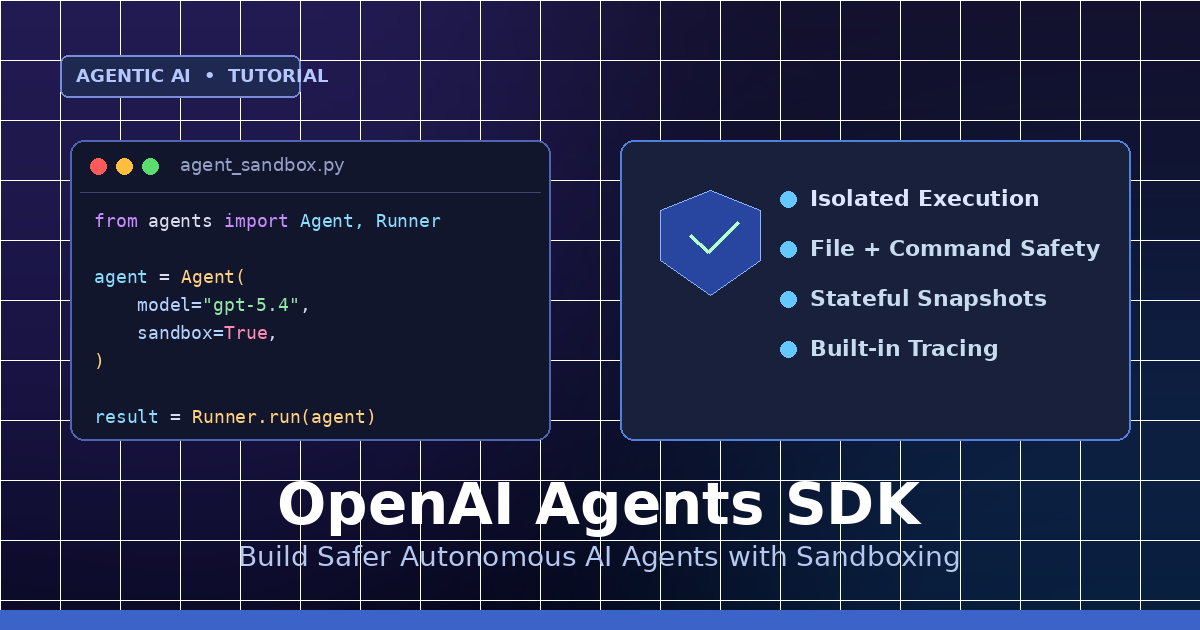
- Isolation: Agent file/command access is scoped to the sandbox.
- Safety: Risky actions (rm, network calls) stay contained.
- Stateful runs: Snapshot and resume long-running workflows.
- Built-in tracing: Every tool call is captured automatically.
Step 1: Install the SDK
Install the Python package and set your API key.
pip install openai-agents
export OPENAI_API_KEY="sk-..."
Step 2: Create Your First Sandboxed Agent
Enable sandbox=True on the agent runner to isolate execution.
from agents import Agent, Runner
agent = Agent(
name="FileBot",
model="gpt-5.4",
instructions="You tidy up messy text files.",
sandbox=True,
)
result = Runner.run(agent, input="Read notes.txt and summarize it.")
print(result.final_output)
Step 3: Mount Files Into the Sandbox
Expose a folder as a data room so the agent can read and write within it — and nowhere else.
from agents import Agent, Runner, Sandbox
sbx = Sandbox(mount={"/workspace": "./project"})
agent = Agent(
name="CodeFixer",
model="gpt-5.4",
sandbox=sbx,
tools=["shell", "file_edit"],
)
Runner.run(agent, input="Fix the failing tests in /workspace")
Example Input / Output
Input:
input = "Create hello.py that prints 'hi', then run it."
Output (trace summary):
[1] file_edit: wrote /workspace/hello.py (12 bytes)
[2] shell: python /workspace/hello.py
stdout: hi
[3] final: Done. hello.py created and executed successfully.
Step 4: Snapshot + Resume Long-Running Agents
Pause a run and pick it back up later — state, files, and context are preserved.
run = Runner.start(agent, input="Refactor auth module")
snap_id = run.snapshot()
# ...hours later...
resumed = Runner.resume(snap_id)
print(resumed.final_output)
Step 5: Require Human Approval for Risky Tools
Gate sensitive tools (shell, network) so the agent has to ask before running them.
agent = Agent(
model="gpt-5.4",
sandbox=True,
tools=["shell"],
approvals={"shell": "always"},
)
Sandbox vs. No Sandbox
| Capability | Plain Agent | Sandboxed Agent |
|---|---|---|
| Isolated filesystem | No | Yes |
| Shell + file tools | Unsafe | Scoped |
| Stateful snapshots | No | Yes |
| Built-in tracing | Manual | Automatic |
| Human approvals | Custom | Built-in |
Best Practices
- Always enable
sandbox=Truefor agents with shell or file tools. - Mount only the folders the agent actually needs.
- Require approvals for destructive tools in production.
- Snapshot before long tasks so you can recover on failure.
- Review traces to debug tool routing and cost.
Wrap Up
The new Agents SDK sandbox makes it safer to ship autonomous AI agents that touch real files and real systems. One flag — sandbox=True — and you get isolation, approvals, snapshots, and tracing out of the box.
Next: try building your own coding agent using sandboxed tools and mounted repos.
Comments
Be the first to comment